DVWA JavaScript Low Sec - Red Team

This blog post explains how to decode obfuscated JavaScript in the DVWA on Low Security. I propose a heuristic for when you are presented with unknown code - start from the bottom and work your way up. With this heuristic and CyberChef I’ve successfully reverse engineered AES encrypted payloads. If you want to further test your understanding I’ve written a payload encoder/decoder on my GitHub.
Video
Prerequisites
If you don’t currently have a Damn Vulnerable Web Application (DVWA) instance you can follow along at home with a simple git clone & vagrant up if your host system meets the minimum specs.
Red team only deploys Opnsense, DVWA, and Kali.
JavaScript - Red Team
This challenge revolves around the danger of leaving “source code” in the clear for anyone to see. I’m not going to way in on the “every application is source-available if you know assembly” debate as that would miss the point of this challenge.
Basic Browser
As always first we must view the challenge page.
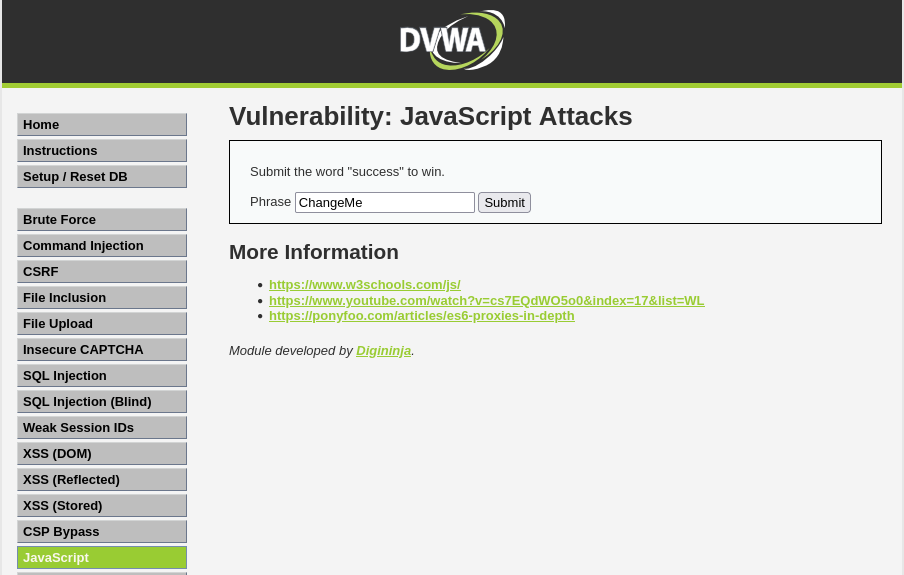 Example js main page
We are given instruction to submit the word success to win. Giving that a go we get the following:
1
Winner Winner Chicken Dinner !!
Not quite, instead we get.
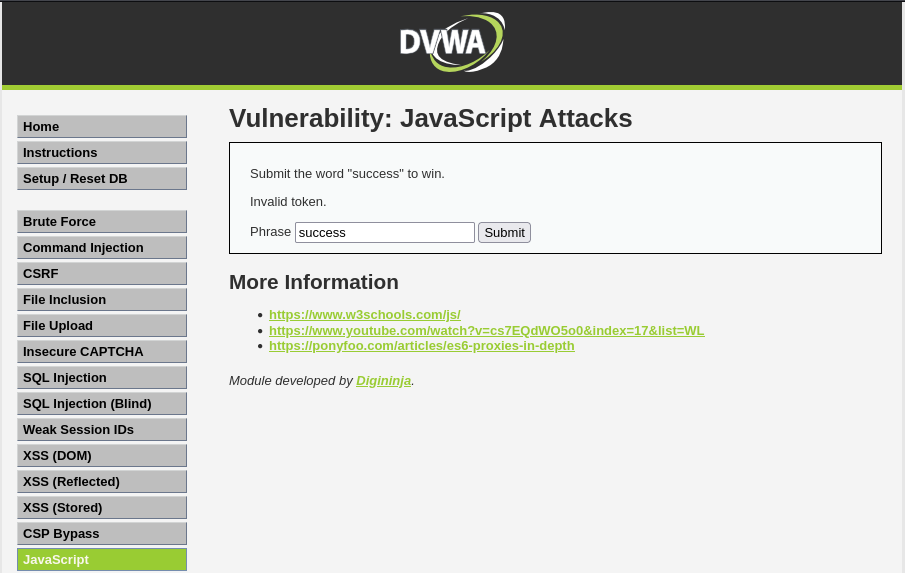 Example js input success
Something about an invalid token, interesting. Lets inspect and see what the process looks like under the hood.
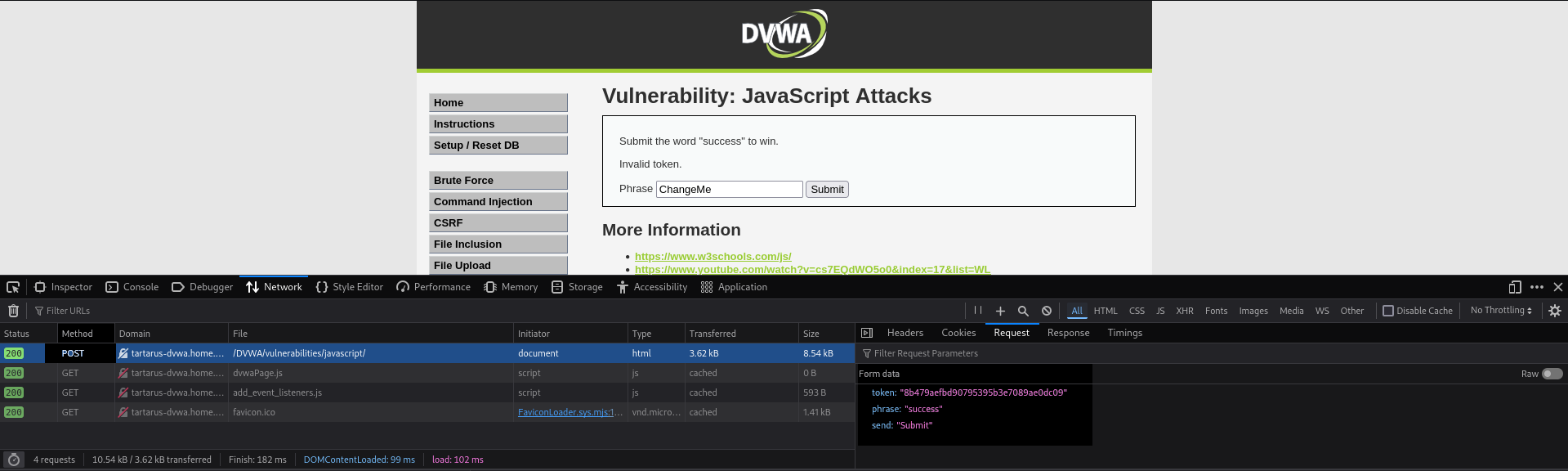 Example js input with inspection
It looks like the request is using the POST method to send a token, phrase, and a send value.
The value of the token is pretty funny once decoded.
Lets have a deeper look at the source of the page.
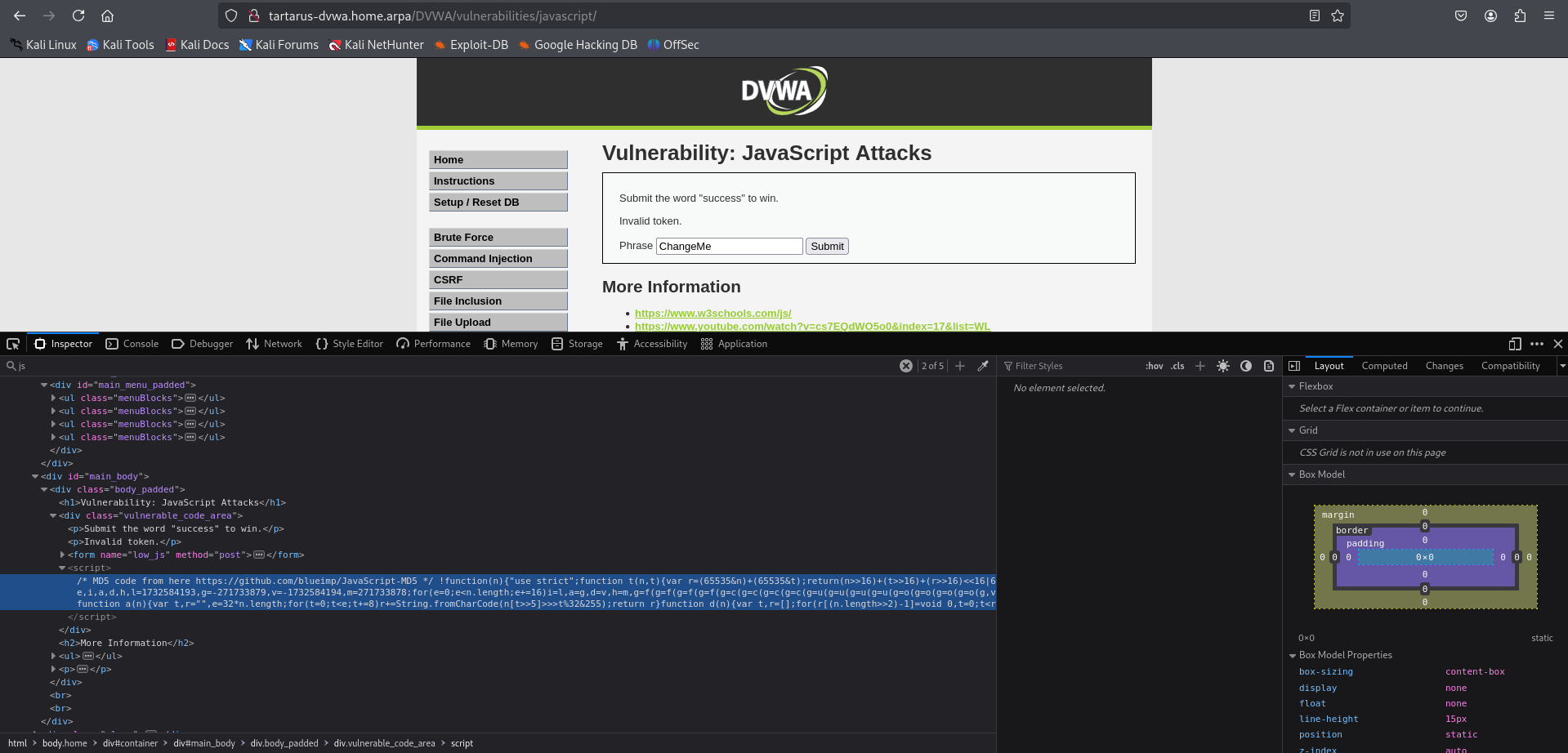 Example js source code
It looks like there is a <script> tag executing something. I found this by searching for the phrase ‘js’ in the Inspector and looking through the results.
Pasting the value into vim we can get some syntax highlighting.
 Example js script in vim
Quite a lot to take in, I like to work backwards when dealing with unknown code start from the bottom and working my way up. We have:
1
2
3
4
5
6
7
8
9
10
	function rot13(inp) {
		return inp.replace(/[a-zA-Z]/g,function(c){return String.fromCharCode((c<="Z"?90:122)>=(c=c.charCodeAt(0)+13)?c:c-26);});
	}

	function generate_token() {
		var phrase = document.getElementById("phrase").value;
		document.getElementById("token").value = md5(rot13(phrase));
	}

	generate_token();
So genarate_token gets the ‘phrase’ value (in this case “success”) and the ‘token’, looking how it gets generated:
1
		document.getElementById("token").value = md5(rot13(phrase));
So lets take the phrase and apply this logic to it in CyberChef
It’s best to host an instance of CyberChef locally, there are a lot of impersonators online (who knows what they do with the data you provide!)
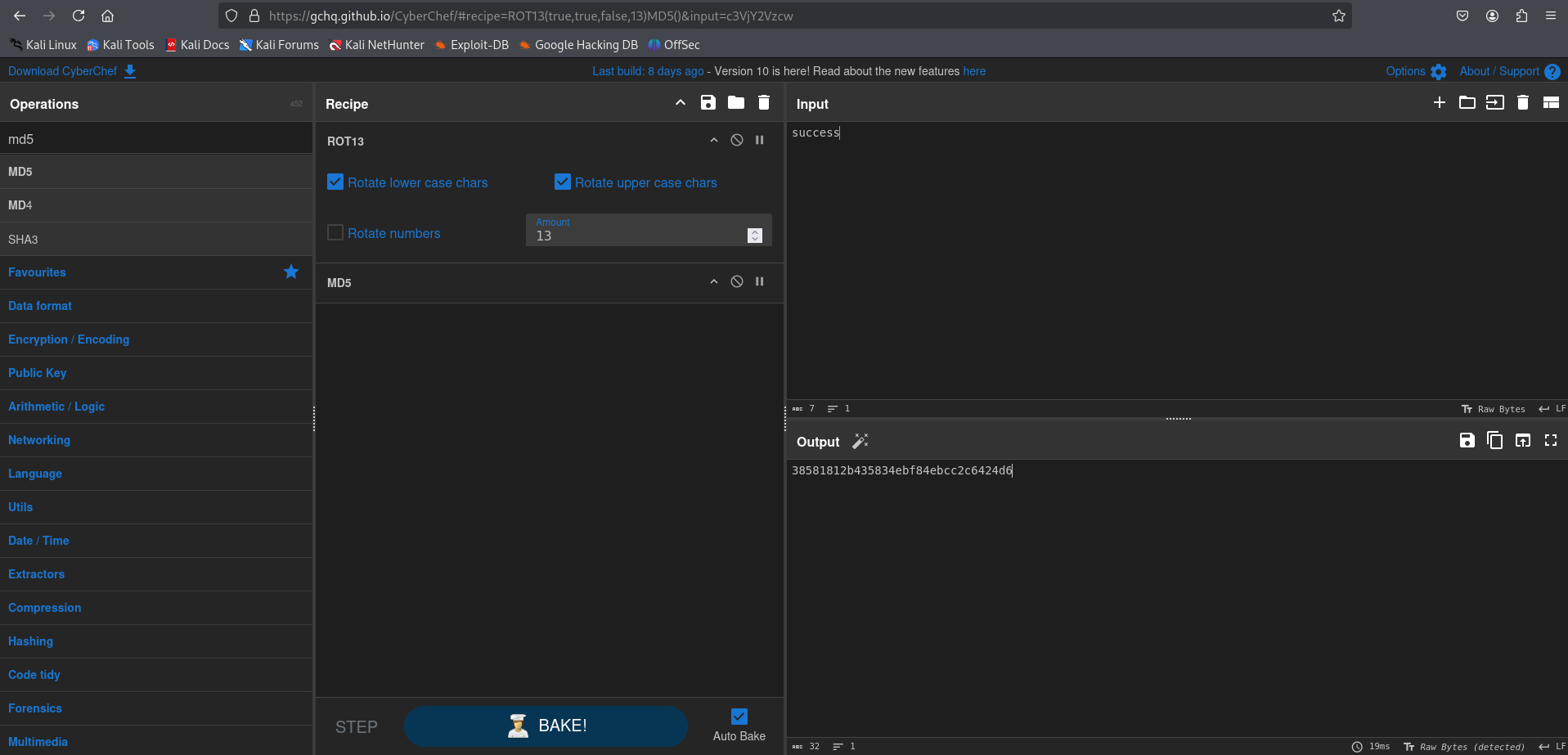 Example js cyber chef
We take the value ‘success’ do a ROT13 on it and then MD5 hash the result. For this next step you could do it in burp or the like, I’ll demo it in the browser.
In Firefox right-click and inspect element on the Phrase text box in the webpage, this will open the Inspector tool on that element.
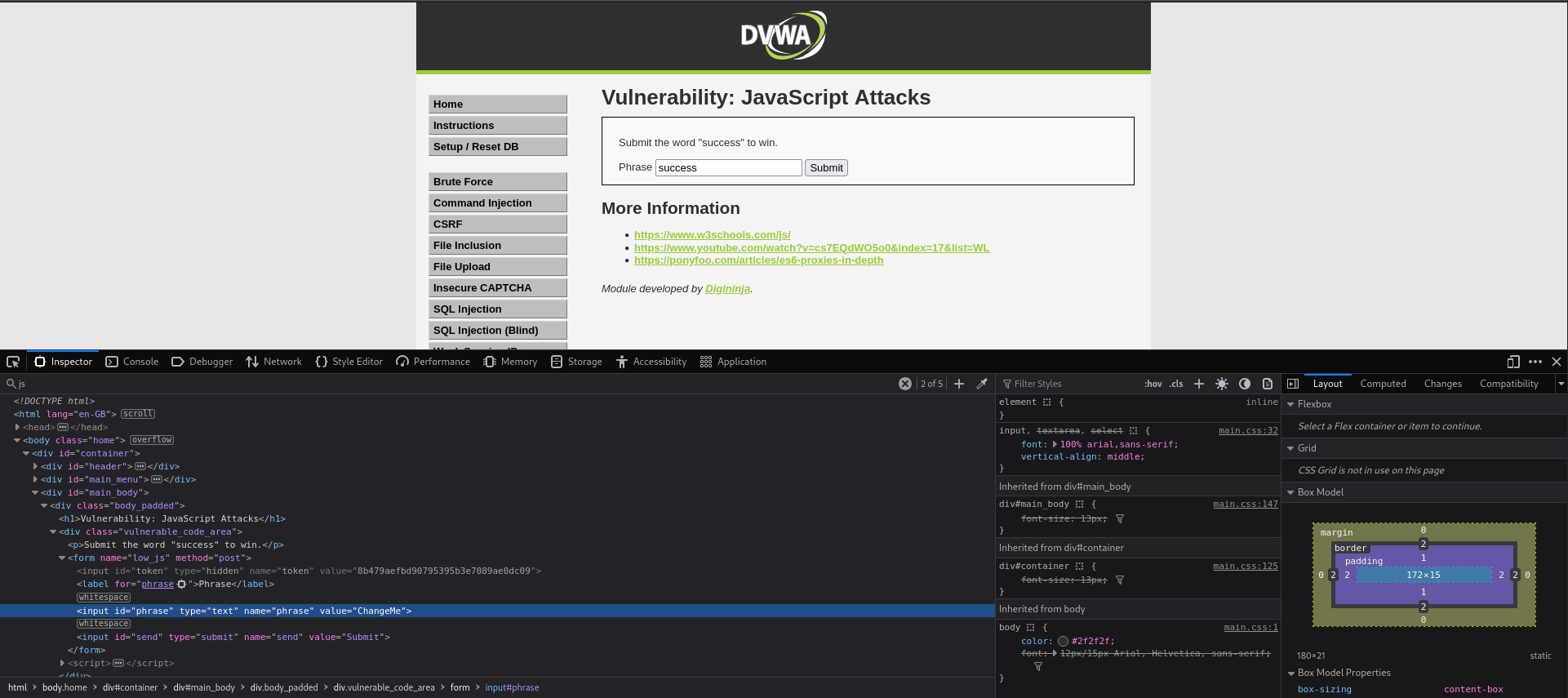 Example js inspect element
Copy the hash value you got in CyberChef and replace the hidden token value with it and type ‘success’ in the Phrase box, then hit submit.
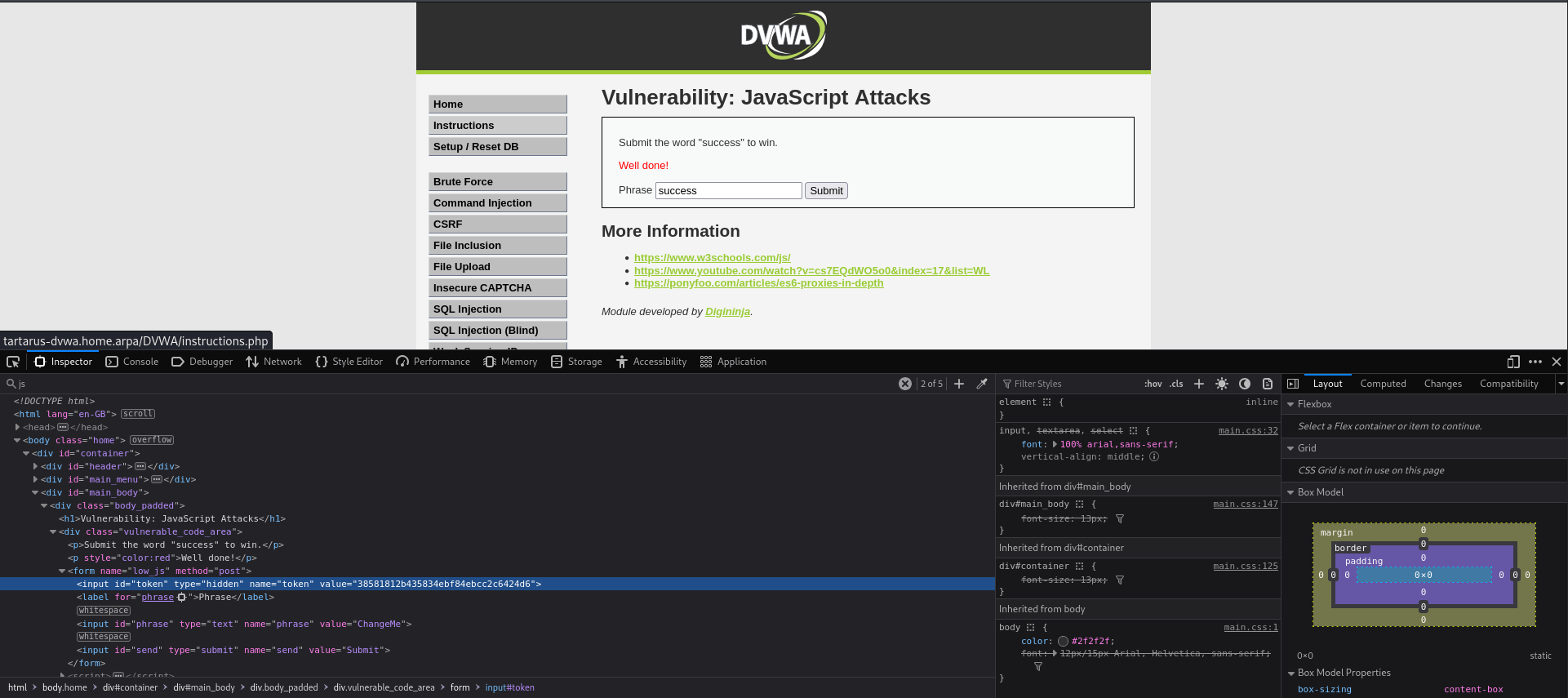 Example js success
Credits
Image thanks to Nasa AS11-44-6549
Icon thanks to Html icons created by juicy_fish - Flaticon