DVWA Authorisation Bypass Low Sec - Red Team
In this short blog post I cover how to undertake the simple Authorisation Bypass in the DVWA on Low Security. It’s a very simple bypass, however the recon to find the page organically is the key take away - Always Be Scanning (ABS)!
Video
Prerequisites
If you don’t currently have a Damn Vulnerable Web Application (DVWA) instance you can follow along at home with a simple git clone & vagrant up if your host system meets the minimum specs.
Red team only deploys Opnsense, DVWA, and Kali.
Authorisation Bypass - Red Team
Log out of the admin user and log in as any of the other users, you will notice a tab missing from the side navigation bar.
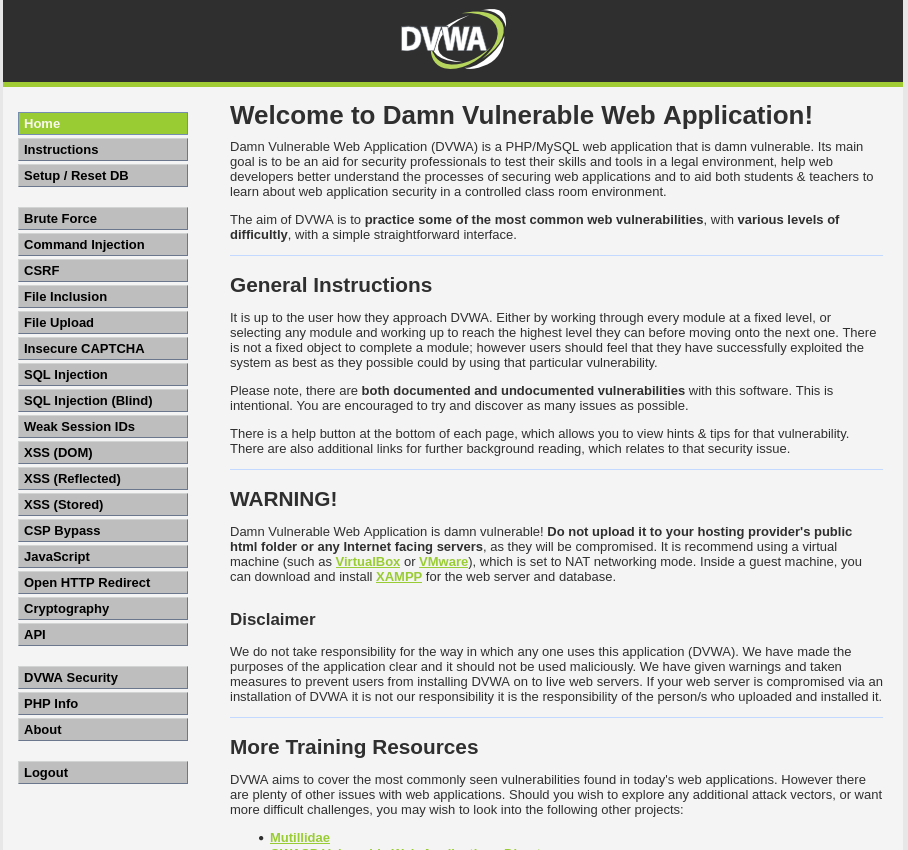 Example auth bypass missing tab
Have a “propa ganda” at what’s in the /vulnerabilities/ directory.
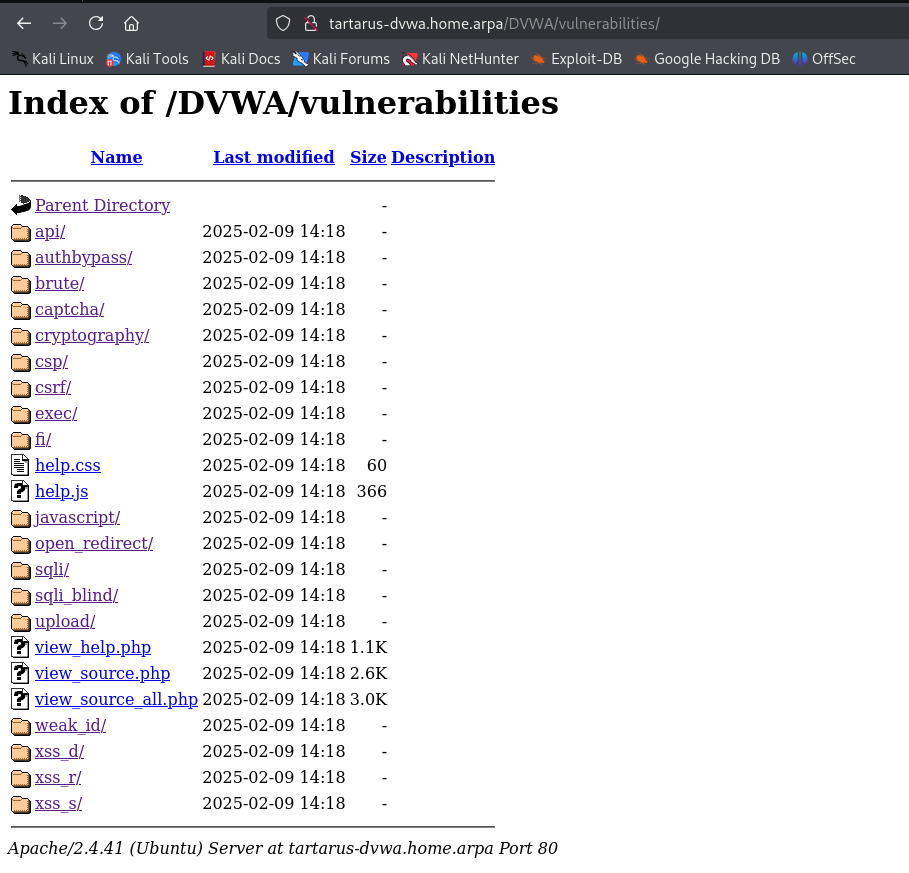 Example output of vuln dir
You can also disclose what’s in the dir using Command Injection in that challenge if you did the following command you’ll get a list of directories.
1
asdf;ls ../
Just go to the URL
1
http://tartarus-dvwa.home.arpa/DVWA/vulnerabilities/authbypass/
As any of the other users, there is no other protection on it.
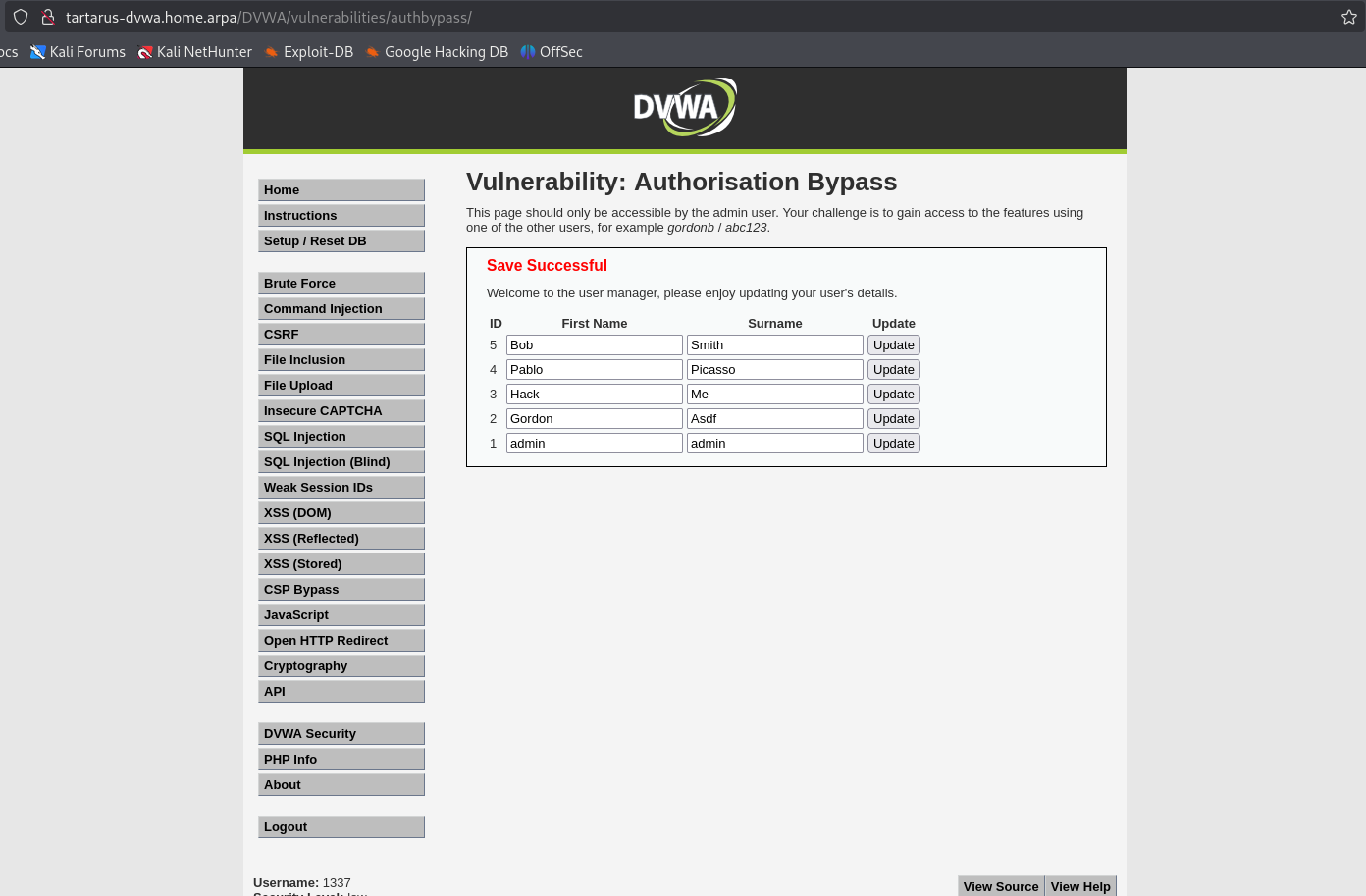 Example authorisation bypass
This is beyond the scope of the challenge I was just interested in how the page gets deployed.
The code (in this file /var/www/html/DVWA/dvwa/includes/dvwaPage.inc.php) needs to check what user is active and if it’s the admin user this is the code in question:
1
2
                if (dvwaCurrentUser() == "admin") {
                        $menuBlocks[ 'vulnerabilities' ][] = array( 'id' => 'authbypass', 'name' => 'Authorisation Bypass', 'url' => 'vulnerabilities/authbypass/' );
Since it’s doing loose comparison == there could be an avenue to test by changing the username of whoever’s logged in to something like admin\x00asdf if the PHP version was <7.0, however in this case it’s just a rabbit hole.
Credits
Image thanks to Nasa AS11-44-6549
Icon thanks to Password icons created by juicy_fish - Flaticon